
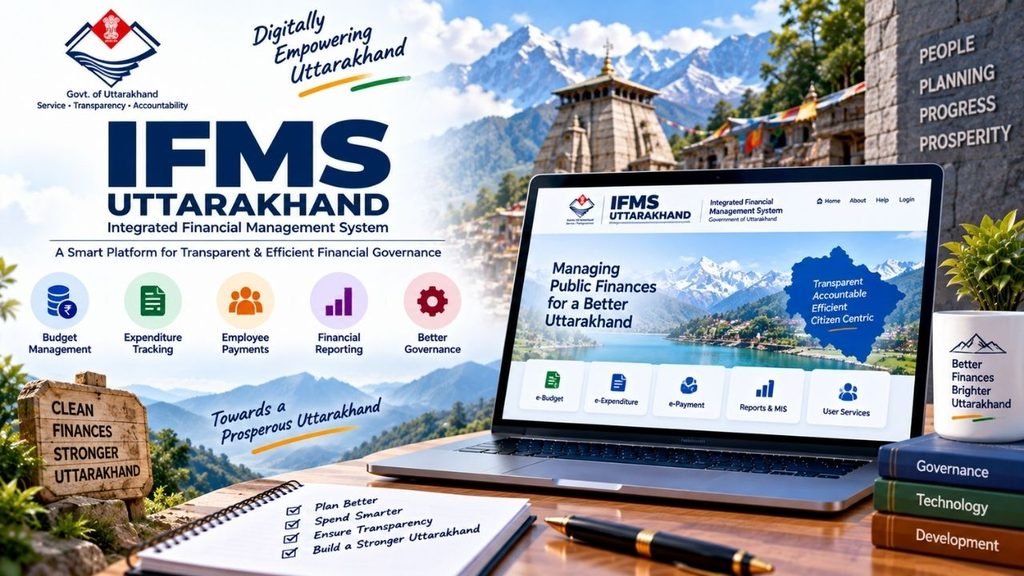
The IFMS Uttarakhand portal is an important digital platform of the Uttarakhand Government for managing financial and employee-related services online. It helps government departments handle activities such as budgeting, accounting, treasury operations, payroll, pension management and government receipts through a centralised system.
For government employees, the system can be useful for accessing salary details, payslips, leave-related services and employee information. Pensioners can use the pension-related services to access documents such as pension slips and other records. Citizens can also benefit from services such as UKosh, which supports online government payments and challan generation.
In the past, many of these activities depended heavily on paperwork and physical visits to offices. The IFMS system aims to make these processes more organised, transparent and convenient through digital services.
⭐ What is IFMS Uttarakhand?
IFMS stands for Integrated Financial Management System. It is a web-based financial management platform implemented by the Government of Uttarakhand.
The main purpose of IFMS is to bring different government financial and administrative activities onto a common digital platform. It supports processes related to:
- Budget preparation
- Accounting
- Treasury management
- Government payments
- Government receipts
- Payroll
- Employee management
- Pension management
- Financial reporting
- Challan generation
- Departmental financial transactions
The system is intended to reduce manual work and make financial transactions easier to manage.
According to the source information, the platform is used across 67+ administrative departments, 105+ Heads of Departments and 4,200+ Drawing and Disbursing Officers (DDOs).
It also provides integration with the Reserve Bank of India and other banks, helping government financial transactions move through a digital system.
⭐ What is the Main Purpose of IFMS Uttarakhand?
The IFMS portal has been designed to simplify government financial management.
Earlier, financial information and employee-related records could involve multiple offices and physical documents. A centralised digital system can make it easier for authorised users to access and process information.
The major objectives include:
Paperless Transactions
IFMS supports electronic processing of financial and administrative transactions, reducing dependence on physical paperwork.
Financial Management
Government departments can use the system for activities such as budgeting, accounting and financial reporting.
Treasury Management
Treasury-related activities can be handled through the integrated platform.
Employee Services
The HRMS component provides government employees with access to services related to salary, leave and employee information.
Pension Management
The e-Pension module supports digital pension-related processes and access to pension documents.
Online Government Receipts
The UKosh module allows users to generate challans and make certain government payments online.
⭐ IFMS Uttarakhand Portal: Important Services at a Glance
| Service/Module | Main Purpose |
|---|---|
| IFMS | Integrated financial management |
| HRMS | Employee and HR-related services |
| UKosh | Online government receipts and challans |
| e-Pension | Pension management |
| Payroll | Salary and payslip information |
| Budget | Budget preparation and management |
| Treasury | Government treasury operations |
| Employee Self-Service | Employee information and services |
| Financial Reports | Financial analysis and reporting |
| Challan Generation | Online generation of payment challans |
⭐ What is HRMS in IFMS Uttarakhand?
HRMS stands for Human Resources Management System.
In Uttarakhand IFMS, HRMS is used to manage various human-resource-related activities for government employees.
Instead of depending entirely on the HR or accounts office for every small task, employees can access certain services through the digital system.
The HRMS component can include:
- Salary information
- Allowances
- Deductions
- Payslips
- Leave management
- Employee information
- Performance-related records
- Service-related information
- Employee self-service
The availability of a particular service may depend on the employee’s department, role and access permissions.
⭐ HRMS Services Available Through IFMS Uttarakhand
Salary and Payroll Management
Government employees can use the payroll-related services to view information associated with their monthly salary.
Depending on the available services, employees may be able to check:
- Basic salary
- Allowances
- Deductions
- Salary credits
- Monthly payslip
This makes it easier for employees to keep track of their salary records.
Leave Management
The HRMS module can be used for submitting and tracking leave requests.
An employee may be able to:
- Apply for leave
- Select the type of leave
- Enter leave dates
- Provide a reason
- Submit the request
- Track approval status
The exact leave options depend on the employee’s department and applicable rules.
Employee Self-Service
Employee Self-Service allows authorised employees to access or update certain personal and employment-related information.
This can reduce the need to visit the office for routine information.
Performance Management
The HRMS system can also support performance evaluation-related activities, including accessing performance information and uploading required documents where applicable.
HRMS Odisha – Complete Guide to Login, Salary Slip, Leave, Service Book & Employee Portal
⭐ How to Register on IFMS Uttarakhand?
For government employees, registration on IFMS is generally connected with their official employment records.
Employees should not assume that they can independently create a completely new employee account like a normal public website account.
The onboarding process is generally handled through the concerned department and authorised officials.
Employee Onboarding
First, the employee’s department enters or verifies the required information in the system.
Important details may include:
- Employee name
- Employee code
- Department
- Designation
- Contact information
- Other required service details
Employees can contact their Drawing and Disbursing Officer (DDO) or concerned department if they are unsure whether their details have been registered.
Login Credentials
After the employee is onboarded, login credentials may be provided through the concerned department or through the registered communication channel.
The employee should keep these credentials confidential.
First-Time Access
After receiving the credentials, the employee can access the portal and follow the instructions shown on the screen to complete the account setup, where required.
⭐ How to Login to IFMS Uttarakhand?
The basic login process can be understood as follows.
Step 1: Open the IFMS Uttarakhand Portal
Visit the official IFMS Uttarakhand portal using a secure internet connection and a trusted device.
Avoid entering your login credentials on websites received through unknown messages or suspicious links.
Step 2: Select the IFMS Login Option
From the portal, open the Login to IFMS option.
You will be taken to the login page.
Step 3: Enter Your Login Details
Enter the credentials provided to you.
Depending on the portal configuration, this may include:
- Username/Login ID
- Password
- Captcha
Make sure the information is entered correctly.
Step 4: Complete Verification
If additional verification such as OTP is enabled for your account, enter the OTP received on your registered mobile number.
Step 5: Open Your Dashboard
After successful authentication, you can access the modules and services available for your account.
These may include:
- Payroll
- Salary details
- Leave
- Employee information
- Pension-related services
- Other authorised modules
⭐ IFMS Uttarakhand Forgot Password: How to Reset Password?
If you have forgotten your IFMS login password, the portal provides a password recovery option according to the source information.
The general process is:
Step 1: Open the IFMS Login Page
Go to the official IFMS Uttarakhand portal and open the IFMS login page.
Step 2: Select Forgot/Unlock Login Password
Look for the Forgot/Unlock Login Password option on the login page.
Step 3: Enter Your Details
Enter the required information, such as:
- Registered mobile number
- Employee code
- Other verification details, if requested
Step 4: Complete Verification
If the system asks a security question or sends an OTP, complete the verification process.
PNB HRMS – Complete Guide to PNB Parivar 2.0 Login, Salary Slip, Leave, Pension and Mobile App
Step 5: Create a New Password
Follow the instructions provided by the portal to reset your password.
After successfully changing the password, use the new password to log in.
If the password-reset option does not work, employees should contact their concerned DDO or official helpdesk.
⭐ How to Download Salary Slip from IFMS Uttarakhand?
Salary information is one of the most useful services for government employees.
If the salary-slip facility is enabled for your account, you can generally access it after logging into the employee/HRMS section.
The process is:
- Login to the IFMS/HRMS portal.
- Open the Payroll or Salary section.
- Select the required month and year.
- View the salary details.
- Open the payslip option.
- Download or save the salary slip, if the option is available.
A salary slip may contain information such as:
- Basic pay
- Allowances
- Deductions
- Net salary
- Other payroll details
Employees should carefully check their salary information and contact their department if they find an error.
⭐ What is UKosh in IFMS Uttarakhand?
UKosh is an important component associated with Uttarakhand’s financial management system.
It is designed to facilitate online government receipts.
Citizens and other users can use the facility for applicable government payments and challan-related activities.
Depending on the type of payment, the system may be used for areas such as:
- Taxes
- Government dues
- Revenue-related payments
- Other applicable government receipts
The biggest advantage is that users can initiate the payment process online rather than depending entirely on physical treasury procedures.
⭐ How to Generate a Challan Through UKosh?
The source describes the general process as follows:
Step 1: Open the UKosh Portal
Visit the relevant UKosh service through the official Uttarakhand government financial portal.
Step 2: Select the Required Payment
Choose the appropriate department or payment category for which the government receipt needs to be generated.
Step 3: Enter Required Details
Fill in the information requested by the portal.
Make sure the details are correct before proceeding.
MSSC HRMS: Complete Guide to Login, Salary Slip, Leave, Employee Details, Password Reset & Services
Step 4: Generate Challan
After entering the required information, generate the online challan.
Step 5: Make the Payment
Depending on the available option, payment can be made online through the available banking/payment facility, or the printed challan can be used for payment through the applicable bank channel.
Always verify the current payment instructions displayed on the official portal before making a transaction.
⭐ Benefits of UKosh
UKosh makes government receipt-related processes more convenient.
Some important benefits include:
- Online challan generation
- Reduced need for physical visits
- Easier payment processing
- Digital record of transactions
- Better transparency
- Convenient access to government payment services
For citizens who frequently need to make government payments, online receipt services can save considerable time.
⭐ What is e-Pension in IFMS Uttarakhand?
The e-Pension module is designed to digitise pension-related activities.
Pension management can involve several records and documents. A digital system makes it easier to maintain and access these records.
The e-Pension component can support pension-related activities such as:
- Pensioner information
- Pension payments
- Retirement benefits
- Pension slips
- Annual statements
- Form-16-related documents
The exact services available to an individual pensioner may depend on their records and the portal’s current facilities.
⭐ How Can Pensioners Download Pension Slip?
According to the source, pensioners can use the IFMS mobile application to access pension-related documents.
The general process is:
- Open the IFMS mobile application.
- Login using the available credentials.
- Open the pension section.
- Select the required pension document.
- Choose the required period.
- Download or save the document if the option is available.
Pensioners should keep their login credentials secure and avoid sharing OTPs with anyone.
⭐ Jeevan Pramaan and IFMS Pension Services
Digital Life Certificate services are also important for pensioners.
Jeevan Pramaan is a Digital Life Certificate system that allows eligible pensioners to submit life-certificate information digitally.
The source indicates that pensioners can use the Jeevan Pramaan App for this purpose.
This can be particularly helpful for pensioners because it reduces the need for repeated physical visits for life-certificate-related processes, subject to the applicable pension authority’s requirements.
⭐ IFMS Mobile App
The IFMS ecosystem also provides mobile access for certain services.
The mobile application can provide convenient access to services related to:
- Payroll
- Salary information
- Pension
- Pension slips
- Employee services
- Other available modules
The exact features available through the mobile app may depend on the user’s role and the current version of the application.
Employees and pensioners should use the official application/service source rather than downloading applications from unknown websites.
⭐ Important IFMS Uttarakhand Modules
IFMS is not limited to employee salary and pension services.
It consists of several financial and administrative components.
UKosh
Used for online government receipts and challan-related services.
e-Pension
Used for digital pension management and pension-related information.
HRMS
Used for employee and human-resource management.
Payroll
Supports salary-related processing and employee payslip information.
Budget Management
Helps departments prepare and manage budget estimates.
Treasury Management
Supports government treasury-related processes.
FCI HRMS: Login, Registration, Salary Slip, Mobile App and Employee Services
Financial Reporting
Provides reports that can help authorised government officials monitor financial information.
Employee Self-Service
Allows employees to access selected personal and service-related information.
⭐ Who Uses IFMS Uttarakhand?
IFMS involves several types of stakeholders.
| Stakeholder | Main Role |
|---|---|
| Administrative Departments | Budgeting, financial planning and fund allocation |
| Heads of Departments | Monitoring and financial administration |
| DDOs | Processing government bills and payments |
| Treasury Offices | Treasury operations and reconciliation |
| Government Employees | Salary, HRMS and employee services |
| Pensioners | Pension-related services |
| Citizens | Government payments and challans |
Because different users have different responsibilities, the services visible after login can also vary according to the user’s role.
⭐ IFMS Uttarakhand Citizen Services
IFMS is not only useful for government employees.
Citizens can also access certain financial services.
Some important services mentioned in the source include:
UKosh Query
This facility can provide information associated with IFMS-related financial transactions and updates, depending on the service available.
Government Challan
Citizens can generate challans for applicable government payments.
Government Receipts
The system supports digital government receipt processes.
Uttarakhand Budget Information
Budget-related documents and information can also be made available to citizens.
⭐ Uttarakhand Budget and IFMS
The state Finance Department plays an important role in preparing the annual state budget.
The budget process involves collecting financial estimates from different departments.
Heads of Departments prepare estimates related to:
- Revenue
- Expenditure
- Departmental requirements
- Various financial activities
These estimates are then forwarded for further examination and finalisation.
According to the source material, departmental estimates are submitted to the Finance Department by October 31 as part of the budget preparation process.
⭐ What Information Can Be Available in IFMS Financial Reports?
Financial reporting is an important part of an integrated financial management system.
Reports can help authorised officials understand government financial activities and support decision-making.
Depending on the module and user permissions, reports may relate to:
- Expenditure
- Receipts
- Budget
- Payments
- Departmental transactions
- Treasury operations
- Financial allocations
Some transactions may also be highlighted in the system so that important or urgent items can receive attention.
⭐ Advantages of IFMS Uttarakhand
The digital financial management system offers several potential advantages.
Saves Time
Digital processing can reduce the time required for many routine financial and employee-related activities.
Reduces Paperwork
Electronic records reduce dependence on physical files.
Better Transparency
Digital transactions and records can improve visibility and accountability.
Centralised Information
Different financial activities can be managed through an integrated system.
Easier Employee Services
Employees can access salary and HR-related services without depending on physical paperwork for every activity.
Pension Convenience
Digital pension services can make document access and pension-related activities easier.
Online Government Payments
UKosh allows applicable government payments and challans to be handled digitally.
Better Reporting
Financial reports can help authorised officials analyse government expenditure and receipts.
⭐ Common Problems While Using IFMS Uttarakhand
Users may sometimes face problems while accessing the portal.
Common reasons can include:
- Incorrect username
- Incorrect password
- Wrong employee code
- Captcha error
- OTP not received
- Registered mobile number issue
- Browser-related problems
- Temporary technical issues
- Portal maintenance
- Account-related restrictions
What Should You Do?
First, carefully check your login credentials.
If the problem continues:
- Try the password recovery option.
- Check whether the registered mobile number is active.
- Try again after some time if the portal is temporarily unavailable.
- Contact your DDO or concerned department.
- Use the official support channel for technical problems.
Do not give your password or OTP to another person claiming to be a portal representative.
⭐ Important Security Tips for IFMS Users
Government financial and employee portals contain sensitive information, so security is very important.
Follow these precautions:
- Never share your password.
- Never share an OTP.
- Use a strong password.
- Avoid saving passwords on public computers.
- Always logout after using a shared device.
- Do not click suspicious IFMS links received through unknown messages.
- Use the official portal for login.
- Keep your registered mobile number updated where required.
- Avoid downloading unofficial mobile applications.
If someone asks for your OTP to “activate” or “update” your IFMS account, do not share it unless you have independently verified the request through an official channel.
⭐ IFMS Uttarakhand Contact Details
The source information provides the following contact details for general IFMS-related queries:
Email: treas-fdc-uk@nic.in
Phone: +91-8899-890000
For employee-specific issues such as incorrect employee details, salary information or account access, it can also be useful to contact your DDO or concerned department, because they may be responsible for verifying and correcting employee records.
Before publishing or using the contact details, users should verify them from the current official Uttarakhand IFMS portal because government contact numbers and email addresses can change.
⭐ IFMS Uttarakhand vs HRMS: What Is the Difference?
People often use IFMS and HRMS interchangeably, but they are not exactly the same thing.
| IFMS | HRMS |
|---|---|
| Integrated Financial Management System | Human Resources Management System |
| Focuses on government financial management | Focuses on employees and HR |
| Budget and accounting | Employee management |
| Treasury management | Payroll |
| Government receipts | Leave management |
| Financial reports | Employee self-service |
| Pension-related financial services | Employee-related services |
In simple words:
IFMS is the larger financial management system, while HRMS is focused mainly on human-resource and employee-related functions.
⭐ IFMS Uttarakhand: Salary, Pension and UKosh at a Glance
If you only want to understand the three most commonly searched services, remember this:
Salary
Government employees can use the HRMS/payroll facilities to access available salary information and payslips.
Pension
Pensioners can use e-Pension facilities for available pension records and documents such as pension slips.
UKosh
Citizens and other authorised users can use UKosh for applicable government receipts and challan-related payments.
⭐ Conclusion
IFMS Uttarakhand is an important digital system for managing the financial and administrative activities of the Uttarakhand Government. It brings different functions such as budget management, treasury operations, accounting, government receipts, payroll and pension management into an integrated digital environment.
For government employees, the HRMS and payroll services can make it easier to access salary information, payslips, leave services and employee records. For pensioners, the e-Pension component provides digital access to available pension-related services. Citizens can use UKosh for applicable government payments and challan-related activities.
The system can save time, reduce paperwork and improve transparency, but users should always use the official IFMS Uttarakhand portal and keep their login credentials and OTP secure.
For more useful guides on government portals, online services, scholarships, banking and other important information, visit Sarkari Bakery.
⭐ Frequently Asked Questions About IFMS Uttarakhand
Based on Google's Helpful Content System, this article emphasizes user value, transparency, and accuracy. It incorporates principles of E-E-A-T (Experience, Expertise, Authoritativeness, Trustworthiness).
Why Choose Sarkari Bakery?
Official Information
Government schemes & banking information based on official sources.
Step-by-Step Guides
Simple application process explained for every service.
Regular Updates
Content updated whenever official rules or services change.
People-First Content
Helpful, transparent and user-focused content.
Pingback: HRMS Odisha – Complete Guide to Login, Salary Slip, Leave, Service Book & Employee Portal - Sarkari Bakery
Pingback: Manav Sampada UP Gov NIC: eHRMS Login, Leave & Services
Pingback: UIIC Portal: Login, Registration, Insurance Renewal and Online Services - Sarkari Bakery
Pingback: Sevarth Mahakosh: Salary Slip, GPF, Pension, Form 16 & More