
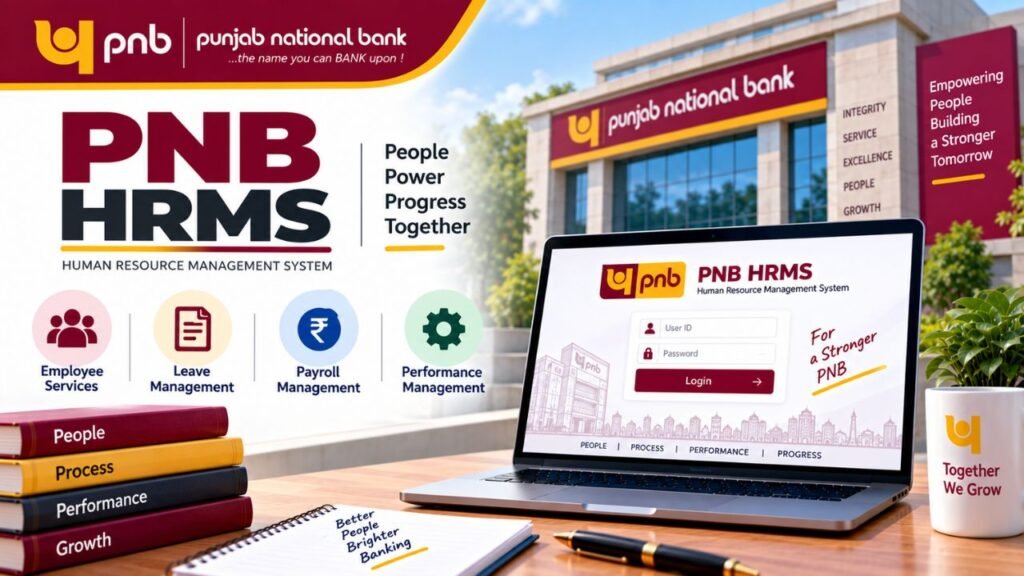
PNB HRMS is the online Human Resource Management System used by Punjab National Bank (PNB) employees and retired employees to access different HR-related services digitally. The system, commonly known as PNB Parivar, brings services such as salary information, leave management, attendance, performance appraisal, pension-related information and other employee services onto a single platform.
Instead of depending on paperwork or visiting the HR department for every small requirement, employees can use the HRMS portal to access many services online.
This guide explains PNB HRMS login, registration, salary slip, leave application, password reset, PNB Parivar 2.0 mobile app, employee services and pension-related facilities in simple language.
Important: PNB may change the portal interface, login process or mobile-app features from time to time. Always use the official PNB HRMS portal and follow the instructions displayed there.
⭐ What is PNB HRMS?
PNB HRMS stands for Punjab National Bank Human Resource Management System. It is a digital HR platform designed for PNB employees and retired employees.
The system is also commonly referred to as PNB Parivar. It provides employees with access to important HR information and services through an online portal.
Some of the major services available through HRMS include:
- Salary and payslip information
- Leave application and leave balance
- Attendance-related information
- Employee personal information
- Performance appraisal
- Training and development
- Loan-related services
- Reimbursement and expense claims
- Pension-related information for eligible retired employees
- Provident fund and other employee benefits
- Other internal employee services
The exact services visible to an employee can depend on their role, employment status and access permissions.
⭐ About Punjab National Bank
Punjab National Bank, popularly known as PNB, is one of India’s major public sector banks. The bank was established in 1894 and has a long history in India’s banking sector.
As the organisation grew, managing employee records, salaries, leave, attendance and other HR activities manually became increasingly difficult. Digital HR systems such as PNB Parivar help centralise these processes.
For employees, this means that many routine HR activities can be handled online instead of depending entirely on physical paperwork.
⭐ What is the PNB HRMS New Portal?
The PNB HRMS portal mentioned in the provided source is:
Employees and retired employees can use the portal to access the HRMS services available to their account.
After successful login, the dashboard provides access to the services permitted for that particular user.
The portal can be useful for checking:
- Salary details
- Salary slips
- Leave information
- Attendance
- Employee information
- Pension-related details
- Performance-related services
- Loan-related information
- Other HR services
⭐ Who Can Use PNB HRMS?
PNB HRMS is intended for current Punjab National Bank employees and retired employees.
Current PNB Employees
Employees can use the system for various employment-related activities, including:
- Checking salary details
- Downloading payslips
- Applying for leave
- Checking attendance
- Viewing employee information
- Accessing performance-related services
- Checking eligible benefits
- Using other available employee services
Retired PNB Employees
Retired employees can use applicable HRMS facilities for retirement-related information, including pension-related services and other post-retirement benefits available through the system.
The services available to a retired employee may differ from those available to an active employee.
⭐ Main Features of PNB HRMS
PNB Parivar provides several HR-related facilities through a centralised digital platform.
| Feature | What it is used for |
|---|---|
| Payroll | Salary and payroll-related information |
| Salary Slip | Viewing or downloading available payslips |
| Leave Management | Applying for leave and checking leave information |
| Attendance | Accessing attendance-related records |
| Performance Appraisal | Performance evaluation-related activities |
| Training | Information about training and development |
| Loan Services | Applicable employee loan-related services |
| Employee Information | Personal and employment-related details |
| Pension Services | Retirement and pension-related information |
| Reimbursement | Applicable expense and claim services |
The exact menu names can change depending on the version of the PNB HRMS system.
⭐ Benefits of PNB HRMS for Employees
The biggest advantage of HRMS is that employees can access many HR services without completing every process manually.
Easy Access to Employee Information
Employees can access available personal, salary and employment-related information from the HRMS dashboard.
Less Paperwork
Digital applications reduce the need for physical forms for services that are available through the online system.
Salary Information in One Place
Employees can access available salary information and payslips without depending on physical copies.
Online Leave Management
Employees can submit leave requests through the HRMS system and check the status of their requests.
Faster HR Processes
Digital processing can make routine HR activities more organised and reduce unnecessary administrative work.
⭐ How to Register for PNB HRMS
PNB HRMS registration is different from creating a normal account on a public website.
According to the provided source, PNB employees receive their HRMS credentials after joining the bank. Therefore, employees generally do not need to create a completely new public account in the same way they would register for an ordinary website.
The basic process is:
- Join Punjab National Bank as an employee.
- Receive the required HRMS login credentials through the applicable internal process.
- Visit the official PNB HRMS portal.
- Enter the credentials provided to you.
- Log in to the HRMS account.
- Complete any required password or profile-related setup.
If you have not received your credentials or have lost them, the source recommends contacting your branch manager or HR department.
⭐ PNB HRMS Login – How to Login to PNB Parivar
To access PNB HRMS, employees need valid login credentials.
Follow these general steps:
Step 1: Open the official PNB HRMS portal.
Step 2: Select the HRMS/login option available on the website.
Step 3: Enter your User ID.
Step 4: Enter your PNB HRMS password.
Step 5: Complete the security verification or CAPTCHA, if displayed.
Step 6: Click the Sign-In/Login button.
Step 7: After successful authentication, your HRMS dashboard will open.
From the dashboard, you can access the services available for your account.
PNB HRMS Login Not Working?
If you cannot log in, first check the following:
- Make sure the User ID is correct.
- Check whether the password has been entered correctly.
- Check uppercase and lowercase characters in the password.
- Make sure the CAPTCHA is entered correctly if shown.
- Check whether the HRMS portal is temporarily unavailable.
- Try again after some time if there is a technical problem.
- Use the password recovery option if you have forgotten your password.
- Contact the appropriate PNB HR/IT support if the problem continues.
Never share your HRMS password or OTP with another person.
MSSC HRMS: Complete Guide to Login, Salary Slip, Leave, Employee Details, Password Reset & Services
⭐ How to Check PNB HRMS Salary Slip
One of the most useful features for employees is accessing salary information and payslips.
The general process is:
Step 1: Login to the PNB HRMS portal.
Step 2: Open the Payroll, Salary or relevant employee-service section.
Step 3: Look for the option related to Payslip/Salary Slip.
Step 4: Select the required month or salary period.
Step 5: View the salary slip displayed on the screen.
Step 6: If a download option is available, download or save the payslip.
Depending on the system version, the exact menu name may be different.
A salary slip can generally contain information such as:
- Basic salary
- Allowances
- Deductions
- Provident fund
- Applicable taxes
- Other salary components
- Gross salary
- Net salary
Employees should check their payslip carefully and contact the appropriate department if they notice an issue.
If you are looking for information about provident fund services outside PNB’s internal HRMS, you can also read our detailed guide on EPFO provident fund and pension services.
⭐ How to Apply for Leave Through PNB HRMS
PNB employees can use the HRMS leave module for applicable leave-related requests.
The general procedure is:
Step 1: Login to PNB HRMS.
Step 2: Open the Leave Management or relevant leave section.
Step 3: Select Apply for Leave or the corresponding option.
Step 4: Choose the applicable leave type.
Step 5: Enter the leave start and end dates.
Step 6: Enter any required reason or additional information.
Step 7: Attach supporting documents if the system or applicable leave rules require them.
Step 8: Submit the leave request.
The request may then be sent to the appropriate reporting officer or authority for approval.
How to Check Leave Status
After submitting a leave request, look for the Leave History, Leave Status or similar option.
Depending on the system, the request may show a status such as:
- Pending
- Approved
- Rejected
The available leave balance may also be displayed in the leave section.
⭐ PNB Parivar 2.0 Mobile App
PNB Parivar 2.0 also provides mobile access to HRMS services.
The mobile application is intended to make employee services more convenient by allowing users to access applicable HR information through a smartphone.
The source states that employees can use the app for services related to areas such as:
- Gratuity
- Provident fund
- Pension
- Other employee benefits
- HR-related information
The features available to an individual user can depend on their account and the version of the application.
⭐ How to Download PNB Parivar 2.0 App
For Android Users
The source suggests the following process:
- Open the Google Play Store.
- Search for PNB Parivar 2.0.
- Check that you are downloading the official application.
- Tap Install.
- Open the application after installation.
- Enter your required login credentials.
For iPhone Users
For iOS devices:
- Open the Apple App Store.
- Search for PNB Parivar 2.0.
- Verify the application details.
- Tap Get.
- Install and open the application.
- Login using the required credentials.
Always verify the publisher/developer information before installing an employee or banking-related application.
⭐ How to Login to PNB Parivar 2.0 Mobile App
After installing the app:
- Open the PNB Parivar 2.0 application.
- Enter your User ID.
- Enter your password.
- Complete any security verification requested by the app.
- Submit the login details.
- Access the services available on your dashboard.
The mobile interface can differ from the web version, so menu names may not always be identical.
⭐ How to Reset PNB HRMS Password
If you forget your HRMS password, the provided source describes the following recovery process.
Step 1: Visit the PNB HRMS portal.
Step 2: Open the HRMS login page.
Step 3: Click Forgot Password.
Step 4: Enter your registered User ID.
Step 5: Follow the password-reset instructions shown on the portal.
Step 6: If a reset link is sent to your registered email, open the link.
Step 7: Create a new password according to the requirements displayed on the website.
If the self-service password reset does not work, contact the appropriate PNB HR/IT support or your branch/office.
FCI HRMS: Login, Registration, Salary Slip, Mobile App and Employee Services
Tips for Creating a Strong HRMS Password
A strong password should:
- Use uppercase and lowercase letters.
- Include numbers.
- Include special characters where permitted.
- Avoid easily guessed information.
- Not be shared with anyone.
- Not be reused carelessly on other websites.
⭐ PNB HRMS Services for Employees
PNB Parivar brings several employee-related functions together.
Employee Information Management
HRMS can maintain employee information such as personal details, employment information, qualifications and other records.
Employees may also be provided with self-service options for updating eligible personal information.
Payroll Management
Payroll is one of the most important functions of an HRMS.
The system can manage information associated with:
- Salary
- Allowances
- Deductions
- Bonuses
- Leave-related salary adjustments
- Other payroll components
This makes salary processing more organised and allows employees to access available salary information digitally.
Leave and Attendance Management
The HRMS system can bring leave and attendance information together.
Employees can use applicable modules to:
- Check leave information
- Apply for leave
- View leave history
- Track leave requests
- Access attendance-related information
Performance Management
Performance management tools can help organise appraisal-related processes.
Depending on the employee’s role and available modules, the system may support:
- Performance reviews
- Goal tracking
- Appraisals
- Feedback
- Evaluation-related processes
Training and Development
HRMS can also provide information about employee training and development activities.
Employees may receive notifications about applicable training programmes and other professional development activities.
Loan-Related Services
The source lists loan tracking and loan applications among PNB HRMS services.
Where enabled for the employee, HRMS can provide information related to applicable employee loans, application status and EMI-related information.
Expense Claims and Reimbursements
Eligible employees can use applicable HRMS facilities for expense claims and reimbursements.
The source specifically mentions claims such as petrol and newspaper-related expenses.
The exact claims available can depend on PNB’s internal rules and the employee’s eligibility.
Employee Self-Service
Employee Self-Service, commonly called ESS, allows employees to access information directly rather than depending on HR staff for every routine requirement.
Possible services include:
- Personal information
- Employee details
- Assets and liabilities
- Salary information
- Leave services
- Other HR records
⭐ PNB HRMS Services for Retired Employees
PNB Parivar is also useful for eligible retired employees.
The source mentions services associated with:
HRMS Odisha – Complete Guide to Login, Salary Slip, Leave, Service Book & Employee Portal
- Pension
- Pension slips
- Medical benefits
- Gratuity
- Provident fund
- Other post-retirement benefits
- Family-related support
- Applicable special schemes
The exact facilities available can depend on the retired employee’s status and the services enabled in the system.
⭐ PNB HRMS Pension and Pension Slip
Retired PNB employees can use applicable HRMS facilities to access pension-related information.
A pension-related section may provide access to information such as:
- Pension details
- Pension slip
- Retirement benefits
- Other applicable post-retirement information
If a pension-related record is missing or appears incorrect, the retired employee should contact the appropriate PNB department rather than relying only on the online portal.
⭐ PNB HRMS Employee Information Management
A major purpose of HRMS is to maintain employee records digitally.
Such records can include:
- Name
- Address
- Contact information
- Employment history
- Qualifications
- Job position
- Salary-related information
- Promotion-related information
- Other HR records
Some information may be editable by employees through self-service, while other changes may require approval from HR or the authorised department.
⭐ PNB HRMS Performance Appraisal
Performance appraisal is another important HR function.
Digital performance management can help the organisation manage employee evaluations more systematically.
Depending on the applicable process, employees and managers may use the system for:
- Setting goals
- Tracking progress
- Performance reviews
- Feedback
- Appraisal processes
The exact appraisal workflow depends on PNB’s internal HR policies.
⭐ PNB HRMS Training and Development
Employee development is an important part of HR management.
PNB HRMS can help employees receive information about applicable training programmes, workshops and development activities.
Training-related functions can help the organisation track employee development and ensure that relevant programmes are communicated to employees.
⭐ PNB HRMS Benefits for the Bank
HRMS is not only useful for employees. It also helps the organisation manage its workforce.
Reduced Administrative Work
Routine HR processes can be handled digitally, reducing manual paperwork.
Better Record Management
Employee information can be maintained in a centralised system.
Improved Accuracy
Automated processes can reduce errors that may occur during repetitive manual data entry.
Faster Processing
Digital applications and approvals can make many HR processes more organised.
Better Employee Access
Employees can directly access information that is available to them instead of contacting HR for every routine request.
⭐ Common Problems With PNB HRMS
Although an HRMS makes employee services easier, users can sometimes face technical or usability issues.
Login Problems
Incorrect User ID or password is one of the most common reasons for login failure.
If the credentials are correct but login still does not work, the problem may be related to the system or account.
Technical Errors
Users may occasionally encounter:
- Page loading problems
- Server errors
- Temporary downtime
- Incorrect error messages
- Slow response
In such situations, try again after some time and check whether the official portal is accessible.
Difficulty Using the System
Employees or retired users who are less familiar with digital platforms may initially find HRMS difficult to navigate.
Using the help instructions or contacting the appropriate support team can help resolve such problems.
Mobile App Issues
Mobile applications can sometimes experience:
- Slow loading
- App crashes
- Login problems
- Screen freezing
- Notification issues
Keeping the application updated and using a stable internet connection may help with common technical problems.
⭐ What to Do If PNB HRMS Is Not Working?
If PNB HRMS is not opening or working correctly, try these basic checks:
- Check your internet connection.
- Refresh the page.
- Confirm that you are using the official portal.
- Check your User ID and password.
- Clear the browser cache if necessary.
- Try another supported browser.
- Check whether the portal is temporarily unavailable.
- Try again later if maintenance is underway.
- Contact the appropriate PNB support/HR department if the problem continues.
Do not repeatedly enter incorrect passwords because this may create additional account-access problems.
IFMS Uttarakhand: Complete Guide to Portal, HRMS, Salary, Pension, UKosh, Login & Online Services
⭐ PNB HRMS Contact Details
The source provided the following assistance details:
Address:
Punjab National Bank, Head Office – HR Management Division
PNB Corporate Office
Plot No. 4, Sector 10, Dwarka
New Delhi – 110075
Contact Numbers:
011-28075196
011-28075197
Email:
hrdhospitalisation@pnb.co.in
Because internal contact details can change, employees should verify the current contact information through official PNB channels before sending sensitive information.
⭐ PNB HRMS vs Normal Banking Internet Banking
PNB HRMS should not be confused with PNB’s normal customer internet banking.
| PNB HRMS | Internet Banking |
|---|---|
| Mainly for employees and retirees | Mainly for banking customers |
| HR-related services | Banking-related services |
| Salary and employee records | Account and transaction services |
| Leave and attendance | Fund transfers and payments |
| Pension/employee benefits | Banking products and services |
| Performance and training | Account management |
In simple words, PNB HRMS is an employee HR platform, while internet banking is designed for customers to manage their banking accounts and transactions.
⭐ PNB HRMS – Important Points to Remember
Before using PNB Parivar, keep these points in mind:
- Use only the official PNB HRMS portal.
- Keep your User ID and password confidential.
- Never share OTPs with anyone.
- Use the official mobile application.
- Keep your registered contact information updated where applicable.
- Download salary slips only through authorised channels.
- Contact HR for employee-record corrections that cannot be made through self-service.
- Retired employees should use the pension-related services available to their accounts.
- Do not trust unofficial websites claiming to provide PNB HRMS credentials.
⭐ Frequently Asked Questions About PNB HRMS
⭐ Conclusion
PNB HRMS, also known as PNB Parivar, provides Punjab National Bank employees and eligible retired employees with a convenient way to access important HR services online. Salary slips, leave management, attendance, performance appraisal, training, loan-related services and pension information can be managed through the facilities available to each user.
The PNB Parivar 2.0 mobile app further makes these services accessible through smartphones. However, users should always use the official PNB portal or verified application and keep their login credentials secure.
For more useful guides on government services, banking, HRMS portals and online facilities, visit Sarkari Bakery.
Based on Google's Helpful Content System, this article emphasizes user value, transparency, and accuracy. It incorporates principles of E-E-A-T (Experience, Expertise, Authoritativeness, Trustworthiness).
Why Choose Sarkari Bakery?
Official Information
Government schemes & banking information based on official sources.
Step-by-Step Guides
Simple application process explained for every service.
Regular Updates
Content updated whenever official rules or services change.
People-First Content
Helpful, transparent and user-focused content.
Pingback: IFMS Uttarakhand: Complete Guide to Portal, HRMS, Salary, Pension, UKosh, Login & Online Services - Sarkari Bakery
Pingback: HRMS Odisha – Complete Guide to Login, Salary Slip, Leave, Service Book & Employee Portal - Sarkari Bakery
Pingback: FCI HRMS: Login, Registration, Salary Slip, Mobile App and Employee Services - Sarkari Bakery
Pingback: MSSC HRMS: Login, Salary Slip, Leave & Employee Services