
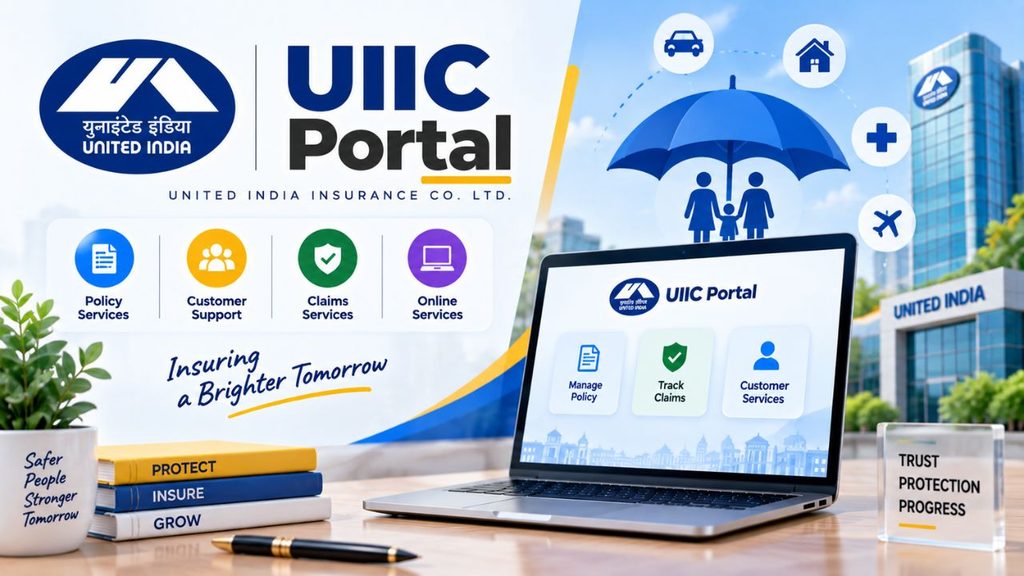
The UIIC Portal is an online platform of United India Insurance Company (UIIC) that allows customers and other users to access different insurance-related services online. Through the portal, users can check policy information, make premium payments, renew eligible insurance policies, and access other available services without visiting an office for every task.
⭐ What is UIIC Portal?
UIIC Portal stands for the online portal of United India Insurance Company. It provides a digital way for customers and other authorised users to access insurance services.
United India Insurance Company was established in 1938 in Chennai. According to the source, the company operates through 30 regional offices and more than 1,000 operating offices across India.
The online portal makes it easier for policyholders to manage their insurance-related work from their home or office.
Who Can Use the UIIC Portal?
Different login options are available for different categories of users, including:
- Customers
- Employees
- Retired Employees
- Agents
- Brokers
- Dealers
- Surveyors
The services available after login can vary depending on the type of user.
⭐ UIIC Portal Services
The UIIC online portal provides several useful services related to insurance policies.
| Service | Purpose |
|---|---|
| Policy Information | Check available policy details |
| Online Payment | Pay insurance premiums online |
| Policy Renewal | Renew eligible insurance policies |
| Customer Support | Get help with policy-related issues |
| Office Locator | Find nearby UIIC offices or agents |
| Insurance Products | Explore available insurance products |
| Policy Copy | View or download the policy copy where available |
Policy information, online payment, customer support, office locator and other services are mentioned among the portal’s features.
If you are also interested in other insurance-related online services, you can read our guide on Go Digit Insurance.
⭐ How to Register on UIIC Portal?
If you are a new customer and want to use the UIIC customer portal, you need to complete the registration process.
UIIC Customer Registration Process
Step 1: Visit the official website of United India Insurance Company.
Step 2: Click on the Login option available on the website.
Step 3: Select Customer from the login menu.
Step 4: On the next page, click on the Register option.
Step 5: Enter the required information in the registration form, such as:
- First Name
- Last Name
- Date of Birth
- Title
- Mobile Number
- Email Address
Step 6: Check all the information carefully and click on Submit.
Step 7: The portal may ask you to verify your details through a code sent to your registered mobile number or email address. Enter the verification code to complete the process.
After completing these steps, the customer application portal is created successfully.
Things to Keep in Mind During Registration
While creating your UIIC account, make sure that:
- Your name is entered correctly.
- You provide an active mobile number.
- Your email address is correct.
- Your date of birth is entered carefully.
- You never share your OTP with anyone.
⭐ How to Login to UIIC Portal as a Customer?
Once your customer registration is complete, you can access the UIIC customer portal.
UIIC Customer Login Process
Step 1: Open the official United India Insurance Company website.
Step 2: Click on the Login option.
Step 3: Select Customer from the available options.
Step 4: Enter your registered mobile number.
Step 5: Click on GET OTP.
Step 6: Enter the OTP received on your registered mobile number.
Step 7: Enter the captcha code correctly.
Step 8: Click on the Login button.
After successful verification, you will be taken to the customer dashboard where you can access the available insurance services.
LIC Merchant Portal: Login, Registration, Premium Collection, Features and Complete Guide
⭐ How to Login to UIIC Agent Portal?
UIIC provides separate portal access for agents, brokers, dealers and surveyors.
To access the agent or intermediary portal, you first need to visit the UIIC website and open the Login menu. From there, select Agents/Brokers/Dealers/Surveyors.
The source mentions two intermediary portal options:
- Intermediaries Portal – Simplified – New Version
- Intermediaries Portal – GC CORE Silverlight Version
Login Through the Simplified New Version
For the simplified version:
- Enter your username.
- Enter your password.
- Enter the captcha code.
- Click on LOGIN.
Login Through the GC CORE Version
For the other intermediary portal:
- Click on Proceed.
- Enter your username.
- Select or enter the required user role.
- Enter your password.
- Click on LOGIN.
The portal may also verify your details through an OTP sent to your registered mobile number.
⭐ How to Login to UIIC Employee Portal?
UIIC employees have a separate login option on the portal.
Employee Login Process
Step 1: Visit the official UIIC website.
Step 2: Click on the Login option.
Step 3: Select Employees.
Step 4: Enter the username assigned to you during recruitment.
Step 5: Enter your password.
Step 6: Complete the I’m not a robot verification.
Step 7: Click on Log in.
According to the source, an employee username may end with @uiic.co.in, although the company may make changes depending on username availability.
⭐ How to Login to UIIC Retired Employee Portal?
A separate login option is available for retired employees of UIIC.
Follow these steps:
- Visit the official UIIC website.
- Click on Login.
- Select Retired Employees.
- Open the retired employee portal.
- Enter your registered mobile number.
- Click on Submit.
- If OTP verification is required, enter the OTP received on your registered mobile number.
After verification, the retired employee can access the available portal services.
⭐ How to Login to UIIC Surveyors Portal?
Surveyors can use the dedicated surveyor portal to access their services.
Surveyor Login Process
Step 1: Visit the official United India Insurance Company website.
Step 2: Click on the Login option.
Step 3: Select Agents/Brokers/Dealers/Surveyors.
Step 4: Under the Surveyors Portal section, click on Please Click Here.
Step 5: Enter your username and password on the new page.
Step 6: Click on Login.
The source also states that OTP verification may be used to verify the user’s details.
IFMS Uttarakhand: Complete Guide to Portal, HRMS, Salary, Pension, UKosh, Login & Online Services
⭐ How to Make United India Insurance Online Payment?
One of the useful features of the UIIC online portal is United India Insurance online payment. Policyholders can use the online payment facility to pay their insurance premiums.
Online payment can save time because you do not need to visit an insurance office only to make a premium payment.
Before making a payment, always check your policy number and other details carefully.
For another insurance payment-related guide, you can also read about Postal Life Insurance online payment.
⭐ How to Renew Vehicle Insurance on UIIC Portal?
If your vehicle insurance policy is approaching its expiry date, you can check the Motor Insurance section of the UIIC website for the available renewal facility.
The source mentions Quick Renewal and Renew options under Motor Insurance.
Vehicle Insurance Renewal Using Policy Number
Step 1: Visit the official UIIC website.
Step 2: Go to the Products section on the homepage.
Step 3: Select Motor Insurance.
Step 4: Click on Quick Renewal or Renew.
Step 5: Select Search by Policy Number.
Step 6: Enter your policy number.
Step 7: Enter the captcha code.
Step 8: Click on Fetch Data.
The system will then display the available policyholder details.
Vehicle Insurance Renewal Using Registration Number
You can also use the vehicle registration number where the portal provides this option.
Follow these steps:
- Select Search by Registration Number.
- Enter your vehicle registration number.
- Enter the captcha code.
- Click on Fetch Data.
- Check the displayed vehicle and policy details.
- Follow the instructions shown on the portal to continue the renewal process.
Another renewal flow described in the source allows users to select either Policy Number or Vehicle Registration Number, enter the required details and click Next to view the vehicle details.
Karur Vysya Bank Net Banking: Registration, Login, Activation, Password Reset & Online Services
⭐ What Details Are Required for UIIC Vehicle Insurance Renewal?
The renewal process may require details such as:
- Policy Number
- Vehicle Registration Number
- Captcha Code
The exact information required depends on the renewal option selected on the portal.
Before proceeding with renewal, make sure that the information displayed on the screen belongs to your vehicle and policy.
⭐ Insurance Products Available on UIIC Portal
The UIIC website’s Products section includes different categories of insurance products.
According to the source, these include:
- Motor Insurance
- Health Insurance
- Shopkeeper’s Insurance
- Personal Accident Insurance
- Householder’s Insurance
- Other Products
The available products and their conditions may differ, so users should read the relevant policy information before purchasing or renewing an insurance policy.
⭐ Benefits of Using UIIC Portal
The online portal makes several insurance-related activities more convenient.
Check Policy Information Online
Policyholders can access available policy information through the portal. The source also mentions the facility to download a copy of the policy where available.
Make Premium Payments Online
The online payment facility allows users to pay their insurance premiums without making a physical visit only for payment.
Find UIIC Offices and Agents
The portal provides an office and agent locator facility, helping users find nearby UIIC offices or agents.
Better Access to Policy Information
Information related to policy processing, payment status and queries can be accessed through the online platform.
Saves Time
Online access allows users to use available services according to their convenience instead of visiting an office for every basic requirement.
⭐ Important Tips for Using UIIC Portal
While using the UIIC online portal, users should keep a few basic things in mind.
Always Use the Official Website
For login, payment and policy services, use the official United India Insurance Company website. Avoid entering your policy or login information on unknown websites.
Never Share Your OTP
OTP is used for verification. Never share an OTP with anyone claiming to be a company representative.
Keep Your Login Details Safe
Do not share your password with anyone. If you use a public or shared computer, make sure you log out after completing your work.
Check Policy Details Before Payment
Before making an online payment or renewing a policy, carefully check the policy number, vehicle details and other information displayed on the portal.
FCI HRMS: Login, Registration, Salary Slip, Mobile App and Employee Services
⭐ UIIC Portal Login Problems
Sometimes users may face difficulty while accessing an online portal. If your login does not work, first check whether you have selected the correct user category.
For example, a customer should use the Customer login option, while an employee should select Employees. Similarly, agents, brokers, dealers and surveyors have their own portal option.
Also check that:
- Your registered mobile number is active.
- The OTP has been entered correctly.
- Captcha is entered correctly.
- Username and password are correct where required.
- You are using the appropriate portal option.
If the problem continues, use the support options provided by UIIC through its official channels.
⭐ Conclusion
The UIIC Portal provides a convenient way to access United India Insurance Company’s online insurance services. Customers can register and login to the portal, check available policy information and make online premium payments. The portal also provides separate access options for agents, brokers, dealers, surveyors, employees and retired employees.
For vehicle insurance, the portal provides Quick Renewal and Renew options under Motor Insurance, where users can search using their policy number or vehicle registration number depending on the available option.
Always use the official UIIC portal for insurance-related activities and keep your password, OTP and other personal information secure.
For more insurance, banking and government service information, visit Sarkari Bakery.
⭐ UIIC Portal FAQs
Based on Google's Helpful Content System, this article emphasizes user value, transparency, and accuracy. It incorporates principles of E-E-A-T (Experience, Expertise, Authoritativeness, Trustworthiness).
Why Choose Sarkari Bakery?
Reliable guidance to help you understand government schemes, online applications and essential digital services.
Official Information
Information presented with relevant official sources wherever available.
Step-by-Step Guides
Clear instructions to understand application procedures and requirements.
Regular Updates
Helpful updates and guidance when information changes or becomes available.
People-First Content
Practical explanations designed around the questions citizens commonly ask.
GOOGLE BUSINESS PROFILE
Explore Our Profile
Visit our Google Business Profile to check the latest available business information and customer reviews.
View Google ReviewsPlease check Google for the current rating and available reviews.
Pingback: LIC Merchant Portal: Login, Registration, Premium Collection, Features and Complete Guide - Sarkari Bakery