
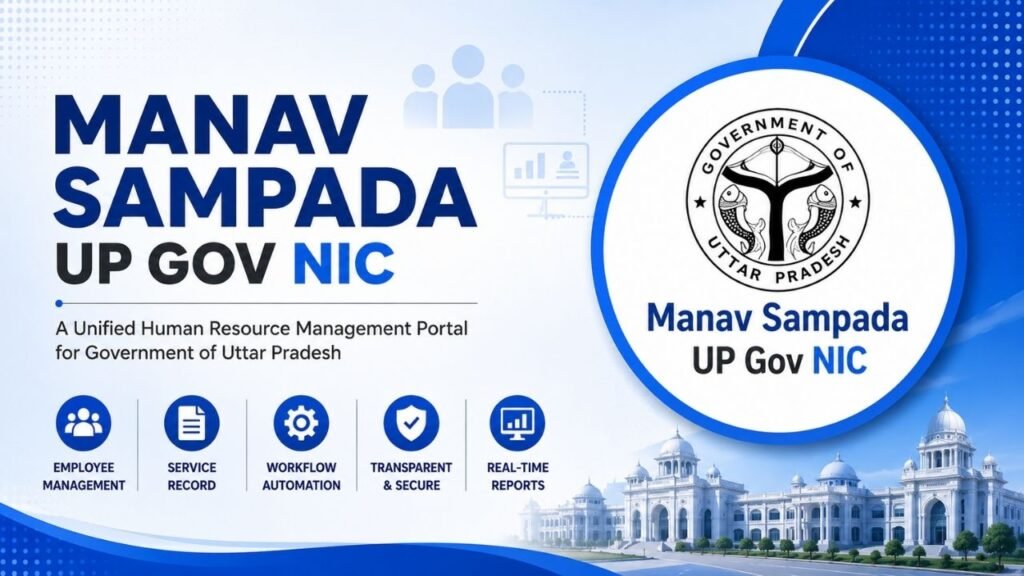
Manav Sampada UP Gov NIC in is the online Human Resource Management System (eHRMS) used by the Government of Uttar Pradesh to manage employee-related information and HR services digitally. The system helps government departments maintain employee records and handle activities such as leave management, service records, transfers, training, property returns and payroll-related processes.
Instead of depending completely on physical files, Manav Sampada provides a centralised digital platform through which authorised government employees and officials can access the HR services available for their department.
This guide explains Manav Sampada UP login, employee details, leave application, leave status, e-Service Book, password reset, HRMS Code and other important services in simple language.
What Is Manav Sampada UP?
Manav Sampada UP is an eHRMS platform implemented for the Government of Uttar Pradesh. It is maintained by the NIC UP State Centre and is designed to provide HRMS facilities to government departments and their employees.
The system maintains employee information in an electronic HR database and supports the digital management of service-related records. It is intended to make administrative processes more organised and reduce dependence on manual record keeping.
The platform can be particularly useful for employees who need to submit leave requests, check service-related information or access other HR facilities provided by their department.
Manav Sampada UP at a Glance
| Particular | Details |
|---|---|
| Portal Name | Manav Sampada UP |
| System | eHRMS |
| State | Uttar Pradesh |
| Managed By | NIC UP State Centre |
| Main Users | Uttar Pradesh Government Employees |
| Purpose | Human Resource Management |
| Major Services | Leave, Service Book, Transfer, Training, Employee Records and Payroll-related services |
| Access | Online |
What Are the Objectives of Manav Sampada UP?
The main objective of Manav Sampada UP is to digitise human-resource-related processes in government departments. The system stores employee information in an HR database and provides a structured way to manage service-related information.
The platform is also intended to help departments understand manpower requirements, maintain electronic service books and manage activities such as postings, transfers and recruitment.
Some of its important objectives include:
- Maintaining employee information in a centralised database.
- Keeping government employees’ service records in electronic form.
- Supporting manpower planning and recruitment-related processes.
- Managing postings, transfers and promotions.
- Digitising administrative and HR processes.
- Maintaining information related to employee training and performance.
- Providing employees with access to supported HR services.
- Reducing paperwork and manual record management.
The broader Manav Sampada system developed by NIC is designed around electronic HR management and service records, while the exact services available to an employee can depend on the department’s implementation.
What Services Are Available on Manav Sampada UP?
Manav Sampada provides several HR-related services, although the exact options visible after login may differ according to the employee’s department and role.
Employee Enrolment and Employee Records
When an employee joins government service, relevant information can be entered into the HRMS system. This creates a digital record that can be used for managing the employee’s service information.
The system can maintain information related to an employee’s personal details, service history and other HR records.
Leave Management
Leave management is one of the most important employee-facing facilities. Employees can use the available Leave Module to apply for leave and check information related to their applications.
Depending on the department, employees may also be able to view their leave balance and cancel eligible leave applications.
e-Service Book
The e-Service Book is used to maintain an employee’s service-related information electronically. It can help preserve important information connected with an employee’s government service instead of depending entirely on a physical service book.
Joining and Relieving
Joining and relieving-related information can also be managed through the HRMS system. Maintaining these records digitally helps keep the employee’s service history organised.
Transfer and Promotion
Manav Sampada supports personnel-related processes such as postings, transfers and promotions. These activities can form an important part of an employee’s service record.
HRMS Odisha – Complete Guide to Login, Salary Slip, Leave, Service Book & Employee Portal
Training Management
Training information can be maintained through the system. Departments can use HRMS facilities to manage employee training-related activities and records.
ACR and Performance Information
The system can also be used for maintaining employee performance-related information, including Annual Confidential Report (ACR) information where the relevant department has enabled the facility.
Property Return
Property-return-related information can also be maintained through the Manav Sampada system as part of employee HR management.
Payroll Services
Payroll-related facilities are another component of the system. Depending on the department’s implementation, employees may be able to access salary or payroll-related information through their HRMS account.
Manav Sampada UP Login
To use employee-specific services, an authorised user needs to log in to the Manav Sampada UP portal with the credentials provided by the concerned department.
The login page provides options related to the User Department, User ID, password and captcha/security verification.
The general login process is as follows:
- Open the official Manav Sampada UP website.
- Select the eHRMS Login option.
- Choose the appropriate User Department from the available list.
- Enter your User ID.
- Enter your password.
- Enter the captcha/security code.
- Complete any additional verification requested by the portal.
- Click Login.
After successful authentication, you can access the services available for your account.
Official Manav Sampada UP website:
https://ehrms.upsdc.gov.in/
Important: Do not use unknown websites that ask for your Manav Sampada login credentials. Always check the website address before entering your User ID or password.
IFMS Uttarakhand: Complete Guide to Portal, HRMS, Salary, Pension, UKosh, Login & Online Services
IFMS Uttarakhand: Complete Guide to Portal, HRMS, Salary, Pension, UKosh, Login & Online Services
What Is the User Department in Manav Sampada Login?
The User Department option is important because Manav Sampada is used by different government departments.
Depending on the portal configuration, users may see departments such as Basic Education, Medical Education, Medical Health and Family Welfare, Secondary Education, Rajya Sampatti and other departments.
You should select the department associated with your official employee account. Selecting an incorrect department may prevent you from logging in successfully.
How to Reset Manav Sampada UP Password?
Forgetting a password can prevent access to the employee dashboard, but the portal provides a password-reset facility.
The general process involves opening the Manav Sampada login page and selecting the password-reset option. You may be required to provide your department and HRMS/User ID information along with the captcha.
The process can be completed as follows:
- Open the Manav Sampada UP login page.
- Select Forgot Password or Reset Password, depending on the option displayed.
- Select your User Department.
- Enter the required User ID/eHRMS Code.
- Enter the captcha.
- Submit the request.
- Follow the instructions displayed by the portal to reset or recover your password.
If you cannot recover your password through the online facility, contact your concerned department or HRMS administrator.
How to Apply for Leave in Manav Sampada UP?
Employees who have access to the Leave Module can submit their leave requests online. This is useful because the employee does not have to depend entirely on a physical leave application.
After logging in, open the Leave Module and look for My Leave. The available options may include applying for leave, viewing leave balance, checking application status and cancelling leave.
The leave application can require information such as:
- Reporting Officer
- Leave Type
- From Date
- To Date
- Number of Days
- Reason for Leave
- Prefixed or suffixed holidays
- Station Leave requirement
- Address during leave
- Supporting attachment, where required
The exact fields can vary according to the department and type of leave.
Before submitting the application, carefully check the dates and reporting officer because incorrect information can create problems during approval. After reviewing the details, submit the application and wait for the concerned authority to process it.
MSSC HRMS: Complete Guide to Login, Salary Slip, Leave, Employee Details, Password Reset & Services
How to Check Manav Sampada Leave Application Status?
Once a leave request has been submitted, employees can use the portal to check its status.
Log in to your Manav Sampada account and open the Leave Module. Go to My Leave and select View Application Status.
The portal can display information such as the leave type, application date and current status. Depending on the workflow, the request may show as pending or approved.
If the application remains pending, the employee may need to wait for the concerned reporting or approving authority to process it.
How to Check Leave Balance in Manav Sampada?
The Leave Module can also provide an option to check available leave information.
After logging in, open Leave Module → My Leave → View Balance, if this option is available for your account.
The leave categories and balance shown on the screen depend on the employee’s department and applicable service rules. If the displayed balance appears incorrect, it is better to contact the concerned department rather than assuming that the online balance is final.
What Is Manav Sampada UP e-Service Book?
The e-Service Book is the digital form of an employee’s service record. It helps maintain important information relating to the employee’s government service electronically.
The broader Manav Sampada framework supports service-book information covering areas such as joining, leave, training, salary, service history and other employee-related records.
This digital approach can make it easier for authorised officials to maintain and update service information when an employee experiences changes such as transfer, promotion or other service events.
How to Check Manav Sampada Employee Details?
Manav Sampada maintains employee information through its HR database. The UP eHRMS portal also provides a public facility related to searching HRMS codes and employee records.
The information available through public search is different from the complete information available after an authorised employee login.
If you need to check your own service information, use your authorised Manav Sampada account. If any personal or service information is incorrect, contact the appropriate departmental authority for correction.
Manav Sampada HRMS Code
An HRMS Code is an identifier associated with an employee in the HRMS system. It can be used by the system to identify employee records and is relevant for several HRMS processes.
Employees should use the HRMS Code assigned to them by their department. If you do not know your code or believe that the information associated with it is incorrect, contact your department’s HRMS administrator.
Manav Sampada UP for Police Employees
Manav Sampada is also relevant to government employees working in departments where the system has been implemented, including applicable police and other government departments.
The services available to a particular employee depend on the department’s implementation and the permissions associated with their account. Therefore, employees should not assume that every module shown in general Manav Sampada information will necessarily be available in their individual login.
For example, leave, service-book and other HR facilities may be available depending on departmental configuration.
Manav Sampada UP Mobile App
A Manav Sampada mobile application has also been made available for Uttar Pradesh government employees. The app is intended to provide access to supported HRMS facilities from mobile devices.
Mobile access can be useful when employees need to check supported information or manage services such as leave without using a desktop computer.
However, the web portal may provide more functions than the mobile application. If a particular option is not available in the app, employees can use the official web portal.
Common Manav Sampada UP Login Problems
Employees may sometimes experience problems while accessing Manav Sampada. Most issues can be related to credentials, department selection, captcha verification or temporary technical problems.
Incorrect User ID or Password
Check your credentials carefully before attempting to log in again. Make sure that you have selected the correct department and entered the User ID and password correctly.
If you have forgotten your password, use the password-reset facility.
Incorrect Department Selection
The User Department selected during login should match the department associated with your account. If the wrong department is selected, login may fail.
Captcha Problem
Captcha codes are case-sensitive or may require specific characters depending on how they are displayed. If the captcha is difficult to read, refresh it and enter the newly generated code.
Website Not Opening
Sometimes a government portal may be temporarily unavailable because of maintenance, server load or technical problems. In such a situation, check your internet connection and try again later.
Leave Application Still Pending
A submitted leave application does not necessarily get approved immediately. It may remain pending until the designated authority reviews it.
If the application has been pending for a long time, contact your reporting officer or the concerned department.
Incorrect Employee Details
If your name, designation, service information or another important detail is incorrect, contact your departmental HRMS administrator. Avoid making unauthorised changes to official service records.
FCI HRMS: Login, Registration, Salary Slip, Mobile App and Employee Services
Benefits of Manav Sampada UP
Manav Sampada provides a centralised digital environment for managing government employee information and HR activities.
For employees, online HR services can reduce the need for physical paperwork for routine activities such as leave applications and accessing supported service information. For government departments, digital records can make employee management more organised and easier to monitor.
Some major benefits include:
- Digital management of employee records.
- Online leave application and tracking.
- Electronic service-book management.
- Better organisation of service history.
- Support for transfer and promotion processes.
- Digital management of training-related information.
- Reduced dependence on physical records.
- Easier access to supported HR services.
If you are looking for similar state government HRMS information, you can also read HRMS Bihar, which covers employee login, leave management, salary information and e-Service Book-related services.
Employees interested in another state-level HRMS platform can also check Haryana HRMS. This is a relevant comparison for readers looking for HRMS services in different states.
For railway employees looking for a separate employee HRMS platform, HRMS Indian Railway is another relevant guide available on the website.
Manav Sampada UP vs Other HRMS Portals
Manav Sampada is part of a broader HRMS framework that has been implemented for government organisations in different states and departments.
The basic purpose of these systems is similar: to digitise employee records and simplify HR-related activities. However, the login process, available services, employee eligibility and department-specific modules can differ.
For this reason, an employee should always use the HRMS portal applicable to their own state or organisation instead of trying to access another department’s system.
Important Tips for Manav Sampada Users
Keep your Manav Sampada login credentials confidential. Never share your password or OTP with another person.
Always verify that you are using the correct government portal before entering sensitive information.
When submitting a leave application, check the dates, leave type, reporting officer and other information carefully. Incorrect information can delay the approval process.
It is also advisable to periodically check your available employee and service information. If you notice an error, contact the concerned departmental authority so that it can be corrected through the proper procedure.
Conclusion
Manav Sampada UP Gov NIC in is an important digital HRMS platform for the Government of Uttar Pradesh. It brings various employee-management activities into an online system and helps departments maintain employee information and service records digitally.
Depending on the department and employee’s access, the platform can provide services related to leave applications, leave status, employee records, e-Service Book, joining and relieving, transfers, training, ACR, property returns and payroll-related activities.
For employees, the biggest advantage is the ability to access supported HR services without relying entirely on physical paperwork. However, the exact services available can differ between departments.
For the latest login options and available services, employees should always rely on the official Manav Sampada UP portal and the instructions provided by their concerned department.
Frequently Asked Questions
Based on Google's Helpful Content System, this article emphasizes user value, transparency, and accuracy. It incorporates principles of E-E-A-T (Experience, Expertise, Authoritativeness, Trustworthiness).
Why Choose Sarkari Bakery?
Reliable guidance to help you understand government schemes, online applications and essential digital services.
Official Information
Information presented with relevant official sources wherever available.
Step-by-Step Guides
Clear instructions to understand application procedures and requirements.
Regular Updates
Helpful updates and guidance when information changes or becomes available.
People-First Content
Practical explanations designed around the questions citizens commonly ask.
GOOGLE BUSINESS PROFILE
Explore Our Profile
Visit our Google Business Profile to check the latest available business information and customer reviews.
View Google ReviewsPlease check Google for the current rating and available reviews.
Pingback: LIC Merchant Portal: Login, Registration & Premium Payment