
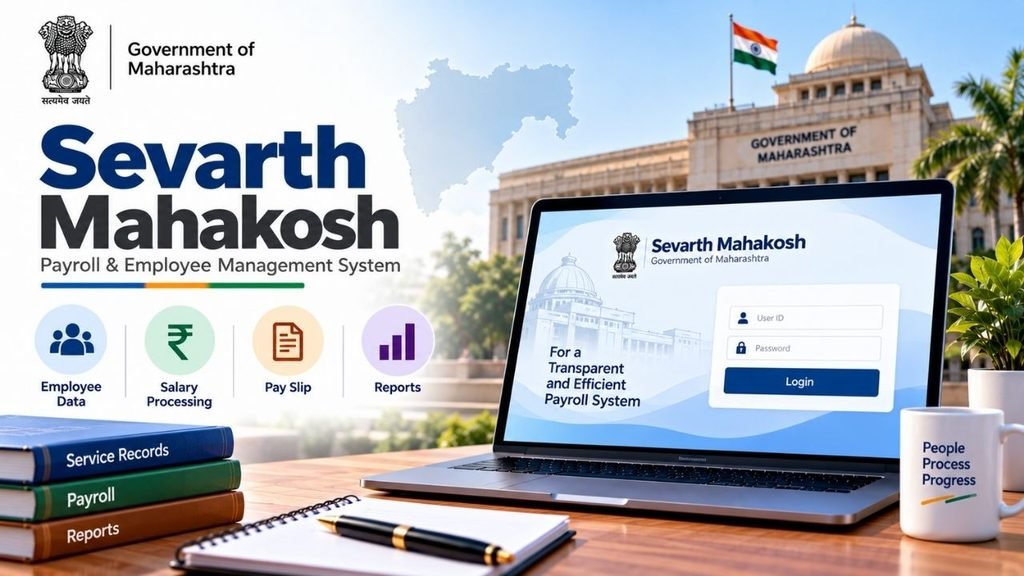
Sevarth Mahakosh is an important online platform used by the Government of Maharashtra for employee payroll, salary records, pension-related information and other financial services. It helps government employees and authorised users access important employment and financial records without depending entirely on physical documents.
Through the Sevarth Mahakosh portal, eligible users can access services such as salary slips, service records, GPF information, pension details, NPS/DCPS information and income tax-related records.
The portal is managed by the Directorate of Accounts and Treasuries (DAT) under the Finance Department of the Government of Maharashtra and works as part of the state’s Integrated Financial Management System (IFMS).
In this article, we will explain Sevarth Mahakosh login, its services, salary slip, GPF, pension information, Form 16, eligible users, benefits and common questions in simple language.
⭐ What is Sevarth Mahakosh?
Sevarth Mahakosh is a Government of Maharashtra platform designed for employee self-service and payroll and financial record management.
It helps the government manage employee-related financial information such as:
- Monthly salary
- Allowances and deductions
- Salary slips
- Pension information
- GPF records
- DCPS/NPS contribution details
- Income tax information
- Form 16
- Service-related records
The platform is managed by the Directorate of Accounts and Treasuries (DAT) and is associated with the state’s Integrated Financial Management System (IFMS).
For employees, one of the biggest advantages is that many important records can be accessed online instead of maintaining or requesting physical copies every time.
Sevarth Mahakosh at a Glance
| Particular | Details |
|---|---|
| Portal Name | Sevarth Mahakosh |
| State | Maharashtra |
| Managed By | Directorate of Accounts and Treasuries (DAT) |
| Department | Finance Department, Government of Maharashtra |
| System | Integrated Financial Management System (IFMS) |
| Main Users | Maharashtra Government employees and authorised users |
| Major Services | Salary, GPF, pension, NPS/DCPS, tax records and other employee services |
| Login | User ID, password and captcha |
⭐ Who Can Use Sevarth Mahakosh?
Sevarth Mahakosh is primarily intended for employees and authorised users associated with the Maharashtra Government.
The source information identifies the following categories of users:
- Maharashtra State Government employees
- Drawing and Disbursing Officers (DDOs)
- Treasury officials
- Department administrators
- Employees of authorised grant-in-aid institutions using Sevarth services
MSSC HRMS: Complete Guide to Login, Salary Slip, Leave, Employee Details, Password Reset & Services
However, the services visible after login can differ according to the user’s role, department and access permissions.
For example, an ordinary employee may see employee self-service options, while a DDO or department administrator can have additional administrative functions.
⭐ Main Services Available on Sevarth Mahakosh
Sevarth Mahakosh brings several employee and financial services together on one platform. The exact options available can depend on the user’s role.
Payroll Management
Payroll is one of the major functions of Sevarth Mahakosh. It helps in managing monthly salary-related information, including:
- Basic salary
- Allowances
- Deductions
- Tax-related deductions
- Monthly salary records
- Salary slips
Employees can use their available account services to check salary information and maintain records for their personal use.
Salary Slip
Government employees often need salary slips for purposes such as loans, income verification, tax-related work or maintaining personal records.
Sevarth Mahakosh provides access to salary-related records through the employee account, subject to the services enabled for that employee.
A salary slip may contain information such as:
- Employee details
- Pay details
- Allowances
- Deductions
- Net salary
- Other payroll information
Employees should check the details carefully and contact their department if they find an error.
Pension Management
Sevarth Mahakosh also supports pension-related information for eligible users.
Pensioners may be able to access information such as:
- Pension details
- Pension Payment Order (PPO) information
- Pension slips
- Arrears
- Other available pension-related records
The exact services available can depend on the pensioner’s records and the services enabled by the concerned department.
GPF Details
Government employees who are covered under the relevant General Provident Fund arrangements can use the available GPF services to check their records.
Depending on access and department configuration, information may include:
- GPF account details
- Contributions
- Account balance
- Related financial records
Employees should regularly check these records and report any discrepancy to the concerned authority.
DCPS and NPS Information
For employees covered under applicable pension contribution systems, Sevarth Mahakosh can provide information related to DCPS/NPS contributions.
This can help employees keep track of their pension-related deductions and contribution records.
Form 16 and Income Tax Information
Tax information is another useful part of employee financial records.
Eligible employees can use the portal to access available income tax information and Form 16, which is an important document for income tax-related work.
Form 16 may be required when filing an income tax return or when providing income information for certain financial purposes.
⭐ How to Login to Sevarth Mahakosh?
Employees generally receive their Sevarth ID and login credentials through their concerned department when they are onboarded into the system.
The basic login process is simple.
Login Process
- Open the official Sevarth Mahakosh portal.
- Go to the employee login section.
- Enter your username or Sevarth ID.
- Enter your password.
- Enter the captcha displayed on the screen.
- Check the information carefully.
- Click on Submit/Login.
- After successful verification, your dashboard will open.
The exact appearance of the login page may change when the department updates the portal.
FCI HRMS: Login, Registration, Salary Slip, Mobile App and Employee Services
What is Required for Login?
Usually, you need the credentials provided by your department, such as:
- Sevarth ID/User ID
- Password
- Captcha
If additional verification is enabled for your account, you may also need to complete the required verification.
⭐ How to Get Sevarth ID and Login Credentials?
Unlike a normal public website where anyone can create an account, Sevarth access is connected with government employment and authorised departmental records.
According to the provided information, employees receive their Sevarth ID and login credentials during joining/onboarding through their department.
Therefore, if you are a newly appointed Maharashtra Government employee and have not received your login details, you should contact your:
- Department
- DDO
- Establishment section
- Concerned administrative authority
You should not use another employee’s login credentials.
⭐ How to Download Salary Slip from Sevarth Mahakosh?
One of the most useful services for employees is access to salary records.
The general process is:
- Login to the Sevarth Mahakosh portal.
- Open the employee/payroll section available in your account.
- Select the salary or salary slip option.
- Select the required month or financial period.
- View the available salary details.
- Download or print the salary slip if the option is available.
The exact menu name can vary depending on the version of the portal and the user’s access level.
Before using a salary slip for official purposes, check that your name, employee details, salary and deductions are correct.
⭐ How to Check GPF Details in Sevarth Mahakosh?
Employees covered under GPF can use the available GPF-related services to check their records.
After logging in, look for the GPF or relevant employee financial information section.
Depending on the services available for your account, you may be able to see:
- GPF contributions
- Account information
- Available balance
- Financial transaction details
- Other related records
If your GPF information is not visible or appears incorrect, contact your department or the concerned accounts authority.
⭐ Sevarth Mahakosh for Pensioners
Sevarth Mahakosh is not limited to active government employees. The provided information also identifies retired pensioners as users of the platform.
Pension-related services may include access to:
- Pension details
- PPO information
- Pension slips
- Arrears
- Other pension-related financial records
However, the services available to an individual pensioner depend on how their pension record has been configured in the system.
⭐ Can Employees Update Their Personal Details?
Some employee information may be editable or updateable through the system, but not every field can necessarily be changed directly by the employee.
Certain information may require verification or approval from the concerned department or authorised official.
If you find incorrect information in your Sevarth account, it is better to contact the concerned department, DDO or administrative authority instead of entering incorrect information.
IFMS Uttarakhand: Complete Guide to Portal, HRMS, Salary, Pension, UKosh, Login & Online Services
⭐ What Are the Benefits of Sevarth Mahakosh?
Sevarth Mahakosh provides several advantages to Maharashtra Government employees and departments.
Easy Access to Records
Employees can access important financial and employment-related information online instead of depending completely on paper records.
Salary Information in One Place
Salary slips and payroll-related information can be accessed through the employee account when the relevant service is available.
Better Record Management
The system helps maintain employee financial records digitally, making it easier for authorised users to manage and access information.
Less Paperwork
Digital access reduces the need to maintain and request physical copies of every employee-related financial record.
Transparency
Digital records can make it easier for employees and authorised officials to review financial information and transactions.
Convenient Access
Employees can access available services online without having to visit an office for every routine record-related requirement.
⭐ Sevarth Mahakosh and IFMS
Sevarth Mahakosh is connected with the broader financial management system of Maharashtra.
The Integrated Financial Management System (IFMS) is designed to support financial management and related government processes.
Sevarth focuses particularly on employee and payroll-related financial records and services.
This integration helps departments manage employee-related financial information in a more organised digital environment.
⭐ Sevarth Mahakosh for DDOs and Department Officials
The portal is not only for individual employees. Authorised officials such as Drawing and Disbursing Officers (DDOs) and department administrators can have additional responsibilities and access.
Their functions may involve employee and payroll-related administrative work, depending on their role and permissions.
Because administrative access is different from employee access, the options available on a DDO or department account may not be the same as those visible to an individual employee.
⭐ What to Do If You Forget Your Sevarth Password?
If you forget your password, you should first check whether the current Sevarth login page provides a password recovery or reset option.
If you cannot reset the password through the available facility, contact your:
- DDO
- Department administrator
- Establishment section
- Concerned authorised official
Do not share your password with another person.
If the department provides a new password or reset procedure, follow the instructions given by the authorised authority.
⭐ Common Problems While Using Sevarth Mahakosh
Employees can sometimes face problems while accessing online services. Some common reasons include:
Incorrect Login Details
Check your User ID and password carefully. Make sure there are no unnecessary spaces or typing mistakes.
Captcha Error
Enter the captcha exactly as shown on the login page. If it is difficult to read, refresh the captcha and try again.
Forgotten Password
Use the available password recovery facility or contact the concerned department/administrator.
Account or Service Not Available
Some services may not be available to every user because access depends on the employee’s role, department and records.
Incorrect Employee Information
If your name, salary, GPF or other information appears incorrect, contact the concerned department or authorised official for correction.
⭐ Is e-KYC Required for Sevarth Mahakosh?
The provided source states that consumer-style e-KYC is not required for Sevarth users. Access is based on credentials provided through the concerned department.
Therefore, Sevarth should not be treated like a public portal where users simply create an account and complete general e-KYC.
For any employee verification requirement, follow the instructions issued by your department.
⭐ Important Things to Keep in Mind
While using Sevarth Mahakosh, employees should follow a few basic precautions:
- Keep your login credentials confidential.
- Do not share your password with anyone.
- Always use the official portal.
- Avoid logging in through unknown links received through messages or emails.
- Check salary and deduction details regularly.
- Download important records when required for your personal documentation.
- Contact your DDO or department if you find incorrect information.
- Do not enter your login details on unofficial websites.
PNB HRMS – Complete Guide to PNB Parivar 2.0 Login, Salary Slip, Leave, Pension and Mobile App
⭐ Sevarth Mahakosh Services at a Glance
| Service | Purpose |
|---|---|
| Salary Slip | View available monthly salary records |
| Payroll | Salary, allowances and deductions |
| GPF | View applicable GPF information |
| DCPS/NPS | Check available pension contribution details |
| Pension | Access available pension-related information |
| PPO | View available Pension Payment Order details |
| Form 16 | Access available income tax document |
| Tax Information | Check available tax-related records |
| Service Records | Access available employment-related information |
| Employee Services | Use services enabled for the employee’s role |
⭐ Why Is Sevarth Mahakosh Important for Maharashtra Government Employees?
Government employees deal with several financial records throughout their service. Salary slips, provident fund contributions, tax documents, pension records and service information may be required at different times.
Sevarth Mahakosh brings many of these records into a digital system.
For an employee, this means less dependence on physical paperwork and easier access to available information. For government departments, digital payroll and financial records can help improve record management and reduce manual work.
The most important point is that not every user will necessarily see every service. Access depends on the employee’s department, role, records and permissions.
⭐ Final Words
Sevarth Mahakosh is an important digital platform for Maharashtra Government employees, pensioners and other authorised users. It brings salary, payroll, GPF, pension, NPS/DCPS and tax-related records into a centralised online system.
Employees can use the portal to check available records, download salary-related documents and access other services according to their role and department. If there is any problem with login or employee information, the concerned DDO or department administrator can provide the appropriate assistance.
For more useful information about government portals, employee services, scholarships and online services, visit Sarkari Bakery.
⭐ Frequently Asked Questions About Sevarth Mahakosh
Based on Google's Helpful Content System, this article emphasizes user value, transparency, and accuracy. It incorporates principles of E-E-A-T (Experience, Expertise, Authoritativeness, Trustworthiness).
Why Choose Sarkari Bakery?
Official Information
Government schemes & banking information based on official sources.
Step-by-Step Guides
Simple application process explained for every service.
Regular Updates
Content updated whenever official rules or services change.
People-First Content
Helpful, transparent and user-focused content.