
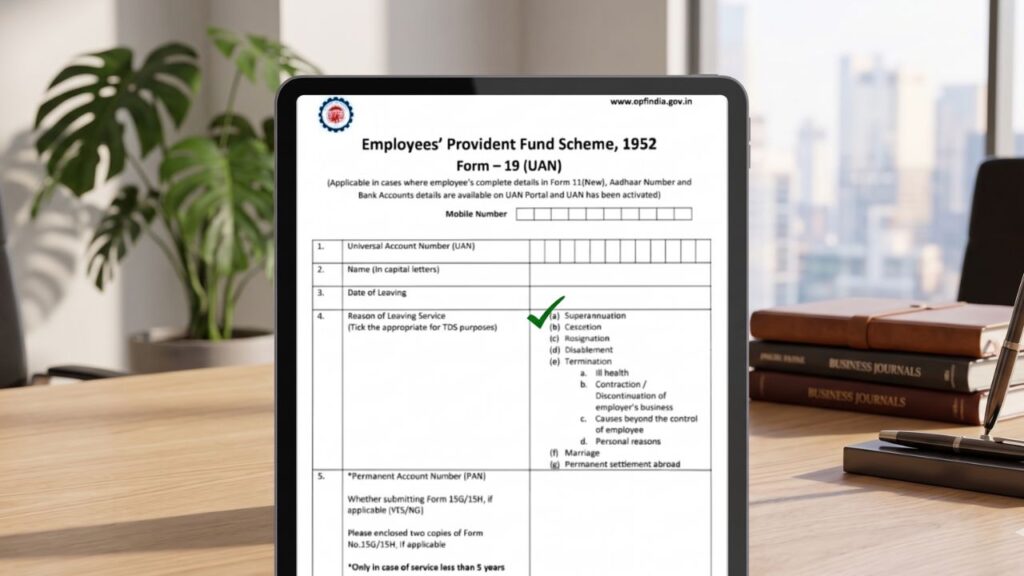
If you have ever left a job and wanted to withdraw your Provident Fund (PF), you may have heard about Form 19.
But many people are confused about:
- What exactly Form 19 is
- When to use it
- How to fill and submit it
- Why PF claims get rejected
👉 This guide explains everything in detail, so you can understand and use Form 19 correctly without mistakes.
📌 What is Form 19?
Form 19 is an official form used by employees to withdraw their EPF (Employee Provident Fund) amount after leaving a job.
👉 It is also known as:
- Final Settlement Form
- PF Withdrawal Form
✔ Simple Explanation
When you leave a company and do not want to transfer your PF to a new employer, you can use Form 19 to withdraw the full PF balance.
👉 In short:
Form 19 = Form used to withdraw your PF money after leaving a job
🧠 When Should You Use Form 19?
You should use Form 19 in specific situations.
✔ Use Form 19 When:
- You have left your job
- You are unemployed for 2 months or more
- You do not want to transfer PF
- You want full PF withdrawal
How to Download Form 15G for PF Withdrawal: A Complete & Simple Guide
❌ Do NOT Use Form 19 When:
- You are still working
- You want to transfer PF to new employer
👉 In those cases, you should use Form 13 (PF Transfer).
📊 Form 19 vs Other EPF Forms
Understanding the difference is very important.
| Form | Purpose |
|---|---|
| Form 19 | PF withdrawal (final settlement) |
| Form 10C | Pension withdrawal |
| Form 13 | PF transfer |
| Form 31 | Partial withdrawal |
👉 Using the wrong form can delay your claim.
👨💼 Who Can Apply for Form 19?
✔ Eligibility Criteria
- Employee must have left the job
- UAN must be activated
- KYC (Aadhaar, PAN, Bank) must be updated
- Employer must update “Date of Exit”
👉 Without these, your claim may get rejected.
📄 Documents Required for Form 19
Before applying, keep these ready:
✔ Required Documents
- UAN number
- Aadhaar card
- PAN card
- Bank account details
- Cancelled cheque (sometimes required)
👉 All details must match EPFO records.
Atal Pension Yojana (APY): Eligibility, Benefits, Contribution & Withdrawal Rules
🌐 How to Fill Form 19 Online (Step-by-Step)
The online method is the easiest and fastest way.
Step 1: Login to UAN Portal
Visit EPFO member portal and login using:
- UAN
- Password
- Captcha
Step 2: Go to “Online Services”
After login:
👉 Click on Online Services
Step 3: Select “Claim (Form-31, 19, 10C)”
You will see:
👉 Claim option for withdrawal
Step 4: Verify Bank Details
- Enter bank account number
- Verify details
👉 This ensures money is transferred correctly.
Step 5: Select “Form 19”
Now choose:
👉 Form 19 – Final Settlement
Step 6: Submit Claim
- Accept declaration
- Submit request
Step 7: OTP Verification
- Enter OTP received on Aadhaar-linked mobile
👉 Your claim is now submitted.
⏳ Processing Time
- Usually takes 7–15 working days
- Depends on verification
👉 You can track status online.
💰 What Amount You Get in Form 19?
Form 19 allows you to withdraw:
✔ Employee contribution
✔ Employer contribution
✔ Interest earned
👉 Full PF balance is credited to your bank account.
EPFO Claim Status Check Online: Complete Guide to Track PF Withdrawal, Settlement & Issues
💸 Tax Rules on PF Withdrawal
✔ Tax-Free Conditions
- If service is more than 5 years
❌ Taxable If:
- Withdraw before 5 years
- PAN not submitted
👉 TDS may be deducted in such cases.
🚨 Common Reasons for Form 19 Rejection
Many people face rejection due to small mistakes.
❌ Common Issues
- KYC not updated
- Aadhaar mismatch
- Bank details incorrect
- Employer not approved
- Exit date not updated
👉 Always check details before applying.
🛡️ Important Tips (High Value Section)
✔ Ensure KYC is complete
✔ Check exit date is updated
✔ Use correct bank details
✔ Wait 2 months after leaving job
✔ Track claim regularly
🔄 Can You Cancel Form 19 Claim?
👉 No, online cancellation is not allowed.
✔ What You Can Do:
- Raise EPFO grievance
- Visit EPFO office
- Request correction
📊 Form 19 Process Flow (Simple Understanding)
| Step | Action |
|---|---|
| Step 1 | Login to UAN |
| Step 2 | Select claim |
| Step 3 | Choose Form 19 |
| Step 4 | Submit & verify |
| Step 5 | Get payment |
👉 Simple process if done correctly.
🔚 Final Conclusion
Form 19 is one of the most important EPF forms used for full PF withdrawal after leaving a job.
✔ Easy online process
✔ Fast settlement
✔ Direct bank transfer
👉 If you follow the correct steps and avoid mistakes, you can receive your PF amount without any delay.
For more guides on PF, tax, and government services, explore Sarkari Bakery, where content is designed to help users solve real problems step by step.
❓ FAQs
Based on Google's Helpful Content System, this article emphasizes user value, transparency, and accuracy. It incorporates principles of E-E-A-T (Experience, Expertise, Authoritativeness, Trustworthiness).
Why Choose Sarkari Bakery?
Reliable guidance to help you understand government schemes, online applications and essential digital services.
Official Information
Information presented with relevant official sources wherever available.
Step-by-Step Guides
Clear instructions to understand application procedures and requirements.
Regular Updates
Helpful updates and guidance when information changes or becomes available.
People-First Content
Practical explanations designed around the questions citizens commonly ask.
GOOGLE BUSINESS PROFILE
Explore Our Profile
Visit our Google Business Profile to check the latest available business information and customer reviews.
View Google ReviewsPlease check Google for the current rating and available reviews.