
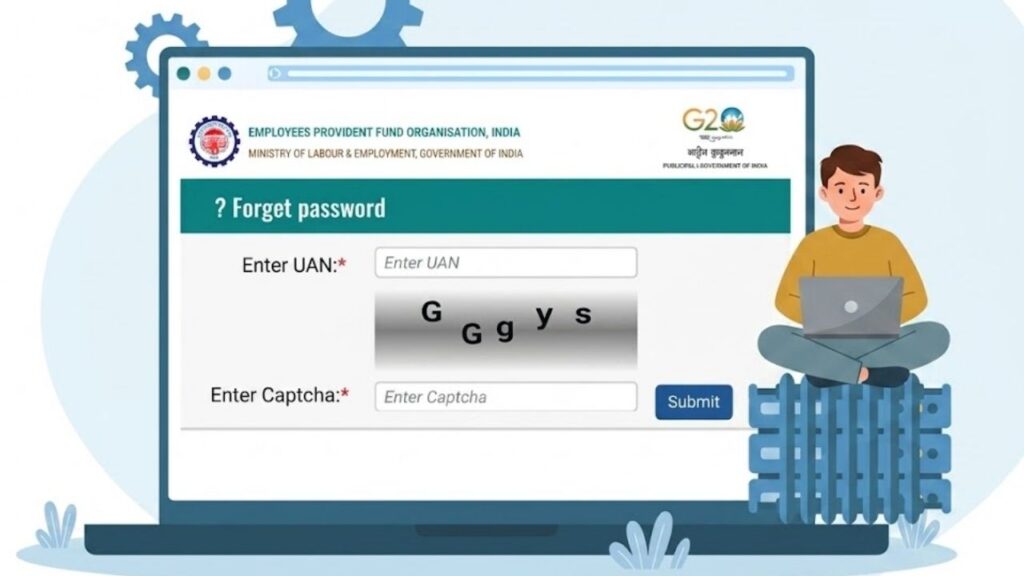
Forgetting your UAN password can be frustrating, especially when you need to check your EPF balance, view your passbook, manage KYC details, or access other EPFO services. Fortunately, the UAN password can be reset online through the EPFO member portal.
In this guide, we explain the UAN password reset process, what you need before starting, how OTP verification works, and what you can do if you face problems while resetting your password.
What is a UAN Password?
The Universal Account Number (UAN) is a unique number associated with an employee’s EPF account. The UAN member portal uses a password to authenticate the member and provide access to online EPFO services.
Your UAN password should be kept confidential because your EPFO account contains important employment and financial information.
If you have forgotten your password, there is no need to create another UAN simply because you cannot log in. You can use the password recovery option available on the EPFO member portal.
Why Do You Need to Reset Your UAN Password?
There can be several reasons why an employee may need to reset the UAN password.
For example, you may have:
- Forgotten your old password
- Not logged into your EPFO account for a long time
- Accidentally entered the wrong password multiple times
- Lost access to your saved login credentials
- Created a password that you can no longer remember
A password reset allows you to create a new login password and regain access to your UAN account.
What Do You Need Before Resetting Your UAN Password?
Before starting the process, keep the following information ready:
- Your active UAN
- Access to the mobile number registered with your UAN
- Aadhaar details if Aadhaar-based verification is required
- A working internet connection
- A new password that meets the portal’s requirements
The source material particularly highlights the importance of having an Aadhaar-linked mobile number for the described verification process.
How to Reset UAN Password Online
You can reset your forgotten UAN password through the official EPFO member portal.
Open the EPFO Member Portal
Visit the official EPFO member portal:
EPFO Member Portal
Use the official EPFO website rather than links received through unknown messages, emails or social media.
Select the Forgot Password Option
On the UAN member login page, look for the “Forgot Password” option.
Select it to begin the password recovery process.
Enter Your UAN and Captcha
Enter your 12-digit UAN in the required field.
You will also need to enter the captcha displayed on the screen. After entering the details, continue with the verification process.
Verify Your Identity
The password recovery process requires identity verification.
According to the source material, Aadhaar can be used as the verification method when it is linked with the UAN. An OTP is then sent to the registered mobile number for verification.
Make sure you have access to the mobile number because you will need the OTP to continue.
Enter the OTP
Check your registered mobile phone for the OTP.
Enter the OTP in the required field and complete the verification.
If the OTP is accepted successfully, you can proceed to create a new password.
Create a New UAN Password
Enter your new password and confirm it as required.
For better security, choose a password that is difficult for others to guess. Avoid using easily available personal information such as your name, date of birth or simple number combinations.
Once the new password is successfully submitted, you can return to the UAN login page and sign in using your UAN and new password.
Tips for Creating a Strong UAN Password
Your UAN password protects access to your EPFO account, so it should not be shared with anyone.
Keep these points in mind while creating a new password:
- Use a combination of letters, numbers and symbols.
- Avoid easily predictable words and patterns.
- Don’t use your name or birthday as your password.
- Don’t use the same password for every important account.
- Store the password securely if you use a password manager.
- Never share your UAN password or OTP with another person.
What If You Don’t Receive the OTP?
Sometimes the OTP may not arrive immediately. If this happens, check whether your registered mobile number is active and able to receive SMS messages.
You can also wait for a short period and try the verification process again.
If you continue to face problems, the source recommends contacting your employer or EPFO for assistance.
Can You Reset Your UAN Password Without Your Registered Mobile Number?
The source material states that access to the registered mobile number is required to receive the OTP used for the password-reset process.
Therefore, if you no longer have access to the mobile number linked with your UAN, you may need to resolve the mobile-number issue through the appropriate EPFO process before completing the password reset.
What If You Forgot Your UAN Too?
Forgetting your UAN and forgetting your password are two different issues.
If you don’t remember your UAN, you should first recover your UAN using the available EPFO member services or contact your employer to obtain the number.
Once you have your UAN, you can proceed with the password recovery process.
How to Login After Resetting the Password?
After successfully creating your new password, return to the EPFO member login page.
Enter:
- UAN
- New password
- Captcha
Then select the login option.
If the credentials are correct, you should be able to access your UAN member account.
Important Security Tips for Your EPFO Account
Your EPFO account contains sensitive information, so take basic security precautions.
Never share your:
- UAN password
- OTP
- Aadhaar details unnecessarily
- Bank details
- Login credentials
Also, avoid logging into your EPFO account through suspicious links received via WhatsApp, SMS or email.
For important EPFO services, use the official EPFO website and member portal.
How Often Can You Change Your UAN Password?
The provided source does not specify a fixed limit on how many times a UAN password can be reset.
It states that there is no restriction on how often the password can be reset, while also recommending that users keep their password secure and change it periodically when appropriate.
What Should You Do If UAN Password Reset Is Not Working?
If you are unable to complete the password-reset process, first check the basic details:
- Confirm that your UAN is correct.
- Check your internet connection.
- Make sure your registered mobile number is active.
- Enter the OTP correctly.
- Check that the captcha has been entered correctly.
- Try again after some time if the portal is experiencing a temporary technical issue.
If the problem continues, contact EPFO or seek assistance from your employer.
Understanding Police Verification Role in Indian Passport Issuance
Final Words
A forgotten UAN password does not mean that you have lost access to your EPF account. The password can be reset through the EPFO member portal by following the available verification process.
Keep your UAN, registered mobile number and required verification details ready before starting. Once the OTP verification is completed, you can create a new password and use it to access your EPFO account again.
For security, always use the official EPFO portal and never share your password or OTP with anyone.
Frequently Asked Questions
Based on Google's Helpful Content System, this article emphasizes user value, transparency, and accuracy. It incorporates principles of E-E-A-T (Experience, Expertise, Authoritativeness, Trustworthiness).
Why Choose Sarkari Bakery?
Reliable guidance to help you understand government schemes, online applications and essential digital services.
Official Information
Information presented with relevant official sources wherever available.
Step-by-Step Guides
Clear instructions to understand application procedures and requirements.
Regular Updates
Helpful updates and guidance when information changes or becomes available.
People-First Content
Practical explanations designed around the questions citizens commonly ask.
GOOGLE BUSINESS PROFILE
Explore Our Profile
Visit our Google Business Profile to check the latest available business information and customer reviews.
View Google ReviewsPlease check Google for the current rating and available reviews.
Pingback: EPFO UAN Login 2026: UAN Registration, Activation, Passbook Login, Mobile Number Change & Account Transfer - Sarkari Bakery