
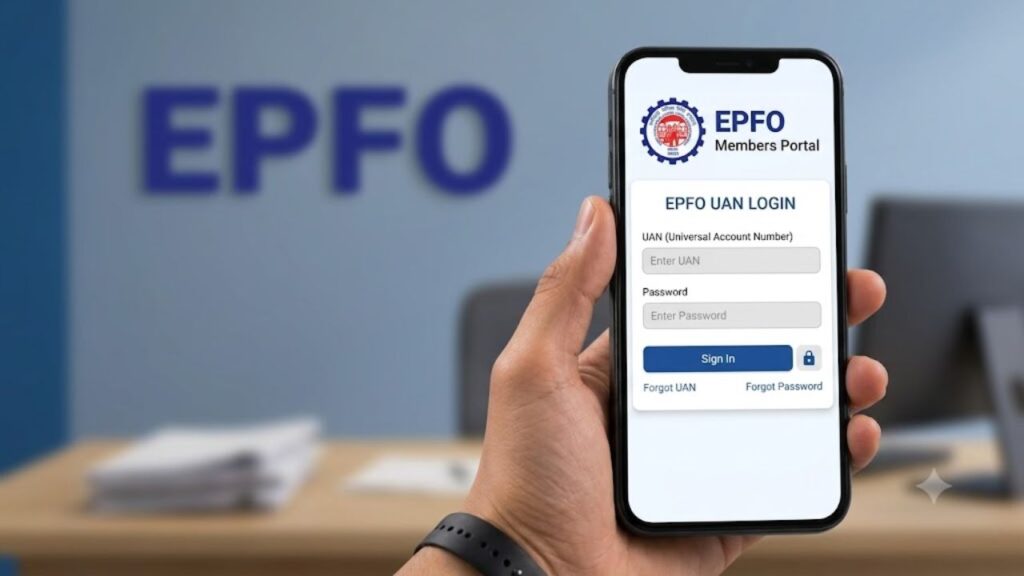
Managing your Employees’ Provident Fund (EPF) has become much easier with the introduction of the Universal Account Number (UAN). Whether you want to check your PF balance, download your passbook, update KYC details, transfer your PF after changing jobs, or apply for an online withdrawal, almost every EPF service is now available through the EPFO Unified Member Portal.
The UAN works as a permanent identity for EPF members and remains the same throughout your career, even if you change multiple employers. This eliminates the need to manage multiple PF accounts separately.
This detailed guide explains everything you need to know about EPFO UAN Login, including registration, activation, Aadhaar linking, passbook login, changing your registered mobile number, transferring PF accounts, updating KYC, nomination, grievance registration, and much more.
What is UAN?
The Universal Account Number (UAN) is a unique 12-digit number issued by the Employees’ Provident Fund Organisation (EPFO) to every employee covered under the EPF scheme.
Whenever you change your job, your employer creates a new Member ID (PF Account Number), but your UAN remains unchanged. All your previous and current PF accounts are linked under this single UAN, making it easier to manage your retirement savings.
Think of your UAN as a permanent EPF identity that stays with you throughout your working life.
Benefits of UAN
The Universal Account Number provides several advantages to EPF members.
Easy Access to EPF Services
With one login, you can access almost every EPFO online service without visiting the EPFO office.
One UAN for Multiple Jobs
Your UAN remains the same even after changing employers. Every new PF account gets linked automatically.
Check EPF Balance Anytime
You can instantly view your latest EPF balance without depending on your employer.
Download EPF Passbook
The complete contribution history made by both employee and employer can be downloaded online.
Online PF Withdrawal
Eligible members can submit PF withdrawal claims directly through the Member Portal.
Online PF Transfer
Employees changing jobs can transfer their previous PF balance online without paperwork.
Update KYC
Aadhaar, PAN, bank account details, passport, driving licence and other KYC documents can be updated online.
Download UAN Card
Members can download their digital UAN card whenever required.
Register Nomination
Nominees can be added or modified online without visiting the EPFO office.
EPFO UAN Login
The EPFO Member Portal allows employees to access all EPF-related services through a secure login.
To log in successfully, you need the following:
- 12-digit UAN Number
- Password
- Captcha Verification
After successful login, you can manage your complete EPF account online.
Services Available After UAN Login
Once you log in to your EPFO account, you can access several important services.
| EPFO Service | Available Online |
|---|---|
| Check PF Balance | ✅ Yes |
| Download Passbook | ✅ Yes |
| Download UAN Card | ✅ Yes |
| Update KYC | ✅ Yes |
| Aadhaar Linking | ✅ Yes |
| PAN Linking | ✅ Yes |
| Change Mobile Number | ✅ Yes |
| Transfer PF Account | ✅ Yes |
| Online PF Withdrawal | ✅ Yes |
| Claim Status Tracking | ✅ Yes |
| Register Nomination | ✅ Yes |
| Service History | ✅ Yes |
How to Find Your UAN Number?
Many employees forget their UAN after changing jobs. Fortunately, there are several official methods to retrieve it.
Method 1 – Through Your Employer
The easiest way is to contact your HR or payroll department.
Your UAN is usually mentioned on:
- Salary Slip
- EPF Statement
- Appointment Letter
- Joining Documents
Method 2 – Through the EPFO Member Portal
You can also retrieve your UAN online.
Simply visit the EPFO Member Portal and select Know Your UAN.
You will be asked to enter details such as:
- Aadhaar Number
- PAN Number
- PF Member ID
- Name
- Date of Birth
- Registered Mobile Number
After OTP verification, your UAN will be displayed.
Method 3 – Through the UMANG App
The Government’s UMANG App also allows employees to retrieve their UAN.
Steps include:
- Install the UMANG App.
- Open EPFO Services.
- Tap Know Your UAN.
- Enter your personal details.
- Verify using OTP.
Your UAN will appear on the screen.
Method 4 – Through Missed Call Service
If your mobile number is registered with EPFO, simply give a missed call to the EPFO missed call service.
Within a few seconds, you will receive an SMS containing your UAN details.
This service is available only for members whose Aadhaar, PAN, and bank account are already linked with their UAN.
Method 5 – Through SMS Service
EPFO also provides an SMS service.
Send the prescribed message from your registered mobile number.
After verification, your UAN details will be sent through SMS.
Method 6 – Contact EPFO Helpdesk
If none of the above methods work, you can contact the EPFO customer support team.
Keep the following details ready:
- Aadhaar Number
- PAN Number
- Date of Birth
- Registered Mobile Number
- Employer Details
The support executive will assist you in retrieving your UAN.
UAN Registration and Activation
A newly allotted UAN must be activated before you can use any online EPFO services.
Without activation, you cannot:
- Login to EPFO Portal
- Download Passbook
- Submit Claims
- Transfer PF
- Update KYC
- Register Nomination
Documents Required for UAN Activation
Before starting the activation process, keep the following details ready:
- UAN Number
- Aadhaar Number
- PAN Number (optional)
- Member ID
- Registered Mobile Number
- Date of Birth
Step-by-Step Process to Activate UAN
Step 1
Visit the EPFO Unified Member Portal.
Step 2
Click on Activate UAN located below the login section.
Step 3
Enter any one of the following:
- UAN
- Member ID
- Aadhaar Number
- PAN Number
Also provide:
- Name
- Date of Birth
- Mobile Number
Complete the Captcha verification.
Step 4
Click on Get Authorization PIN.
Step 5
An OTP will be sent to your registered mobile number.
Step 6
Enter the OTP.
Accept the declaration.
Click Validate OTP and Activate UAN.
Step 7
Your UAN will be activated successfully.
A temporary password will be sent to your mobile number.
Step 8
Return to the login page.
Enter:
- UAN
- Password
- Captcha
Click Sign In.
Step 9
For security reasons, immediately change the temporary password after your first login.
Why is UAN Activation Important?
Activating your UAN provides access to all online EPFO services.
Some important benefits include:
- Online PF withdrawal
- Online claim tracking
- Download passbook
- View monthly contributions
- Aadhaar verification
- Online KYC updates
- PF account transfer
- Nomination facility
- Faster claim settlement
Common Problems During UAN Activation
Sometimes employees face difficulties while activating their UAN.
Common reasons include:
- Wrong Aadhaar details
- Incorrect date of birth
- Mobile number mismatch
- UAN not generated yet
- Employer has not approved KYC
- Incorrect Member ID
- Server issues on EPFO portal
Most of these problems can be resolved by verifying your details or contacting your employer.
How to Login to the EPFO UAN Portal
Once your Universal Account Number (UAN) is activated, you can log in to the EPFO Unified Member Portal to access all Employee Provident Fund (EPF) services online. The portal allows employees to manage their PF account without visiting the EPFO office.
With a successful UAN login, you can check your PF balance, download your passbook, update KYC details, apply for withdrawals, transfer PF accounts, register nominations, and access several other online services.
Details Required Before Login
Before signing in, make sure you have the following information ready:
- 12-digit Universal Account Number (UAN)
- UAN Password
- Registered Mobile Number
- Internet Connection
- Captcha Code shown on the login page
If you have forgotten your password, you can reset it using the “Forgot Password” option available on the portal.
Step-by-Step UAN Login Process
Step 1
Open the official EPFO Unified Member Portal.
Step 2
Enter your 12-digit UAN Number in the login box.
Step 3
Type the password that you created while activating your UAN.
Step 4
Enter the captcha code exactly as displayed on the screen.
Step 5
Click on the Sign In button.
Step 6
After successful authentication, the EPFO Member Dashboard will open.
From here, you can access all EPF-related services online.
Services Available After UAN Login
The EPFO Member Portal offers several online facilities for employees. Instead of visiting an EPFO office, most services can now be completed digitally.
Some of the major services include:
- View EPF balance
- Download EPF Passbook
- Download UAN Card
- Update Aadhaar, PAN and Bank Details
- Register or Update Nomination
- Submit PF Withdrawal Claims
- Transfer PF from Previous Employer
- Check Claim Status
- View Service History
- Update Contact Details
- Change Login Password
These services make EPF account management simple, transparent, and paperless.
EPFO Member Dashboard Explained
After logging in, you will notice different menu options on the dashboard. Each section serves a specific purpose.
| Dashboard Section | Purpose |
|---|---|
| View | Passbook, UAN Card, Service History |
| Manage | KYC Update, Contact Details, e-Nomination |
| Online Services | PF Withdrawal, Advance Claim, PF Transfer |
| Account | Personal Profile Details |
| Track Claim Status | Monitor PF Claim Progress |
Understanding these options helps you use the portal efficiently.
Forgot UAN Password? Here’s How to Reset It
If you cannot remember your UAN password, there is no need to create a new UAN. EPFO allows members to securely reset their password using Aadhaar verification and OTP authentication.
When Should You Reset Your Password?
You may need to reset your password in the following situations:
- You forgot your password.
- Your account has been locked after multiple incorrect login attempts.
- You want to improve account security.
- You haven’t logged in for a long time.
Steps to Reset UAN Password
Step 1
Visit the EPFO Unified Member Portal.
Step 2
Click on the Forgot Password option available below the login box.
Step 3
Enter your UAN number and complete the captcha verification.
Step 4
Click Submit.
Step 5
Verify your identity by entering:
- Name
- Date of Birth
- Gender
Step 6
Enter your Aadhaar Number if requested.
Step 7
An OTP will be sent to your registered mobile number.
Step 8
Enter the OTP received on your mobile.
Step 9
Create a strong new password.
Step 10
Confirm the password and click Submit.
Your password will be updated successfully, and you can log in using the new credentials.
Tips for Creating a Secure UAN Password
Your EPF account contains sensitive financial information, so creating a strong password is essential.
A secure password should:
- Be at least eight characters long.
- Include uppercase and lowercase letters.
- Include numbers.
- Include special characters.
- Be different from your previous passwords.
Avoid using simple passwords such as:
- Your name
- Mobile number
- Date of birth
- 12345678
- Password@123
How to Change Your Registered Mobile Number in EPFO
Your registered mobile number is required for receiving OTPs related to login, password reset, claim submission, Aadhaar verification, and many other EPFO services.
If your mobile number has changed, update it immediately.
Why Should You Update Your Mobile Number?
Updating your mobile number ensures that you can:
- Receive OTPs instantly.
- Reset your password.
- Submit online PF claims.
- Complete Aadhaar verification.
- Receive claim updates.
- Secure your EPF account.
Steps to Change EPF Mobile Number
Step 1
Log in to the EPFO Member Portal.
Step 2
Click on the Manage menu.
Step 3
Select Contact Details.
Step 4
Verify your existing mobile number through OTP.
Step 5
Enter your new mobile number.
Step 6
Click Get Authorization PIN.
Step 7
Enter the OTP sent to your new mobile number.
Step 8
Click Save.
Your new mobile number will now be linked with your UAN.
How to Link Aadhaar with UAN
Linking Aadhaar with your UAN is mandatory for many EPFO services. Without Aadhaar verification, members may face difficulties while withdrawing PF, transferring accounts, or updating KYC details.
Benefits of Linking Aadhaar
After Aadhaar is successfully linked, you can:
- Submit online PF withdrawal claims.
- Transfer EPF balance online.
- Complete e-KYC verification.
- Register e-Nomination.
- Receive faster claim settlement.
- Verify identity digitally.
Method 1: Link Aadhaar Through the EPFO Portal
Follow these steps:
Step 1
Log in to the EPFO Member Portal.
Step 2
Click on Manage.
Step 3
Select KYC.
Step 4
Choose Aadhaar from the available document list.
Step 5
Enter your Aadhaar Number and Name exactly as printed on your Aadhaar Card.
Step 6
Click Save.
Step 7
EPFO will verify your Aadhaar details with UIDAI.
Step 8
Once verification is complete, the Aadhaar status will change to Verified.
Method 2: Link Aadhaar Through the UMANG App
You can also complete Aadhaar seeding using the UMANG mobile application.
The process is simple:
- Install the UMANG App.
- Open EPFO Services.
- Select Aadhaar Seeding.
- Enter your UAN.
- Verify OTP.
- Enter Aadhaar Number.
- Complete Aadhaar authentication.
- Aadhaar will be linked successfully.
How to Download the UAN Card
The UAN Card is an official document issued by EPFO that contains important member information. It can be downloaded anytime after logging into the portal.
The UAN Card contains:
- Universal Account Number
- Member Name
- Father’s Name
- Date of Birth
- KYC Status
Steps to Download UAN Card
Step 1
Log in to the EPFO Member Portal.
Step 2
Click on View.
Step 3
Select UAN Card.
Step 4
Click Download.
Step 5
Save the PDF for future reference.
EPFO Passbook Login
The EPF Passbook is one of the most useful features available on the EPFO portal. It allows members to monitor monthly PF contributions made by both the employee and employer.
Checking the passbook regularly helps ensure that contributions are being deposited correctly.
Information Available in the EPF Passbook
Your passbook includes:
- Employee Contribution
- Employer Contribution
- EPS Contribution
- Monthly Deposits
- Interest Credited
- Opening Balance
- Closing Balance
- Current PF Balance
Steps to View or Download the EPF Passbook
Step 1
Log in to the EPFO Member Portal.
Step 2
Click on View Passbook.
Step 3
Select your Member ID.
Step 4
Your EPF Passbook will open on the screen.
Step 5
You can either:
- View it online
- Download it as a PDF
- Print it for your records
Why Should You Check Your EPF Passbook Regularly?
Reviewing your passbook every month helps you:
- Verify employer contributions.
- Detect missing PF deposits.
- Monitor annual interest credits.
- Track your retirement savings.
- Keep financial records updated.
- Identify errors early for quick correction.
How to Transfer Your EPF Account Using UAN
Whenever you switch your job, you should transfer your old EPF balance to your new employer instead of withdrawing it. Transferring your Provident Fund keeps your retirement savings in one place, maintains your continuous service history, and ensures that you continue earning interest on your accumulated balance.
With the EPFO online portal, employees can transfer their EPF account without visiting any office.
Benefits of Transferring Your EPF Account
Transferring your EPF account offers several long-term advantages, including:
- Keeps all PF accounts linked under one UAN.
- Maintains continuous pensionable service under EPS.
- Eliminates the need to manage multiple PF accounts.
- Ensures uninterrupted interest on your EPF balance.
- Makes future withdrawals and claim settlements easier.
- Helps build a larger retirement corpus.
Documents and Details Required
Before starting the online transfer process, keep the following information ready:
- Universal Account Number (UAN)
- Active mobile number linked with UAN
- Aadhaar linked with UAN
- Previous PF Member ID
- Current PF Member ID
- Previous employer details
- Current employer details
Steps to Transfer Your EPF Account Online
Step 1: Log in to the EPFO Member e-Sewa Portal using your UAN and password.
Step 2: Click on the Online Services menu.
Step 3: Select One Member – One EPF Account (Transfer Request).
Step 4: Verify your personal information displayed on the screen.
Step 5: Enter your previous PF Member ID.
Step 6: Choose whether your previous employer or current employer will verify your transfer request.
Step 7: Click on Get OTP.
Step 8: Enter the OTP received on your registered mobile number.
Step 9: Submit the transfer request.
Step 10: After employer verification, your PF balance will be transferred to your current EPF account.
How Long Does EPF Transfer Take?
Normally, the transfer process is completed within 7 to 20 working days. However, the processing time may vary depending on employer verification and EPFO processing.
How to Check EPF Transfer Status?
You can track your transfer request anytime.
- Login to the EPFO Member Portal.
- Click on Online Services.
- Select Track Claim Status.
- View the latest status of your transfer request.
UAN e-Nomination
EPFO allows every member to nominate one or more family members who will receive the EPF amount in case of the member’s unfortunate death. Completing the e-Nomination process ensures that your family can claim EPF benefits without unnecessary legal complications.
Benefits of e-Nomination
Completing your nomination provides several benefits:
- Faster settlement of EPF claims.
- Financial security for family members.
- Easy online claim process for nominees.
- Nomination can be modified anytime.
- Multiple nominees can be added.
Who Can Be Nominated?
Depending on your family status, you can nominate:
- Spouse
- Son
- Daughter
- Dependent parents
- Legal heirs (if you have no family)
Steps to Complete e-Nomination
Step 1: Log in to the EPFO Member Portal.
Step 2: Click on Manage.
Step 3: Select e-Nomination.
Step 4: Click Enter New Nomination.
Step 5: Choose whether you have a family.
Step 6: Enter nominee details such as:
- Name
- Date of Birth
- Aadhaar Number
- Relationship
- Address
Step 7: Specify the percentage share for each nominee. The total share must equal 100%.
Step 8: Save the nomination.
Step 9: Verify it using Aadhaar OTP.
Your e-Nomination will be successfully completed.
EPFO Grievance Portal
If you face any issue related to your EPF account, UAN, KYC, pension, transfer request, or withdrawal claim, you can raise a complaint online through the EPFO Grievance Management System (EPFiGMS).
Issues You Can Report
You can submit complaints regarding:
- PF withdrawal delay
- Claim rejection
- Aadhaar or PAN mismatch
- KYC verification issues
- Incorrect personal details
- Employer-related PF issues
- Transfer request pending
- Pension-related problems
- Passbook not updating
- Mobile number update issues
Steps to Register an EPFO Complaint
Step 1: Visit the EPFiGMS portal.
Step 2: Click Register Grievance.
Step 3: Choose the appropriate grievance category.
Step 4: Enter your UAN, mobile number, and email ID.
Step 5: Verify your details using OTP.
Step 6: Clearly explain your issue.
Step 7: Upload supporting documents if required.
Step 8: Submit your grievance.
You will receive a grievance registration number that can be used to track your complaint.
How to Track Your Complaint?
To check the status of your grievance:
- Visit the EPFiGMS portal.
- Click on View Status.
- Enter your registration number.
- View the latest updates.
EPFO Customer Care Details
If you need assistance, EPFO provides multiple support options for employees.
| Service | Details |
|---|---|
| Toll-Free Helpline | 1800-118-005 |
| EPFO Grievance Portal | EPFiGMS |
| EPFO Member Portal | Official EPFO Website |
| Working Hours | 9:15 AM to 5:45 PM (Working Days) |
You can also visit your nearest Regional EPFO Office for offline support.
Important UAN Terms You Should Know
| Term | Description |
|---|---|
| UAN | Universal Account Number assigned to every EPF member |
| EPFO | Employees’ Provident Fund Organisation |
| EPF | Employees’ Provident Fund |
| EPS | Employees’ Pension Scheme |
| EDLI | Employees’ Deposit Linked Insurance Scheme |
| KYC | Know Your Customer verification |
| Member ID | PF account number issued by an employer |
| Claim | Request for PF withdrawal or settlement |
| Settlement | Final payment of EPF amount |
| Passbook | Record of monthly PF contributions |
| Nominee | Person entitled to receive EPF benefits |
| Transfer | Moving PF balance from one employer to another |
Common UAN Login Problems and Solutions
Employees sometimes face login or account-related issues while using the EPFO portal. Most of these can be resolved quickly.
| Problem | Solution |
|---|---|
| Forgot Password | Use the “Forgot Password” option to reset it. |
| UAN Not Activated | Complete UAN activation first. |
| OTP Not Received | Check your registered mobile number and network. |
| Aadhaar Not Linked | Complete Aadhaar KYC verification. |
| Invalid Password | Reset your password online. |
| Account Locked | Wait for some time or reset the password. |
| Passbook Not Opening | Try after a few hours or clear your browser cache. |
| Claim Pending | Track the claim online or contact EPFO. |
Tips to Keep Your UAN Account Secure
To protect your EPF account from unauthorized access:
- Never share your UAN password with anyone.
- Update your password regularly.
- Complete Aadhaar, PAN, and bank KYC.
- Always use the official EPFO portal.
- Avoid logging in from public computers.
- Keep your registered mobile number active.
- Complete your e-Nomination.
- Check your EPF passbook regularly for any unusual activity.
Conclusion
The Universal Account Number (UAN) has simplified EPF management by allowing employees to access all provident fund services through a single account. From activating your UAN and checking your passbook to transferring PF accounts, updating KYC, completing e-Nomination, and filing online grievances, almost every EPFO service is now available digitally.
Keeping your UAN active and your KYC details updated helps ensure smooth access to withdrawals, transfers, pension benefits, and other EPF services. By regularly monitoring your account and following the correct procedures, you can manage your retirement savings efficiently.
For more detailed guides on EPFO services, PF withdrawal, government schemes, and important citizen services, visit Sarkari Bakery.
Frequently Asked Questions (FAQs)
Based on Google's Helpful Content System, this article emphasizes user value, transparency, and accuracy. It incorporates principles of E-E-A-T (Experience, Expertise, Authoritativeness, Trustworthiness).
Why Choose Sarkari Bakery?
Official Information
Government schemes & banking information based on official sources.
Step-by-Step Guides
Simple application process explained for every service.
Regular Updates
Content updated whenever official rules or services change.
People-First Content
Helpful, transparent and user-focused content.