
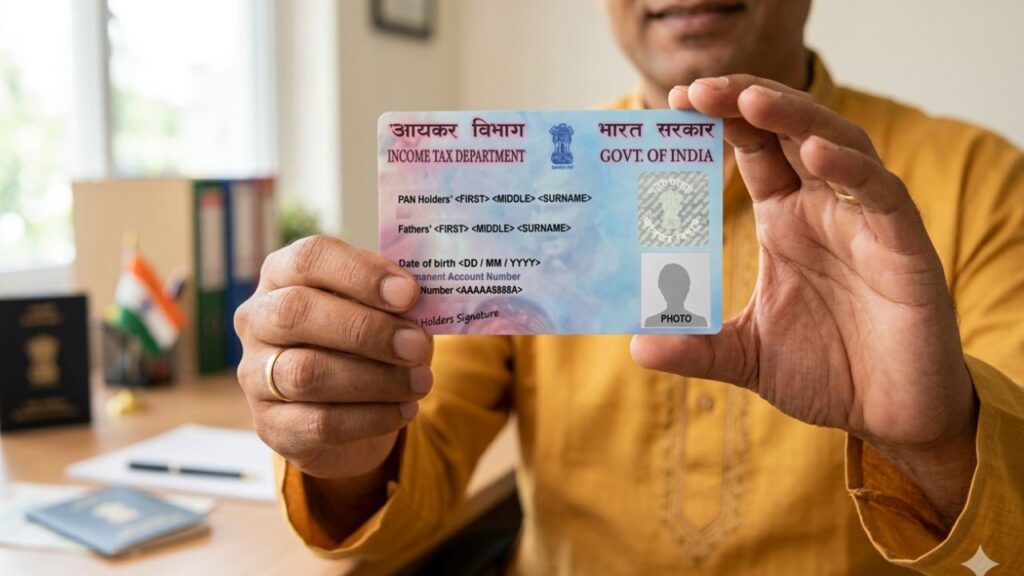
A PAN card is one of the most important documents for financial and legal activities in India. However, many people face issues when their photo does not match their current appearance or their signature differs from official records.
This mismatch can create problems in:
- Bank verification (KYC)
- Loan applications
- Income tax filing
- Government services
👉 That is why updating your PAN card photo and signature is not just optional—it is essential for smooth financial transactions.
In this detailed guide, you will learn exactly how to update your PAN card photo and signature, along with common mistakes, tips, and the correct process.
📌 What Does PAN Photo and Signature Update Mean?
Updating your PAN card photo or signature means correcting the existing details printed on your PAN card so that they match your current identity.
For example:
- If your photo is old or unclear
- If your signature has changed over time
- If your PAN gets rejected during verification
👉 In such cases, you must apply for a PAN correction request.
🧠 Why Updating PAN Details Is Important (Real-Life Impact)
Many people ignore this update until they face a problem.
Here’s what can happen if your PAN details are outdated:
- Your KYC may get rejected by banks
- Loan applications can be delayed
- You may face issues during high-value transactions
- Government services may not accept your PAN
👉 So updating your PAN card ensures your identity remains valid everywhere.
How to Change Photo and Signature in PAN Card (Online & Offline – Complete Guide)
🌐 How to Change Photo and Signature in PAN Card Online (Detailed Explanation)
The online process is the easiest and fastest way. But each step must be done carefully.
Know more about: How to Change Photo and Signature in PAN Card Offline
Step 1: Visit the Official PAN Correction Portal
First, you need to go to the official PAN service website and select the option:
👉 “Changes or Correction in Existing PAN Data”
This option is specifically used when you already have a PAN card but want to update details like:
- Photo
- Signature
- Name
- Address
Step 2: Select Application Type and Category
Once you open the form, you will be asked to select:
- Application Type → Correction in existing PAN
- Category → Individual
👉 This ensures that your request is processed correctly under personal PAN update.
Step 3: Fill Basic Applicant Details
In this step, you need to enter your basic information carefully:
- Full Name (as per PAN)
- Date of Birth
- PAN Number
- Email ID
- Mobile Number
📌 Important Note:
- Your name must match exactly with your PAN records
- Do not use abbreviations
- Double-check spelling
👉 After submitting this step, you will receive a token number.
This token number is important because:
- It helps you resume the application
- It is used for tracking
Step 4: Choose How You Want to Submit Documents
Now you need to select how you will submit your documents.
You will get two options:
Option 1: e-Sign (Online Method)
- Upload documents online
- Complete process digitally
Option 2: Physical Submission
- Send documents via post
👉 Best Choice:
Choose e-sign if you want faster processing.
Step 5: Provide Personal Details (Most Critical Step)
This is one of the most important steps in the entire process.
Here you need to carefully fill:
- Aadhaar Number
- Full Name
- Date of Birth
- Gender
- Father’s Name
✔ Selecting Update Options
You will see checkboxes like:
- Photo Mismatch
- Signature Mismatch
👉 You must tick these options based on what you want to update.
Download e-PAN Card Online from NSDL & UTIITSL: Step-by-Step Guide
⚠️ Important Instructions:
- Your Aadhaar and PAN details should match
- Any mismatch can lead to rejection
- Enter correct parent details
After this, you will be asked to:
- Enter address details
- Provide contact details
Then click Next.
Step 6: Select Document Proofs (Verification Step)
In this step, you must select documents for verification.
You will choose from dropdown options:
- Identity Proof
- Address Proof
- Date of Birth Proof
- PAN Proof
📌 Important Explanation:
This step is not just selection—you must upload the same documents later.
👉 If you select Aadhaar, you must upload Aadhaar.
✔ Declaration Section
You also need to:
- Enter your name
- Mention place and date
- Accept declaration
Step 7: Upload Supporting Documents (Very Important)
Now comes the verification step where you upload your documents.
You Need to Upload:
- Identity Proof
- Address Proof
- DOB Proof
- Copy of PAN card
⚠️ Common Issues:
- Blurry documents
- Incorrect format
- File size error
👉 These issues can lead to rejection or delay.
Step 8: Upload Photo and Signature (Main Step)
This is the core step where your PAN details actually get updated.
📸 Photo Guidelines:
- Size: 3.5 cm × 2.5 cm
- Background: White
- Must be recent and clear
✍️ Signature Guidelines:
- Size: 2 cm × 4.5 cm
- Clear and readable
- Same as used in bank records
❌ Common Mistakes:
- Uploading selfie instead of passport photo
- Using dark or unclear image
- Signature mismatch
👉 These mistakes are the most common reason for rejection.
PAN Card Correction Form: How to Correct PAN Details Online Without Mistakes
Step 9: Make Payment (Mandatory Step)
After uploading everything, you need to pay the processing fee.
Payment Methods:
- Debit Card
- Credit Card
- Net Banking
📌 Important:
- Without payment, your application will not be processed
- Always save payment receipt
Step 10: Print and Submit Application
Once payment is done, your application is complete.
What You Need to Do:
- Download the form
- Print it
- Sign it
- Attach photos
If you selected physical submission:
👉 Send documents to PAN office.
✔ Final Output:
You will receive a 15-digit acknowledgement number.
⏳ Processing Time
- Usually takes 10–15 working days
- May vary depending on verification
👉 You can track status using acknowledgement number.
🚨 Common Mistakes That Cause Rejection
❌ Incorrect details
❌ Blurry documents
❌ Wrong photo size
❌ Signature mismatch
❌ Skipping document upload
👉 Even a small mistake can delay your PAN update.
🛡️ Expert Tips
✔ Always use recent photo
✔ Keep signature consistent
✔ Double-check all details
✔ Upload clear documents
✔ Save acknowledgement
🔚 Final Conclusion
Updating your PAN card photo and signature is a simple but important process.
It helps you:
- Avoid KYC rejection
- Ensure smooth banking transactions
- Maintain valid identity proof
👉 If done carefully, the entire process is smooth and hassle-free.
How to Link Aadhaar to PAN Online in 2025 – Step-by-Step Guide
For more detailed guides on PAN, tax, and government services, you can explore Sarkari Bakery, where content is created to help you complete real-life tasks step by step.
❓ FAQs
Based on Google's Helpful Content System, this article emphasizes user value, transparency, and accuracy. It incorporates principles of E-E-A-T (Experience, Expertise, Authoritativeness, Trustworthiness).
Why Choose Sarkari Bakery?
Reliable guidance to help you understand government schemes, online applications and essential digital services.
Official Information
Information presented with relevant official sources wherever available.
Step-by-Step Guides
Clear instructions to understand application procedures and requirements.
Regular Updates
Helpful updates and guidance when information changes or becomes available.
People-First Content
Practical explanations designed around the questions citizens commonly ask.
GOOGLE BUSINESS PROFILE
Explore Our Profile
Visit our Google Business Profile to check the latest available business information and customer reviews.
View Google ReviewsPlease check Google for the current rating and available reviews.
Pingback: Download e-PAN Card Online from NSDL & UTIITSL: Step-by-Step Guide - Sarkari Bakery
Pingback: 🪪 PAN Card Correction Form: How to Correct PAN Details Online Without Mistakes - Sarkari Bakery