
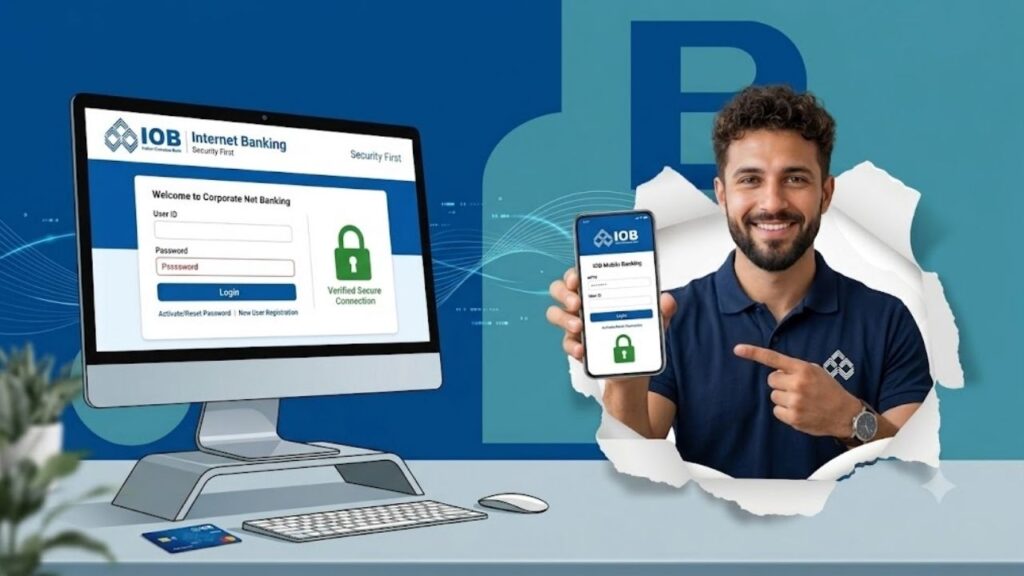
Indian Overseas Bank (IOB) Net Banking is a secure online banking service that allows customers to manage their bank accounts without visiting a branch. Whether you want to check your account balance, transfer money, pay utility bills, download account statements, or manage deposits, IOB Internet Banking provides all these services through a single online platform.
The service is available for both Personal Banking and Corporate Banking customers, making day-to-day banking faster, safer, and more convenient.
In this guide, you’ll learn everything about IOB Net Banking, including registration, activation, login, fund transfer, password reset, transaction limits, security tips, and the latest banking features available in 2026.
Indian Bank Net Banking: Registration, Login, Password Reset, Fund Transfer & Activation Guide
⭐ What is IOB Net Banking?
IOB Net Banking is the online banking platform offered by Indian Overseas Bank, allowing customers to access banking services through the internet anytime and from anywhere.
After activating Internet Banking, customers can perform various financial and non-financial transactions online without visiting their home branch.
Some common services include:
- Balance enquiry
- Mini statement
- Account statement download
- Fund transfer
- Bill payments
- Tax payments
- Fixed Deposit services
- Loan account management
- Cheque book requests
- Debit card services
⭐ Features of IOB Net Banking
IOB Internet Banking offers a wide range of services designed to simplify banking.
Account Management
Customers can easily:
- Check account balance
- View mini statements
- Download account statements
- Track transaction history
- Monitor loan accounts
Fund Transfer
Customers can transfer money using:
- NEFT
- RTGS
- IMPS
- Transfer between IOB accounts
Bill Payments
Users can pay various bills online, including:
- Electricity bills
- Water bills
- Gas bills
- Mobile recharge
- Broadband bills
- Credit card bills
- DTH recharge
Investment Services
Customers can access investment-related services such as:
- Fixed Deposits
- Mutual Funds
- Other eligible investment products
Tax Payments
Internet Banking enables customers to pay eligible taxes online without visiting a bank branch.
BOB Net Banking: Registration, Login, Fund Transfer, Password Reset & Features
Cheque Services
Customers can:
- Request a new cheque book
- Stop cheque payment
- Track cheque requests
Customer Support
Customers can access support through:
- Phone support
- Email support
- Online assistance
- Branch support
⭐ Benefits of IOB Net Banking
Using IOB Internet Banking provides several advantages.
Some major benefits include:
- Banking anytime
- Secure online transactions
- Paperless banking
- Instant money transfer
- Easy bill payments
- Online account management
- Time-saving services
- Convenient banking from home
⭐ Who Can Use IOB Net Banking?
The service is generally available for:
- Savings Account holders
- Current Account holders
- Salary Account holders
- Business customers
- Corporate customers
- Joint account holders (subject to account operating instructions)
⭐ Documents Required for IOB Net Banking Registration
Before registering, keep the following documents and information ready.
Identity Proof
Any valid identity document such as:
- Aadhaar Card
- PAN Card
- Passport
- Driving Licence
- Voter ID
Address Proof
Any valid address proof, including:
- Aadhaar Card
- Utility Bill
- Passport
- Government-issued address proof
Banking Details
- Account Number
- Customer details
- Passbook or Cheque Book
- Registered Mobile Number
Other Requirements
- Active Mobile Number
- Email Address
- Internet Banking Registration Form (if required by the bank)
⭐ How to Activate IOB Net Banking?
Eligible customers can activate Internet Banking through the official IOB website or by visiting a nearby branch.
The online activation process generally includes the following steps:
- Visit the official Indian Overseas Bank website.
- Open the Net Banking section.
- Select New User Registration.
- Enter your account number.
- Enter your PAN or other required details.
- Enter your registered mobile number.
- Complete OTP verification.
- Create your login password.
- Set security questions if prompted.
- Submit the registration request.
Once verification is completed successfully, your Internet Banking account will be activated.
Kotak Net Banking: Registration, Login, Fund Transfer, Password Reset & Features
⭐ How to Login to IOB Personal Net Banking?
After registration, Personal Banking customers can log in by following these steps:
- Visit the official IOB Net Banking portal.
- Select Personal Banking Login.
- Enter your User ID.
- Enter your Password.
- Complete OTP verification if required.
- Click Login.
After successful authentication, your dashboard will open.
⭐ How to Login to IOB Corporate Net Banking?
Corporate users can access their accounts using the following process:
- Visit the official IOB Corporate Banking portal.
- Select Corporate Login.
- Enter your Corporate ID.
- Enter your User ID.
- Enter your Password.
- Complete authentication if required.
- Click Login.
⭐ How to Reset IOB Net Banking Password?
If you forget your password, you can reset it online.
Follow these steps:
- Visit the login page.
- Click Forgot Password.
- Verify your identity.
- Complete OTP authentication.
- Create a new password.
- Confirm the password.
- Submit the request.
You can now log in using your newly created password.
⭐ How to Transfer Funds Using IOB Net Banking?
IOB supports multiple online fund transfer methods.
NEFT
Suitable for transferring funds to accounts in other banks.
RTGS
Used for high-value fund transfers where real-time settlement is required.
IMPS
Provides instant fund transfer service throughout the day.
Steps to Transfer Money
- Log in to Internet Banking.
- Open the Fund Transfer section.
- Select the transfer type.
- Add or choose the beneficiary.
- Enter the transfer amount.
- Verify beneficiary details.
- Authenticate the transaction using OTP or transaction password.
- Submit the request.
Once completed, the transaction reference number will be generated.
⭐ How to Add a Beneficiary?
Before transferring money to another bank, you may need to register the beneficiary.
The process generally includes:
- Log in to your account.
- Select Manage Beneficiary.
- Enter:
- Beneficiary Name
- Account Number
- IFSC Code
- Bank Name
- Verify all details.
- Complete OTP verification.
- Submit the request.
After activation, the beneficiary becomes available for fund transfers.
⭐ IOB Net Banking Transaction Limits
The transaction limits may vary depending on the account type, customer profile, and the latest bank guidelines.
| Transaction Type | General Information |
|---|---|
| NEFT | Available for eligible online transfers subject to bank limits |
| RTGS | Used for high-value transactions as per RBI guidelines |
| IMPS | Instant transfer service with daily limits decided by the bank |
| Within IOB Transfer | Available for eligible customers |
| Bill Payments | Subject to applicable service limits |
Customers should verify the latest limits directly through Internet Banking or the official bank guidelines before initiating high-value transactions.
⭐ Services Available Through IOB Internet Banking
Customers can access numerous banking services, including:
- Balance enquiry
- Mini statement
- Fund transfer
- Bill payment
- Tax payment
- Fixed Deposit services
- Cheque book request
- Stop cheque payment
- Loan account enquiry
- Statement download
- Profile management
⭐ Security Tips for Safe Net Banking
To protect your Internet Banking account:
- Never share your User ID or Password.
- Do not disclose OTPs to anyone.
- Always use the official IOB website.
- Avoid using public computers for banking.
- Use a strong password.
- Change your password regularly.
- Log out after every session.
- Enable SMS alerts for transactions.
⭐ Common Problems and Their Solutions
Forgot Password
Use the Forgot Password option available on the login page.
OTP Not Received
Ensure that your registered mobile number is active and has proper network connectivity.
Login Failed
Check your User ID, Password, and internet connection before trying again.
Beneficiary Not Active
Some beneficiary registrations may require an activation period before transfers can be made.
⭐ IOB Customer Care
If you need assistance regarding IOB Net Banking, you can:
- Visit your nearest Indian Overseas Bank branch.
- Contact the bank’s customer care helpline.
- Send your query through the official customer support email.
- Use the online help services available on the official banking portal.
⭐ Conclusion
IOB Net Banking is a secure and user-friendly digital banking service that helps customers perform various banking activities from the comfort of their homes. From checking account balances and transferring funds to paying bills and managing investments, it provides a complete online banking solution. By following safe banking practices and keeping your login credentials secure, you can enjoy a hassle-free digital banking experience.
SBI Internet Banking: Registration, Login, Features, Fund Transfer & Password Reset
For more banking guides, finance tips, and government scheme updates, visit Sarkari Bakery.
⭐ Frequently Asked Questions (FAQs)
Based on Google's Helpful Content System, this article emphasizes user value, transparency, and accuracy. It incorporates principles of E-E-A-T (Experience, Expertise, Authoritativeness, Trustworthiness).
Why Choose Sarkari Bakery?
Reliable guidance to help you understand government schemes, online applications and essential digital services.
Official Information
Information presented with relevant official sources wherever available.
Step-by-Step Guides
Clear instructions to understand application procedures and requirements.
Regular Updates
Helpful updates and guidance when information changes or becomes available.
People-First Content
Practical explanations designed around the questions citizens commonly ask.
GOOGLE BUSINESS PROFILE
Explore Our Profile
Visit our Google Business Profile to check the latest available business information and customer reviews.
View Google ReviewsPlease check Google for the current rating and available reviews.
Pingback: Indian Bank Net Banking: Registration, Login, Password Reset, Fund Transfer & Activation Guide - Sarkari Bakery
Pingback: BOB Net Banking: Registration, Login, Fund Transfer, Password Reset & Features - Sarkari Bakery
Pingback: Kotak Net Banking: Registration, Login, Fund Transfer, Password Reset & Features - Sarkari Bakery
Pingback: SBI Internet Banking: Registration, Login, Features, Fund Transfer & Password Reset - Sarkari Bakery
Pingback: TTMS Net Banking: Login, Registration, Features, Fund Transfer & Complete User Guide - Sarkari Bakery
Pingback: How To Check IOB Balance By SMS, Missed Call, ATM & Internet Banking - Sarkari Bakery
Pingback: Axis Internet Banking: Registration, Requirements & Rules
Pingback: PNB Internet Banking: Registration & Important Requirements
Pingback: ICICI Net Banking – Registration, Requirements & Key Details