
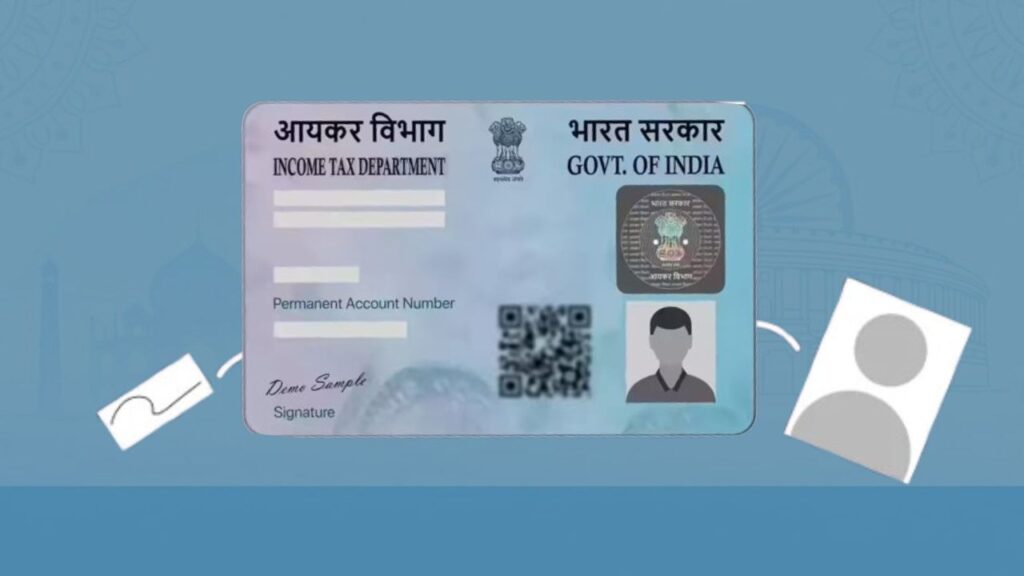
Many people face issues during KYC verification, bank account opening, loan processing, or income tax filing because their PAN card photo or signature does not match their current appearance or records. A blurred photo, old signature style, or mismatch with Aadhaar can easily lead to rejection or delays.
To avoid these problems, the Income Tax Department allows individuals to update their PAN card photo and signature through an official correction process—both online and offline. This guide explains the entire process step by step, including documents required, fees, tracking, and common mistakes to avoid.
⭐ What Is PAN Card Photo & Signature Change?
PAN card photo or signature change is a correction request made to update your existing PAN record without changing your PAN number. Only your photograph and/or signature are updated in the database to ensure smooth identity verification.
This update is commonly required when:
- Your PAN photo is unclear or very old
- Your signature has changed over time
- PAN verification fails during KYC
- Banks or employers reject documents due to mismatch
⭐ Who Can Apply for PAN Photo or Signature Update?
You can apply if:
- You already have a valid PAN
- Your name, DOB, and PAN number are correct
- Only photo and/or signature needs correction
The PAN number remains the same after the update.
⭐ How to Change Photo in PAN Card Online (Step-by-Step)
PAN photo change online is the fastest and most preferred method.
Step 1: Visit the Official PAN Correction Portal
Go to the PAN services website managed by Protean eGov Technologies Limited (formerly NSDL).
Choose “Change/Correction in Existing PAN Data”.
Step 2: Select Application Type
- Application Type: Changes or Correction in Existing PAN Data
- Category: Individual
Step 3: Enter Basic Details
Fill in:
- PAN number
- Full name
- Date of birth
- Mobile number and email ID
Submit to generate a token number (keep this safe).
Step 4: Choose Submission Mode
Select one option:
- Submit scanned images through e-sign (paperless)
- Forward physical documents (offline dispatch)
Step 5: Fill Personal & Correction Details
- Enter Aadhaar and personal details
- Tick Photo Mismatch and/or Signature Mismatch
- Enter parent’s name and address details
Step 6: Select Document Proofs
Choose documents for:
- Proof of Identity
- Proof of Address
- Proof of Date of Birth
- Proof of PAN
Step 7: Upload Documents
Upload clear scanned copies of:
- Identity & address proof
- Existing PAN card or PAN allotment letter
Step 8: Upload Photo and Signature
- Photo size: 3.5 cm × 2.5 cm, white background
- Signature size: 2 cm × 4.5 cm, black ink on white paper
Step 9: Pay the Fee
Pay using:
- Debit card
- Credit card
- Net banking
Step 10: Print & Dispatch (if required)
If physical submission is chosen, post documents to:
Income Tax PAN Services Unit
Protean eGov Technologies Limited
4th Floor, Sapphire Chambers
Baner Road, Baner
Pune – 411045
You will receive a 15-digit acknowledgement number to track status.
Know more about: How to Change Photo and Signature in PAN Card Online
⭐ How to Change Photo in PAN Card Offline
If you are not comfortable online, use the offline method.
Offline Steps:
- Download the PAN Correction Form
- Fill the form in CAPITAL letters
- Tick Photo Mismatch
- Affix two recent photographs
- Submit at nearest PAN centre
- Pay the applicable fee
- Collect acknowledgement slip
Documents are forwarded by the centre to the PAN service unit.
⭐ PAN Card Signature Change Online – Full Process
The signature update process is identical to photo correction.
Key points:
- Select Signature Mismatch while filling the form
- Upload a fresh scanned signature
- Ensure signature matches bank and Aadhaar records
You may update photo + signature together in one application.
⭐ PAN Card Signature Change Offline
Offline signature change follows the same steps as offline photo update, with one difference:
- Tick Signature Mismatch
- Sign clearly within the specified box
⭐ Documents Required for PAN Photo & Signature Change
You must submit the following:
📄 Proof of Identity
- Aadhaar card
- Passport
- Voter ID
- Driving licence
📄 Proof of Address
- Aadhaar card
- Utility bill (electricity, water, gas)
- Bank statement
- Passport
📄 Proof of Date of Birth
- Aadhaar card
- Birth certificate
- Passport
- School leaving certificate
📄 PAN Proof
- Existing PAN card copy
- PAN allotment letter
📸 Photo & Signature
- Two recent passport-size photos
- Clear signature scan (online) or physical signature (offline)
⭐ PAN Photo & Signature Change Fees
| Category | Fee |
|---|---|
| PAN correction (Indian address) | ₹110 |
| PAN correction (foreign address) | ₹1,020 |
Fees may include GST and processing charges.
⭐ Processing Time & Status Tracking
- Processing time: 10–15 working days
- Status tracking: Use acknowledgement number on the PAN portal
- Updated PAN card is sent to the registered address/email
⭐ Common Mistakes to Avoid (Very Important)
- Uploading blurred or shadowed photos
- Signing outside the signature box
- Using blue ink or stylus signature
- Mismatch between Aadhaar and PAN details
- Skipping document upload
These mistakes are the main reason for rejection or delay.
⭐ Why Updating PAN Photo & Signature Is Important
An updated PAN ensures:
- Smooth bank KYC approval
- Faster loan processing
- No issues in income tax filing
- Seamless verification with Aadhaar
- Acceptance in government and private services
⭐ Conclusion
Updating your PAN card photo and signature is a simple but crucial step to avoid unnecessary verification issues. Whether you choose the online paperless method or the offline PAN centre route, ensure documents are clear and details are accurate. A correct PAN record saves time, prevents rejections, and keeps your financial life hassle-free.
For more step-by-step guides on PAN, Aadhaar, banking, and government documents, visit Sarkari Bakery.
❓ Frequently Asked Questions
Based on Google's Helpful Content System, this article emphasizes user value, transparency, and accuracy. It incorporates principles of E-E-A-T (Experience, Expertise, Authoritativeness, Trustworthiness).
Why Choose Sarkari Bakery?
Official Information
Government schemes & banking information based on official sources.
Step-by-Step Guides
Simple application process explained for every service.
Regular Updates
Content updated whenever official rules or services change.
People-First Content
Helpful, transparent and user-focused content.