Author name: Nibha

Ration Card Jharkhand
Ration Card

Ration Card Jharkhand 🪪– Application Process, Eligibility, Types, Status Check & Complete Guide

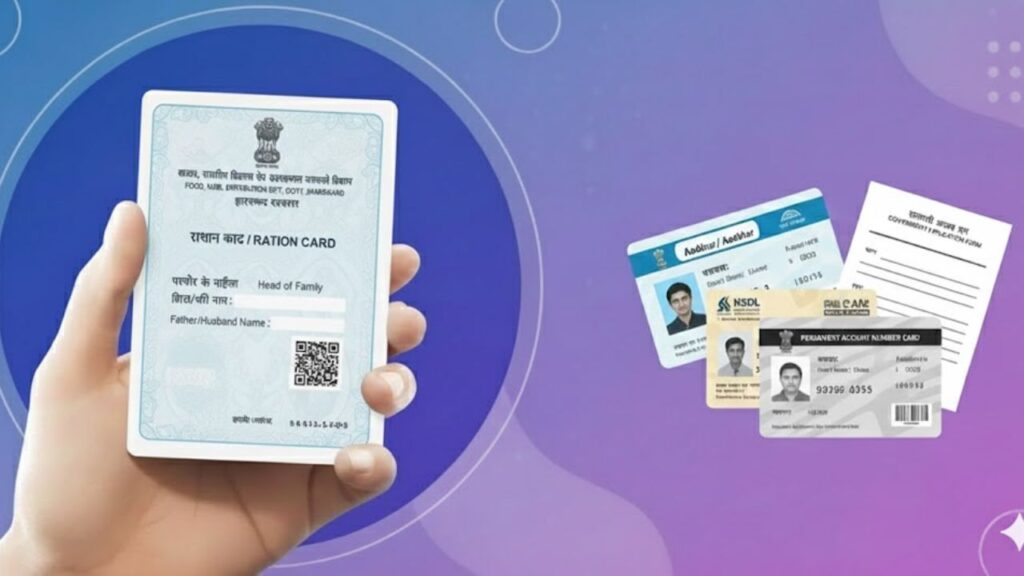
A Ration Card in Jharkhand is an essential government document issued under the Public Distribution System (PDS) 🏪. It enables eligible households to purchase subsidised food grains like rice, wheat, and sugar at lower prices. Along with food security 🍚, a ration card also works as an important identity and address proof. The Government of Jharkhand issues ration cards through the Food, Public Distribution & Consumer Affairs Department, ensuring that low-income families receive essential commodities without difficulty. 📌 What is a Ration Card in Jharkhand? A Jharkhand Ration Card is an official document provided to residents of the state to access food subsidies under the National Food Security Act (NFSA) 📜. Each ration card is linked with Aadhaar details to improve transparency and reduce duplication. It is commonly used for: 🗂️ Types of Ration Cards in Jharkhand Jharkhand issues different ration cards based on economic condition and eligibility: 🔹 1. Priority Household (PHH) Ration Card 🔹 2. Antyodaya Anna Yojana (AAY) Ration Card 🔹 3. State Priority Household (SPHH) ✅ Eligibility Criteria for Jharkhand Ration Card To apply for a ration card in Jharkhand, the applicant must: 📄 Documents Required for Ration Card Jharkhand Applicants need the following documents while applying: 🌐 How to Apply for Ration Card in Jharkhand (Online) Jharkhand provides an easy online application facility for ration cards. 🪜 Step-by-Step Online Application Process The application is then verified by local authorities. 🏢 How to Apply for Ration Card in Jharkhand (Offline) Applicants who prefer offline mode can visit: Collect the form, attach documents, and submit it to the concerned office. 🔍 How to Check Ration Card Status Jharkhand You can track your ration card application status online: 📥 How to Download Jharkhand Ration Card Once approved, you can download your e-ration card: The downloaded copy is valid for official use. ✏️ Ration Card Correction / Update in Jharkhand You can request corrections or updates for: These services are available online and through CSC/FPS offices. 🎁 Benefits of Ration Card in Jharkhand Holding a ration card provides multiple benefits: ⚠️ Important Points to Remember 🏁 Conclusion The Ration Card Jharkhand is a vital document for food security and social welfare. From applying for a new ration card to checking status, downloading e-ration cards, and making corrections, the Jharkhand PDS system offers convenient online and offline services for citizens. For more easy-to-understand guides on ration cards, government schemes, and online applications, visit Sarkari Bakery, where complex processes are explained in a simple and practical way.


Kalyana Lakshmi Pathakam
How To

Kalyana Lakshmi Pathakam – Eligibility, Benefits, Amount, Application Process & Documents

The Kalyana Lakshmi Pathakam is a flagship welfare scheme launched by the Government of Telangana to support economically backward families during the marriage of their daughters. Introduced in 2014 by the Backward Classes Welfare Department, this scheme aims to reduce the financial burden on families belonging to SC, ST, BC, EBC, and minority communities. Under this scheme, eligible unmarried girls receive one-time financial assistance directly into their bank account at the time of marriage, ensuring dignity, social security, and financial relief. What is Kalyana Lakshmi Pathakam? Kalyana Lakshmi Pathakam is a marriage assistance scheme that provides financial support to eligible brides from weaker sections of society in Telangana. The scheme helps families manage marriage-related expenses and prevents early or forced marriages due to financial hardship. The assistance is provided only once in a lifetime and is credited directly to the bride’s bank account after successful verification. Financial Assistance Under Kalyana Lakshmi Pathakam The scheme provides the following benefits: Eligibility Criteria for Kalyana Lakshmi Pathakam To apply for the scheme, the applicant must meet the following conditions: Who is Not Eligible (Exclusions) How to Apply for Kalyana Lakshmi Pathakam (Online Process) The application process for Kalyana Lakshmi Pathakam is completely online through the Telangana ePASS portal. Step-by-Step Application Process Documents Required for Kalyana Lakshmi Pathakam Applicants must upload the following documents while applying: 💍 Kalyana Lakshmi Status Checking – Step-by-Step Guide to Track Your Kalyana Lakshmi Application How is the Amount Disbursed? Conclusion The Kalyana Lakshmi Pathakam is a powerful social welfare initiative that provides financial dignity and security to unmarried girls from economically weaker sections in Telangana. By offering direct financial support at the time of marriage, the scheme helps families reduce financial stress and ensures social empowerment for women. For more easy-to-understand government scheme guides, eligibility details, and step-by-step application help, visit Sarkari Bakery. Frequently Asked Questions (FAQs)

CSC Digital Seva Portal
How To

CSC Digital Seva Portal – Registration, Login, Services, Eligibility & Complete Guide

The CSC Digital Seva Portal, also known as Common Service Center (CSC) or Jan Seva Kendra, is an important government-backed digital initiative that helps citizens access essential services at the village and local level. Through CSCs, people can apply for government schemes, pay bills, access banking and insurance services, and complete various online applications without visiting government offices. The portal is managed under the Digital India programme and aims to bridge the digital gap by providing online services to rural and semi-urban areas through trained Village Level Entrepreneurs (VLEs). This guide explains everything you need to know about the CSC Digital Seva Portal, including available services, registration process, login steps, eligibility, and infrastructure requirements. What is CSC Digital Seva Portal? The CSC Digital Seva Portal is an online platform that allows registered VLEs to deliver multiple digital services to citizens. These services include government-related applications, banking services, education programs, insurance services, and utility payments. A CSC works as a single-window access point where citizens can complete tasks such as Aadhaar services, PAN card applications, passport services, bill payments, and much more. Services Offered Through CSC / Digital Seva CSC services are broadly divided into the following categories: Below is a detailed explanation of each category. CSC Education Services Through CSC, citizens can enroll in various education and skill development programs, including: These programs help students, women, and job seekers improve their digital and professional skills. Business to Customer (B2C) Services at CSC CSC also offers daily-use services to citizens, such as: These services help villagers avoid traveling long distances for basic needs. CSC Government Services CSC enables easy access to various government services, including: This reduces dependency on government offices and speeds up application processes. CSC Insurance Services Insurance-related services available through CSC include: These services promote financial security in rural areas. CSC Travel Services CSC provides travel booking services such as: This is especially useful in areas with limited access to online booking platforms. CSC Banking Services Banking services offered through CSC include: These services help bring unbanked populations into the formal banking system. How to Register for CSC / Digital Seva Portal To open a CSC, you must register as a Village Level Entrepreneur (VLE). Step-by-Step CSC Registration Process After submission: How to Check CSC Registration Status To check your CSC registration status: Your current registration status will appear on the screen. CSC Digital Seva Portal Login Process Once registered, you can log in using these steps: After login, you can access the CSC dashboard and start providing services to citizens. Who Can Open a CSC? (Eligibility Criteria) Any Indian citizen can open a CSC if they meet the following conditions: Infrastructure Required to Open a CSC To operate a CSC, the following equipment is required: Conclusion The CSC Digital Seva Portal plays a vital role in delivering government and digital services to citizens, especially in rural areas. By becoming a VLE, individuals not only create a source of income for themselves but also contribute to digital empowerment and social development. With proper registration, infrastructure, and training, CSCs act as a powerful bridge between the government and citizens. For more easy-to-understand government guides and digital service information, visit Sarkari Bakery. Frequently Asked Questions (FAQs)

IFSC Code of Assam Gramin Vikash Bank
Banking

IFSC Code of Assam Gramin Vikash Bank, Assam Gramin Vikash Bank IMPS, Guwahati, Assam

If you are searching for the IFSC code of Assam Gramin Vikash Bank IMPS branch, then this page provides complete and accurate details. IFSC code is a mandatory requirement for online fund transfers through NEFT, RTGS, and IMPS. Using the correct IFSC ensures that your money is transferred safely and reaches the correct bank branch without delay. Below, you will find full branch details including IFSC code, MICR code, address, district, and other important banking information related to Assam Gramin Vikash Bank IMPS, Guwahati. Assam Gramin Vikash Bank IMPS – Branch Details Here are the official IFSC and MICR details of Assam Gramin Vikash Bank IMPS: Bank Name Assam Gramin Vikash Bank Branch Name Assam Gramin Vikash Bank IMPS IFSC Code PUNB0RRBAGB MICR Code N/A Branch Code RRBAGB (Last six characters of IFSC) City Guwahati District Kamrup Metropolitan State Assam Address Head Office, G.S. Road, Bhangagarh, Guwahati – 781001, Assam Phone Number N/A This IFSC code is mainly used for IMPS and NEFT transactions handled through the centralized system of Assam Gramin Vikash Bank. What is IFSC Code and Why is it Required? The Indian Financial System Code (IFSC) is an 11-character alphanumeric code issued by the Reserve Bank of India (RBI). It uniquely identifies every bank branch in India and is essential for electronic fund transfers. An IFSC code is required for: Without a valid IFSC code, banks cannot process electronic transactions correctly. How to Find IFSC Code of a Bank Branch? You can easily find the IFSC code of any bank branch using the following methods: Uses of IFSC Code IFSC code plays a crucial role in banking operations. Some common uses include: Format of IFSC Code Explained An IFSC code consists of 11 characters, structured in the following way: Position Meaning 1–4 Bank Code 5 Zero (0), reserved for future use 6–11 Branch Code Example: PUNB0RRBAGB How to Find MICR Code? MICR (Magnetic Ink Character Recognition) code is mainly used for cheque clearing. You can find the MICR code by: For Assam Gramin Vikash Bank IMPS, Guwahati, the MICR code is not available (N/A) as it is a centralized IMPS branch. Nearby Assam Gramin Vikash Bank Branches Currently, no nearby branches are listed for Assam Gramin Vikash Bank IMPS, Guwahati. Conclusion The IFSC code PUNB0RRBAGB belongs to Assam Gramin Vikash Bank IMPS, Guwahati, and is required for online fund transfers such as NEFT and IMPS. Always verify the IFSC code before initiating any transaction to ensure smooth and error-free money transfers. For more easy-to-understand banking and government-related guides, visit Sarkari Bakery. Frequently Asked Questions (FAQs)

IFSC Code of Sarva Haryana Gramin Bank
Banking

IFSC Code of Sarva Haryana Gramin Bank, Sarva Haryana Gramin Bank IMPS, Rohtak, Delhi

If you are looking for the IFSC code of Sarva Haryana Gramin Bank IMPS branch, then this guide will help you with complete and accurate details. IFSC code is an essential requirement for online fund transfers such as NEFT, RTGS, and IMPS. Without the correct IFSC code, money transfers cannot be processed successfully. Below, you will find complete bank details including IFSC code, MICR code, branch address, district, and other important information related to Sarva Haryana Gramin Bank IMPS, Rohtak. Sarva Haryana Gramin Bank IMPS – Branch Details Here are the official IFSC and MICR details of Sarva Haryana Gramin Bank IMPS: This IFSC code is mainly used for IMPS and NEFT centralized transactions handled by Sarva Haryana Gramin Bank. What is IFSC Code and Why is it Important? The Indian Financial System Code (IFSC) is an 11-character alphanumeric code issued by the Reserve Bank of India (RBI) to identify every bank branch in India. An IFSC code is mandatory for: Without a valid IFSC code, banks cannot identify the destination branch correctly. How to Find IFSC Code of a Bank Branch? You can easily find the IFSC code of any bank branch using the following methods: Uses of IFSC Code The IFSC code plays a vital role in banking and financial transactions. Some major uses include: Format of IFSC Code Explained An IFSC code consists of 11 characters, structured as follows: Position Description 1–4 Bank Code 5 Zero (0) – reserved for future use 6–11 Branch Code Example: PUNB0HGB001 How to Find MICR Code? MICR (Magnetic Ink Character Recognition) code is mainly used for cheque processing. You can find the MICR code by: For Sarva Haryana Gramin Bank IMPS, Rohtak, the MICR code is not available (NA) as it is a centralized processing branch. Nearby Sarva Haryana Gramin Bank Branches Currently, no nearby branches are listed for Sarva Haryana Gramin Bank IMPS, Rohtak. Conclusion The IFSC code PUNB0HGB001 belongs to Sarva Haryana Gramin Bank IMPS, Rohtak and is mainly used for NEFT and IMPS transactions processed through the centralized system. Before initiating any bank transfer, always double-check the IFSC code to avoid failed or delayed transactions. For more easy-to-understand banking and government-related guides, visit Sarkari Bakery. Frequently Asked Questions (FAQs)

Ration Card Status Check
Ration Card

Ration Card Status Check – How to Check Ration Card Status Online?

The ration card is one of the most important government-issued documents for millions of families in India. It not only serves as identity and address proof but also ensures that eligible households receive essential food grains at subsidised rates under the Public Distribution System (PDS) and the National Food Security Act (NFSA). Because of its importance, citizens often apply for new ration cards, request corrections, or update family details. After submitting the application, it becomes crucial to track the progress. This is where ration card status check helps. By checking the status, users can easily know whether their card is approved, pending verification, rejected, or issued. This guide explains everything about how to check ration card status online and offline, required documents, state-wise portals, and important steps to follow. ⭐ What Does Ration Card Status Mean? Whenever a user submits an application for a new ration card or applies for an update (like name addition, address change, or mobile update), the application goes through several verification steps.The ration card status shows exactly where the application stands. A typical status may show: Knowing this status helps users stay informed and avoid unnecessary visits to the ration office. ⭐ Why Checking Ration Card Status Regularly Is Important Ration card status is not just a formality — it ensures timely access to government food benefits. Here’s why users must check their status regularly: ✔ To Confirm Correct Submission Many applications get delayed simply because a document was unclear or a detail was incorrect. ✔ To Avoid Rejection If there is any mistake with the address, Aadhaar link, or family details, the application may be rejected. Early checking helps users correct issues quickly. ✔ To Know If the Card Is Active If the ration card becomes inactive due to lack of usage, users must update or reapply. ✔ To Track Dispatch An approved ration card may take some days to reach the user. Checking status ensures that users know exactly when it is dispatched. ✔ To Access Benefits Without Delay Timely status monitoring ensures uninterrupted access to subsidised rice, wheat, sugar, and other essential supplies. ⭐ Eligibility Criteria for Ration Card To be eligible for a ration card in India, users must: ✔ Be an Indian citizen✔ Have a permanent residential address✔ Not hold multiple ration cards✔ Fall under the income category defined by their state Different states have categories like: Ration cards are issued based on family status, economic condition, and documents submitted. ⭐ Documents Required for Ration Card Application or Update A ration card application is processed only after document verification. The commonly required documents include: ✔ Address Proof (Any 1) ✔ Identity Proof (Any 1) ✔ Other Documents Submitting proper documents helps speed up approval. ⭐ How to Check Ration Card Status Online (State PDS Portals) Almost every state in India has launched a dedicated digital portal for ration card services. Users can track their application status from home in just a few clicks. Step-by-Step Process Step 1: Visit your state’s official Food & Civil Supplies / PDS website.Step 2: Go to the Citizen Services or Ration Card section.Step 3: Select Application Status or Ration Card Status.Step 4: Enter your application reference number or ration card number.Step 5: Submit to view the current status. The portal will immediately show whether your ration card is pending, approved, rejected, or dispatched. This is the fastest and most reliable method for checking ration card status. ⭐ How to Check Ration Card Status Offline Users who prefer offline methods or live in areas with limited internet access can check ration card status by visiting: ✔ Nearest Ration Card Office✔ Common Service Centre (CSC)✔ e-Seva / Grama One Centre✔ District Food Supply Office Provide the ration card number or application slip, and the officials will share the status. Offline method is useful for senior citizens and rural areas where digital access may be limited. ⭐ How to Check Ration Card Status Through NFSA Portal (All States) The NFSA (National Food Security Portal) provides a centralised platform for ration card information across all states and union territories. Steps to Check Status Through NFSA: Step 1: Visit the official NFSA portal.Step 2: Go to Ration Card Details / RC Status.Step 3: Select your state and district.Step 4: Enter your ration card number.Step 5: Enter captcha and click Get RC Details. You will get a complete digital ration card summary, including family details and current status. NFSA portal is especially helpful when state websites experience downtime. ⭐ State-Wise Ration Card Status Check Portals State / UT Portal Link Andhra Pradesh epdsap.ap.gov.in Assam fcsca.assam.gov.in Bihar epds.bihar.gov.in Chhattisgarh khadya.cg.nic.in Delhi nfs.delhi.gov.in Gujarat dcs-dof.gujarat.gov.in Haryana haryanafood.gov.in Jharkhand aahar.jharkhand.gov.in Karnataka ahara.kar.nic.in Kerala civilsupplieskerala.gov.in Maharashtra mahafood.gov.in Odisha pdsodisha.gov.in Punjab punjab.gov.in Rajasthan food.raj.nic.in Tamil Nadu tnpds.gov.in Telangana epds.telangana.gov.in Uttar Pradesh fcs.up.gov.in Uttarakhand fcs.uk.gov.in West Bengal wbpds.gov.in A complete list for all 36 states and UTs can be added if required. ⭐ Common Reasons Why Ration Card Applications Get Delayed ❌ Blurred or incorrect document uploads❌ Address mismatch between Aadhaar and application❌ Wrong family details or duplicate entries❌ Technical issues on the portal❌ Incomplete verification by BLO Users should ensure all documents are clear, updated, and correct before applying. ⭐ Conclusion The ration card is a vital document for households that rely on subsidised food grains and government welfare schemes. By checking the ration card status regularly, users can ensure that their application is processed correctly and on time. Whether you use the state PDS website or the NFSA portal, the process is simple, transparent, and accessible to everyone. For more easy-to-understand government guides and updates, visit👉 Sarkari Bakery ⭐ FAQ

Dakshin Bihar Gramin Bank
Banking

Dakshin Bihar Gramin Bank – Branch Details, IFSC Code, IMPS, MICR & How to Find Your Code

The Dakshin Bihar Gramin Bank (DBGB) plays a major role in providing rural and semi-urban banking services across Bihar. Whether you are sending funds through IMPS, NEFT, or RTGS, you must enter the correct IFSC code to ensure that your money reaches the right branch. This article explains the official IFSC code of Dakshin Bihar Gramin Bank’s Patna IMPS branch, how the IFSC and MICR codes work, where to find them, and more. ✅ Dakshin Bihar Gramin Bank IFSC Code – Patna IMPS Branch Here are the complete verified details: Detail Information Bank Name Dakshin Bihar Gramin Bank Branch Name Dakshin Bihar Gramin Bank IMPS IFSC Code PUNB0MBGB06 MICR Code 800811002 Branch Code MBGB06 City Patna District Patna State West Bengal (as per database entry) Address NEFT Centralized Processing Centre, Madhya Bihar Gramin Bank, Meena Plaza, South of Museum, Patna – 800001 Phone Number Not Available This IFSC must be used whenever you transfer funds to this specific DBGB branch. ⭐ What Does the IFSC Code Mean? Indian Financial System Code (IFSC) is an 11-character alphanumeric code assigned by the Reserve Bank of India to every bank branch. Format: Meaning: For PUNB0MBGB06: This structure ensures accuracy during fund transfers. ⭐ Why the IFSC Code Is Important You need the IFSC code for: ✔ Sending money through NEFT NEFT transfers require bank name + account number + IFSC. ✔ RTGS transactions Used for high-value transfers of ₹2 lakh and above. ✔ IMPS transfers Immediate fund transfer using: ✔ Bill payments & UPI Online platforms also reference IFSC for backend verification. ✔ Receiving money Anyone sending you money must enter your IFSC correctly. A wrong IFSC can cause: Thus, IFSC ensures quick, error-free banking. ⭐ How to Find Dakshin Bihar Gramin Bank IFSC Code? Here are the simplest ways: 1. On Chequebook Every cheque leaf contains the IFSC code printed at the top. 2. On Passbook The first page will show: 3. On RBI Website RBI issues and maintains every IFSC code. 4. Dakshin Bihar Gramin Bank’s Official Website 5. Internet / Mobile Banking App When initiating a transfer, IFSC automatically appears. 6. Google Search Searching the branch name + “IFSC” shows instant results. ⭐ What is MICR Code & Why It’s Used? MICR Code: 800811002MICR stands for Magnetic Ink Character Recognition. It is used for: You can find the MICR code: ⭐ Branch Details Explained in Depth ✔ Location The branch processes NEFT & IMPS payments centrally for DBGB.Situated at:Meena Plaza, South of Museum, Patna 800001 ✔ Services Offered ✔ Nearby Branches Database currently shows no nearby branches listed, but DBGB operates across multiple districts in Bihar. If you want, I can prepare a table of all nearby DBGB branches for SEO—just tell me. ⭐ Understanding IMPS (Used by this Branch) IMPS (Immediate Payment Service) allows: To send IMPS to this branch, you need: ⭐ Customer Use Case Example Example 1: Sending Money to Patna Branch A user wants to transfer ₹20,000 through NEFT: With correct IFSC, the money reaches instantly (IMPS) or within a few hours (NEFT). Example 2: IMPS Failed? If IFSC is wrong, the transfer will be rejected, and refund may take 24–48 hours. ⭐ FAQs — Dakshin Bihar Gramin Bank IFSC Code 1. What is the IFSC code of Dakshin Bihar Gramin Bank Patna IMPS branch? PUNB0MBGB06 2. Is this IFSC required for all online transfers? Yes. It’s mandatory for IMPS, NEFT, and RTGS. 3. Where is this branch located? Meena Plaza, South of Museum, Patna – 800001. 4. What is the MICR code? 800811002 5. Can I find the IFSC on my cheque? Yes. It is printed on every cheque leaf. 6. Who issues the IFSC code? The Reserve Bank of India (RBI). 7. Can IFSC code change? Yes, if banks merge or restructure. Always check before transferring.

Madhyanchal Gramin Bank
Banking

Madhyanchal Gramin Bank – IFSC Code, Format, Uses & Account Opening Details

The IFSC Code (Indian Financial System Code) is a crucial identifier used for sending money online through NEFT, RTGS, and IMPS. Every bank branch in India has its own unique IFSC code, including Madhyanchal Gramin Bank, which operates across multiple districts in Madhya Pradesh. Understanding the IFSC code makes fund transfers safer, faster, and error-free. Let’s explore the IFSC code format, how to find your branch code, and other essential banking information. What is the IFSC Code of Madhyanchal Gramin Bank? The Madhyanchal Gramin Bank IFSC code is an 11-character alphanumeric code assigned to each branch.Its structure is always the same: Example:If the IFSC code looks like XXXX0YYYYYY, This unique code ensures the money reaches the correct branch during online fund transfers. How to Find the IFSC Code of Madhyanchal Gramin Bank? There are several easy ways to search your branch’s IFSC code: 1. On Your Bank Passbook The first or second page of your passbook contains: 2. On Your Chequebook Each cheque leaf displays the IFSC code on the top of the page. 3. Through Online Search You can search by: 4. Through Internet Banking Apps Most digital banking apps show: An IFSC code is mandatory for sending money via: Without it, the transaction will not be processed. Information Needed for Transferring Money To transfer funds to any Madhyanchal Gramin Bank account holder, you need: Providing accurate IFSC ensures: How to Open an Account in Madhyanchal Gramin Bank Madhyanchal Gramin Bank offers savings, current, and deposit accounts for individuals, businesses, farmers, and pensioners. Eligibility Criteria You can open an account if: Documents Required (KYC) You must submit: Identity Proof (Any One) Address Proof (Any One) Other Documents Once documents are verified and the first deposit is made, the bank activates the account. Frequently Asked Questions (FAQs) 1. What is the eligibility for opening a Madhyanchal Gramin Bank account? Any Indian citizen aged 18+ with valid identity and address proof can open an account. Minors need a guardian. 2. What documents are needed for account opening? Aadhaar, PAN, voter ID, passport, photos, and address proof. 3. What details are required to transfer funds? Amount, sender account number, receiver name, bank, account number, and the branch IFSC code.

What Is a Domicile Certificate
Domicile Certificate

Domicile Certificate – Meaning, Types, Benefits, Eligibility, Application Process, Documents, Status Check & Download

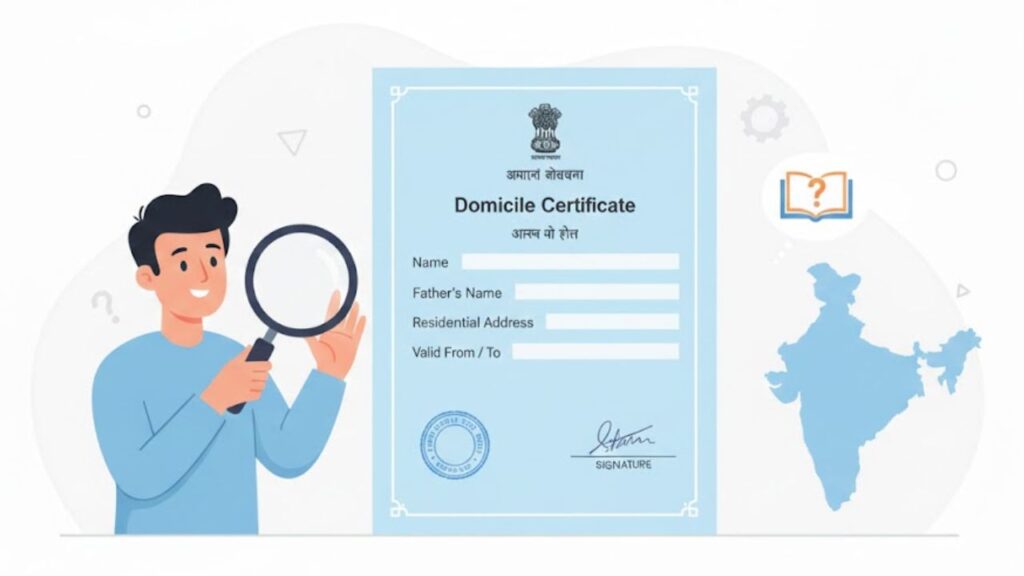
A Domicile Certificate, also known as a Residence Certificate, is one of the most important identity documents issued by state governments in India. It officially confirms that a person is a permanent resident of a particular state or Union Territory (UT). From scholarships to government jobs, and from property purchases to state quota admissions, a domicile certificate is required in countless places. Yet many citizens still don’t know the exact meaning, eligibility rules, or correct method of applying for it. What Is a Domicile Certificate? A domicile certificate is a legal document issued by the state administration certifying that: ✔ You belong permanently to that state✔ You have been living there for a long duration✔ You qualify for state-based benefits This certificate helps the government identify rightful residents to ensure that only genuine beneficiaries receive: Who Issues the Certificate? Depending on the state, the certificate may be issued by: These authorities verify your residence history, documents, family records, and local references before issuing the certificate. Why Is a Domicile Certificate Important? A domicile certificate is required in many official and legal situations: 🎓 1. For School, College & University Admissions State quota admissions in medical, engineering, law, and other fields require a domicile. 💰 2. For Scholarships & Financial Aid Most state scholarships accept only domiciled students. 💼 3. For Government Jobs Many states reserve specific government job positions for permanent residents. 🏡 4. For Property Purchase Some state/UT housing schemes allow purchase only by residents with domicile proof. 📝 5. For Competitive Exams Exams like NEET, JEE, state PSC, state police, etc., require domicile for local quota. 🧾 6. For Loans & KYC Banks accept domicile as proof of permanent address. 🏢 7. For State Business Registration Certain MSME and startup schemes require domicile. ⭐ Types of Domicile Certificates There are mainly three types: ✔ 1. Domicile by Birth Issued to individuals born in a state.Even if they study or work outside, their domicile remains valid until they establish permanent residence elsewhere. ✔ 2. Domicile by Choice Issued when a person voluntarily settles in a new state by fulfilling requirements such as: This is common for people shifting for jobs or marriage. ✔ 3. Domicile of Dependence Applicable for: Dependents automatically become eligible for domicile. Eligibility Criteria for Domicile Certificate Although each state has its own rules, general eligibility includes: ✔ Long-term Residence Most states require 3, 7, or 15 years of continuous residence. ✔ Parent’s Domicile If parents are domiciled, the child automatically qualifies. ✔ Property Ownership Not mandatory everywhere, but helpful in verification. ✔ Name on Voter List Optional in many states but strengthens proof of permanent residency. ✔ Female Applicants Women can apply for the domicile of their husband’s state after marriage. ✔ Minors Children below 18 can apply through their parents. How to Apply for a Domicile Certificate Online Step 1: Visit your state’s e-District portal Each state has a dedicated online platform. Step 2: Create an account (one-time registration) Enter personal details, mobile number, and email. Step 3: Login to the portal Use your mobile number, password, or OTP. Step 4: Select Domicile Certificate under Available Services Step 5: Fill in the application form carefully Include all details such as address, duration of stay, family details, etc. Step 6: Upload scanned documents Make sure files are clear and readable. Step 7: Pay application fees (if applicable) Step 8: Submit the form An acknowledgement number will be generated. Step 9: Verification by authorities Officers may check your residence, family documents, and local records. Step 10: Certificate issuance Once approved, you can download the PDF online. How to Apply Offline If you prefer offline mode, visit: Offline Procedure: Processing time ranges from 7 to 30 days, depending on the state. Documents Required for Domicile Certificate ✔ Identity Proof ✔ Address Proof ✔ Supporting Documents How to Check Domicile Certificate Status Step 1: Visit your state’s e-District portal Step 2: Click Track Application Step 3: Enter your application number or acknowledgement number Step 4: View status (Pending, Under Verification, Approved, or Rejected) If rejected, you can reapply with correct documents. How to Download the Domicile Certificate Online Once approved: You can print it or store it digitally. Domicile Certificate Number The certificate number: Domicile Certificate Validity Most states provide lifetime validity.However, some states issue it with limited validity: Validity depends on state rules and purpose of application. Domicile Certificate Format A typical certificate contains: Design and layout vary by state. Conclusion A domicile certificate plays a vital role in proving your permanent residency and accessing benefits that are meant only for state residents. The availability of online application portals has made the process easier, faster, and more transparent. By ensuring that you submit the correct documents and follow application guidelines, you can obtain your certificate without delays. FAQs

Jio Payments Bank
Banking

⭐ IFSC Code of Jio Payments Bank, Jio Payments Bank IMPS Branch – Maharashtra

If you are looking for the IFSC Code of Jio Payments Bank IMPS Branch in Navi Mumbai, Maharashtra, here is the complete and updated information including IFSC, branch details, MICR status, address, and how to use the code for online fund transfers. This guide will also help you understand the importance of IFSC codes, how to find them, and their role in NEFT, RTGS, and IMPS transactions. ⭐ Jio Payments Bank IMPS Branch – IFSC & MICR Codes Details Information Bank Name JIO PAYMENTS BANK Branch Name Jio Payments Bank IMPS IFSC Code JIOP0000001 MICR Code NA Branch Code 000001 City Navi Mumbai District Mumbai State Maharashtra Address Reliance Corporate Park, Ghansoli, Navi Mumbai, Maharashtra, India Phone Number NA 👉 This is the only IFSC code currently available for Jio Payments Bank, as the bank operates digitally without traditional physical branches. ⭐ What Is an IFSC Code and Why Is It Important? IFSC (Indian Financial System Code) is an 11-character alphanumeric code allotted by the Reserve Bank of India (RBI) to identify all bank branches participating in electronic fund transfers. You need a valid IFSC code to send money via: Without the correct IFSC, your payment will fail or be delayed. ⭐ How to Find IFSC Code of Any Bank? You can find the IFSC code easily through the following: ✔ 1. On your cheque book Your cheque leaf will have the IFSC printed on the top. ✔ 2. On the bank passbook Most banks mention IFSC on the front page. ✔ 3. RBI website The Reserve Bank of India maintains an updated list of all IFSC codes. ✔ 4. Official bank website Banks list IFSC codes under “branch locator” or “customer support” sections. ⭐ Format of IFSC Code (Explained) IFSC is an 11-character code structured as follows: 1 2 3 4 5 6 7 8 9 10 11 Bank Code 0 Branch Code Breakdown: Example: JIOP0000001 ⭐ How to Find MICR Code? MICR (Magnetic Ink Character Recognition) is used mainly for cheque processing. You can find MICR: 👉 For Jio Payments Bank IMPS branch, the MICR code is not available (NA). ⭐ Nearby Jio Payments Bank Branches Jio Payments Bank is a digital bank, hence: 👉 Therefore, no nearby branches are available for this IFSC. ⭐ FAQs – Jio Payments Bank IFSC Code (Navi Mumbai)

Scroll to Top