Author name: Nibha

Link Aadhaar with TNEB
Aadhaar

🔌 TNEB Aadhaar Link: Complete Guide to Link Aadhaar with TNEB and Check Status

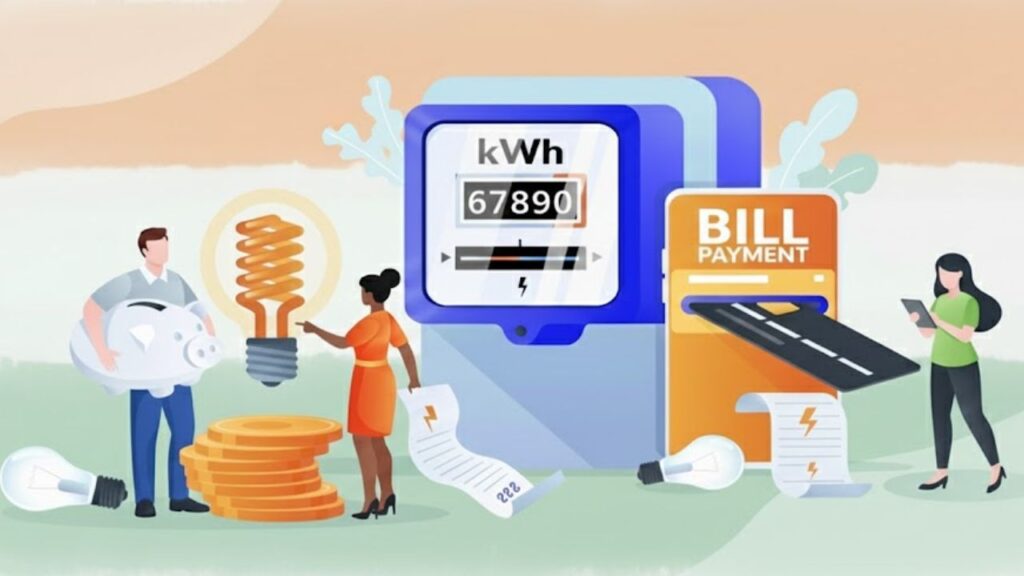
The Tamil Nadu Electricity Board (TNEB), operated by the Government of Tamil Nadu, is responsible for electricity generation and distribution across the state. Recently, the Tamil Nadu Generation and Distribution Corporation (TANGEDCO) has made it mandatory for all electricity consumers to link their Aadhaar card with TNEB. This step ensures transparent billing, access to government subsidies, and smoother power connection management. If you haven’t linked your Aadhaar yet, you may face issues while paying bills or availing free-unit benefits. Let’s go through everything you need to know about the TNEB Aadhaar linking process, its benefits, purpose, and how to check your link status online. 🎯 Purpose of Linking Aadhaar with TNEB The government introduced Aadhaar-TNEB linking to reduce misuse of electricity connections and ensure that subsidies reach genuine users.Previously, some people had multiple power connections under a single ID, leading to wastage and errors in billing. By linking Aadhaar, every consumer is uniquely identified, which promotes transparency and prevents corruption in electricity usage. 💡 Major Benefits of TNEB Aadhaar Linking The Tamil Nadu government has made this linkage compulsory because it helps both consumers and the electricity department.Here are the top advantages: 1️⃣ Lower Electricity Bills If your monthly electricity consumption is below 500 units, linking Aadhaar can make you eligible for up to 50% reduction in your bill. This greatly reduces the financial load on families and small consumers. 2️⃣ Accurate Billing & Efficiency With Aadhaar verification, all consumer data becomes streamlined — meaning more accurate meter readings, improved service delivery, and faster issue resolution. 3️⃣ Eligibility for Subsidies After linking Aadhaar, consumers can avail government subsidies, such as the first 100 units of electricity completely free. 4️⃣ Transparency in Connection Records Linking Aadhaar ensures that every electricity connection is properly recorded under one verified identity, preventing duplication or misuse. ⚡ Mandatory TNEB Aadhaar Link for Subsidy Users According to TANGEDCO, only consumers who link their Aadhaar number with their electricity service connection are eligible for free units and government subsidies.The rule applies to: Those who haven’t completed Aadhaar linking may not receive the subsidy benefits until they do so. 🧾 Step-by-Step Guide: How to Link Aadhaar with TNEB Online Follow these simple steps to complete your TNEB Aadhaar linking online from home: Step 1: Visit the official TANGEDCO website — https://www.tangedco.gov.in/ Step 2: Go to the ‘Online Services’ section and click on ‘Aadhaar-Link your service connection number’ under Consumer Services. Step 3: Enter your Service Connection Number, Mobile Number, and Captcha Code, then click ‘Enter’. Step 4: Your registered name will appear on the screen. Select your relationship to the service connection, such as: Step 5: Enter your Aadhaar Number, check the consent box, and click ‘Send OTP’. Step 6: Enter the OTP sent to your registered mobile number and click ‘Submit’. Your Aadhaar will now be successfully linked with your TNEB account. 🔍 How to Check TNEB Aadhaar Link Status Once the Aadhaar is linked, you’ll receive an SMS confirmation from TANGEDCO. However, you can also verify the status online anytime. Here’s how: Step 1: Visit the official website of TANGEDCO. Step 2: Click on ‘Online Services’, then go to ‘Bill Status’ under Payment and Billing Services. Step 3: Enter your Service Connection Number and Mobile Number, then click ‘Submit’. Step 4: The screen will display your account details along with the Aadhaar link status. That’s it! You’ve successfully checked your TNEB Aadhaar linking status. ✅ Why It’s Important to Complete the Linking Completing the Aadhaar linking process ensures: Hence, it’s essential for every consumer in Tamil Nadu to link Aadhaar with their TNEB account and enjoy uninterrupted electricity and subsidy benefits. 📚 FAQs

How to link Aadhaar to PAN
How To

🪪 How to Link Aadhaar to PAN Online in 2025 – Step-by-Step Guide | Sarkari Bakery

Linking your Aadhaar Card with your PAN Card is now mandatory for every Indian taxpayer. The Government of India has made it compulsory to link both documents to avoid penalties and to keep your PAN active. In this guide by Sarkari Bakery, we’ll explain step-by-step how to link Aadhaar to PAN online, what documents are required, common errors, and how to check the linking status. 📋 Why You Should Link Aadhaar to PAN Before we move to the process, let’s understand why linking Aadhaar and PAN is so important: So, it’s essential to link both cards before the due date. 🧠 What You Need Before Linking Before starting the process, make sure you have the following ready: 🌐 How to Link Aadhaar to PAN Online via Income Tax Portal Follow these simple steps to link your Aadhaar and PAN online using the official Income Tax Department portal. 🔹 Step 1: Visit the Official Website Go to the official website of the Income Tax e-Filing Portal:👉 https://www.incometax.gov.in/ 🔹 Step 2: Click on “Link Aadhaar” Option On the homepage, you will see the option “Link Aadhaar” under the Quick Links section.Click on it to proceed. 🔹 Step 3: Enter Your Details You will now see a form titled ‘Link Aadhaar’. Fill in the required details: ✅ Tick the box confirming that your Aadhaar details are correct. 🔹 Step 4: Pay ₹1,000 (If Applicable) If your Aadhaar and PAN are not linked before the due date, you may need to pay a late fee of ₹1,000.You can pay this fee directly through the portal via: Once the payment is successful, go back to the Link Aadhaar page. 🔹 Step 5: Submit Your Linking Request After entering all details and completing the payment (if required), click “Link Aadhaar”.You’ll receive an OTP (One-Time Password) on your Aadhaar-linked mobile number. Enter the OTP and click on Validate. 🔹 Step 6: Confirmation Message Once your details are verified, you’ll see a message on the screen: “Your Aadhaar has been successfully linked with your PAN.” You’ll also receive an SMS confirmation from the Income Tax Department. ✅ How to Check Aadhaar-PAN Link Status If you’ve already submitted your request and want to know whether your Aadhaar is linked with your PAN, here’s how you can check: Step 1: Visit 👉 https://www.incometax.gov.in/ Step 2: Go to “Link Aadhaar Status” Under the Quick Links, select “Link Aadhaar Status”. Step 3: Enter Details Enter your PAN and Aadhaar number, then click on “View Link Aadhaar Status”. Step 4: See Your Result You’ll see one of the following messages: 🧾 How to Link Aadhaar to PAN via SMS If you don’t have access to the internet, you can also link Aadhaar and PAN through SMS. Format: Example: Send this message to either of these numbers:📱 567678 or 56161 ⚠️ Common Errors and Fixes Issue Possible Reason Solution Name mismatch Spelling differences in Aadhaar & PAN Correct the name in either Aadhaar or PAN before linking Invalid OTP OTP expired or mobile not linked Request a new OTP and retry PAN inoperative Not linked before due date Pay ₹1,000 fee and re-link Aadhaar not active Aadhaar not updated Visit UIDAI website to update details 📞 Contact Details If you face any issues while linking Aadhaar with PAN, you can contact: Or visit the nearest PAN service center / Aadhaar enrollment center for offline help. 💬 FAQs – Aadhaar PAN Link 🏁 Conclusion Linking your Aadhaar and PAN Card is a small but crucial step for every taxpayer in India.By linking both, you can enjoy seamless income tax services, avoid penalties, and ensure your financial records remain valid. Stay updated with the latest government schemes, services, and online guides only at👉 Sarkari Bakery — your trusted platform for verified government information.

How to Change Name in Aadhaar Card
How To

🪪 Change Your Aadhaar Card Name Easily from Home with Sarkari Bakery | Fast & Trusted Online Service 2025

Updating or correcting your name on your Aadhaar Card is now simple, fast, and stress-free — all thanks to Sarkari Bakery. If your name is printed incorrectly, changed after marriage, or you just need to correct a small spelling mistake — now you can do it online from home.No need to visit any Aadhaar center, no waiting in lines, and no confusion! With Sarkari Bakery, your Aadhaar update work will be done quickly and securely — all you need to do is contact us on WhatsApp 📱 💡 Why You Should Update Your Aadhaar Name Your Aadhaar card is the most important government ID you have.It’s required for: If your Aadhaar name is incorrect or outdated, you may face issues in these works.That’s why it’s important to keep your Aadhaar accurate and updated. 🔹 How to Change Name in Aadhaar Card Through Sarkari Bakery Now you can update your Aadhaar name online in just a few easy steps 👇 ✅ Step 1: Visit Our Website Go to 👉 www.sarkaribakery.comClick on the “Aadhaar Name Update” section. ✅ Step 2: Fill Out the Short Form Enter your: Your details will be verified securely by our system. ✅ Step 3: Contact Us on WhatsApp After submitting the form, click the WhatsApp button on the site or message us directly on Sarkari Bakery WhatsApp.Our representative will assist you personally and guide you through the final step. ✅ Step 4: Upload Your Valid Document Send a photo or scanned copy (PDF/JPG) of any valid ID that supports your name: ✅ Step 5: Pay a Small Fee You just have to pay: 👉 Total: Only ₹60 You can pay easily through UPI, Paytm, PhonePe, or Google Pay. ✅ Step 6: Relax — We’ll Handle the Rest Once we receive your details and documents, our certified Aadhaar operator will process your update through the official UIDAI portal. Within 7 to 10 working days, your Aadhaar name will be successfully updated.You’ll also receive your URN (Update Request Number) on WhatsApp for tracking. 🏠 Benefits of Updating Aadhaar with Sarkari Bakery ✨ 100% Online — No need to visit any Aadhaar centre⚡ Fast Service — Work completed within days🔒 Safe & Secure — Data handled by certified operator💬 Personal Support — Direct WhatsApp assistance💰 Affordable — Only ₹10 extra convenience fee ⏱️ Processing Time Your update is usually completed within 7–15 working days, depending on UIDAI verification.After approval, you can download your new Aadhaar card anytime from the official UIDAI portal. 💬 Why People Choose Sarkari Bakery At Sarkari Bakery, we make government-related services simple, quick, and trustworthy.Our trained and verified team ensures your Aadhaar update happens safely and correctly, without any technical headache. So next time you want to update your Aadhaar name, don’t visit a centre —Just contact Sarkari Bakery on WhatsApp, and we’ll do it for you ✅ 📜 Quick Summary Step Action Mode 1 Visit Sarkari Bakery website Online 2 Fill out Aadhaar form Online 3 Contact on WhatsApp Online 4 Upload ID proof Online 5 Pay ₹60 (₹50 + ₹10) Online 6 Get update confirmation Online

How to Change Name in Aadhaar Card
How To

🪪 How to Change Name in Aadhaar Card Online & Offline (Step-by-Step Guide 2025)

Your Aadhaar Card is one of the most important identity documents in India.It’s used everywhere — from opening a bank account to availing government schemes. If your name is printed incorrectly on your Aadhaar Card or you’ve changed your name after marriage or for legal reasons, don’t worry!Here’s a complete step-by-step guide on how to change your name in Aadhaar Card — both online and offline. 🔹 Two Ways to Update Your Name in Aadhaar Card You can update your name in Aadhaar through two simple methods: Let’s go through both methods in detail 👇 🖥️ Method 1: Change Name in Aadhaar Online (At Home) If your mobile number is linked with Aadhaar, you can easily update your name from home using the UIDAI portal. ✳️ Step 1: Visit the Official UIDAI Website Go to 👉 https://myaadhaar.uidai.gov.in/ ✳️ Step 2: Log In to Your Account ✳️ Step 3: Choose “Update Aadhaar Online” After login, click on “Update Aadhaar Online” and select “Name” from the list of update options. ✳️ Step 4: Enter Your Correct Name Type your new or correct name exactly how you want it printed.Double-check the spelling before proceeding. ✳️ Step 5: Upload Supporting Document You must upload a valid proof of name change.Accepted documents include 👇 ✅ List of Accepted Documents: Upload a clear scanned copy (PDF or JPG) of any one of these. ✳️ Step 6: Pay the Update Fee ✳️ Step 7: Check Your Update Status You can track your update status here:👉 https://myaadhaar.uidai.gov.in/CheckAadhaarStatus Enter your URN to check progress.Usually, the update is completed within 7–10 working days. 🏢 Method 2: Update Name Offline (Aadhaar Centre) If your mobile number is not linked with your Aadhaar, you can visit the Aadhaar Seva Kendra or CSC Centre to update it offline. 📍 Step-by-Step Process: ⏱️ Processing Time It usually takes 7–15 working days for the name change to be processed.Once updated, you’ll receive an SMS notification on your registered mobile. You can then download your updated Aadhaar from 👉 https://myaadhaar.uidai.gov.in/ ⚠️ Important Tips Before You Update 📜 Quick Summary Table Step Action Mode 1 Visit UIDAI website Online 2 Log in with Aadhaar + OTP Online 3 Select “Name Update” Online 4 Upload valid proof Online 5 Pay ₹50 fee Online 6 Track status using URN Online 7 Visit centre if offline Offline 💬 Final Words A small spelling mistake or incorrect name on your Aadhaar can cause problems in banking, PAN linking, or government schemes.So it’s important to correct your name immediately to avoid future issues. With the online UIDAI system, you can now update your Aadhaar name easily from home — no need to stand in long queues! ✅

Scroll to Top