
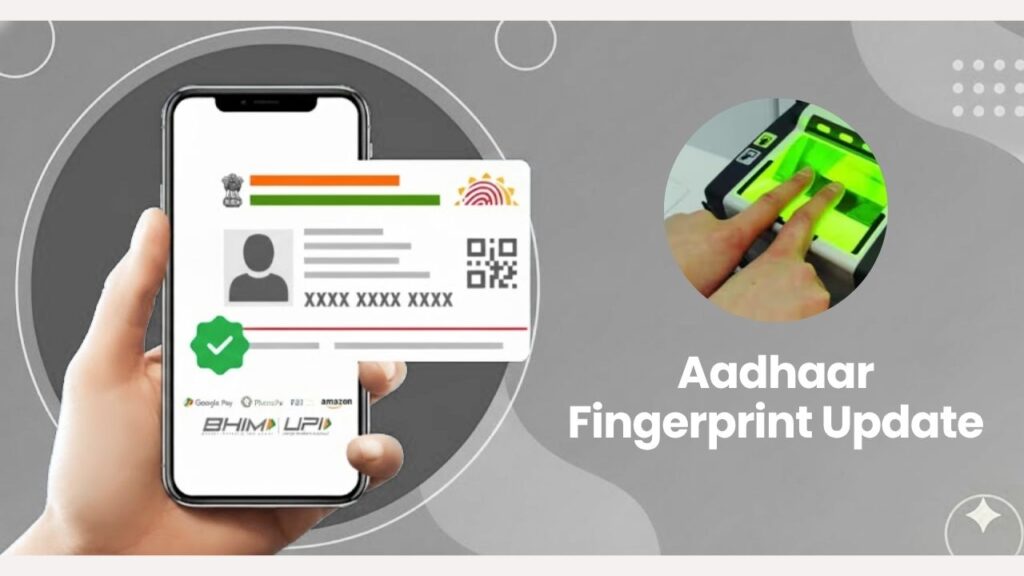
If your Aadhaar fingerprint is not getting verified at the bank, CSC centre, or during any government scheme authentication, then it’s time to update your Aadhaar biometrics. This problem is very common among senior citizens, workers, farmers, and people whose fingerprints have faded over time.
In this simple and detailed guide, we will explain what Aadhaar fingerprint update is, why it’s important, and how you can get it done step by step.
🌟 What Is Aadhaar Fingerprint Update?
Aadhaar Fingerprint Update is a process where your old or unclear fingerprints are refreshed in the UIDAI database.
Over time, some people face issues like:
- Fingerprint not matching at bank or CSC
- Authentication failure during government scheme benefits
- Difficulty in SIM activation
- Failed DBT due to biometric mismatch
Updating your fingerprints solves all these issues and makes Aadhaar authentication smooth everywhere.
🎯 Who Needs Aadhaar Fingerprint Update?
You should update your fingerprints if:
- You are facing repeated biometric failures
- Your fingerprints are worn-out due to age
- You work in fields like construction, farming, welding, plumbing etc.
- You changed Aadhaar details earlier and now require biometric re-verification
- Elderly people whose skin softness affects fingerprint detection
If any of these apply to you, fingerprint update is necessary.
🏢 Where Can You Update Aadhaar Fingerprints?
Fingerprint update is NOT available online.
You can update it at:
✔ Aadhaar Seva Kendra (ASK)
✔ Authorized Bank Aadhaar Centres
✔ Post Office Aadhaar Units
✔ CSC Centres authorized for Aadhaar Biometric Update
Make sure the center is UIDAI-approved.
📄 Documents Required for Aadhaar Fingerprint Update
Good news — you only need:
👉 Aadhaar Card or Aadhaar Number
No extra documents are needed unless you want to update demographic details.
💰 Aadhaar Fingerprint Update Fee
UIDAI has fixed the fee:
₹50 (Inclusive of GST)
All authorized centers must follow this fee. Do not pay extra.
📌 Important Before You Visit the Aadhaar Center
To ensure a successful fingerprint scan:
- Wash hands properly
- Avoid applying lotion, oil, or mehndi
- If you have rough skin, slightly rub fingers to improve clarity
- Elderly people may choose another finger if one fails
This helps improve biometric capture quality.
🔧 Step-by-Step Process: How to Update Aadhaar Fingerprints
Step 1: Visit the nearest Aadhaar update center
Go to ASK, bank, post office, or authorized CSC offering biometric updates.
Step 2: Tell the operator you want “Biometric Update – Fingerprint Update”
This ensures they start the correct process.
Step 3: Provide your Aadhaar number
They will enter your Aadhaar details for verification.
Step 4: Capture new fingerprints
The operator will ask you to place your fingers one by one on a certified biometric scanner.
Step 5: Live photograph (if required)
Sometimes UIDAI requires fresh live photos.
Step 6: Pay ₹50 fee
You will receive a printed or digital receipt.
Step 7: Collect your URN slip
This slip contains a Update Request Number (URN), used for tracking.
⏳ How Long Does the Update Take?
UIDAI usually updates your fingerprints in:
3 – 7 days
Sometimes it may take up to 15 days.
🖥 How to Check Aadhaar Fingerprint Update Status?
- Visit UIDAI website
- Go to Check Update Status
- Enter your URN number
- See if your update is approved
If approved → Your fingerprints are updated successfully.
⚠️ Why Fingerprint Updates Fail?
Some possible reasons:
- Poor fingerprint quality
- Operator scanning error
- Technical device issues
- Very dry or worn-out fingerprints
- UIDAI server issue
If your update fails, you can try again at another authorized centre.
🎉 Tips to Ensure Successful Fingerprint Update
- Keep hands clean and dry
- Avoid mehndi/oil/cream
- Try different fingers if one fails
- Elderly people should do periodic biometric updates
- Always update fingerprints after injury or skin changes
These simple steps ensure smooth authentication for government schemes and banking services.
📚 FAQ (Your Required Code Format – English Only)
📝 Conclusion
Aadhaar fingerprint update is a simple but important process, especially if your fingerprints are not being recognized during authentication. It ensures smooth access to bank services, government schemes, CSC services, subsidies, and more.
If you are facing any biometric issues, visit your nearest authorized center and update your fingerprints today.
For more helpful government service guides, visit 👉 Sarkari Bakery
Based on Google's Helpful Content System, this article emphasizes user value, transparency, and accuracy. It incorporates principles of E-E-A-T (Experience, Expertise, Authoritativeness, Trustworthiness).
Why Choose Sarkari Bakery?
Official Information
Government schemes & banking information based on official sources.
Step-by-Step Guides
Simple application process explained for every service.
Regular Updates
Content updated whenever official rules or services change.
People-First Content
Helpful, transparent and user-focused content.