
When you receive a new debit card or forget your existing PIN, the first question most customers ask is: How do I generate or reset my UCO Bank debit card PIN safely?
Without a PIN, your card cannot be used for ATM withdrawals, POS payments, or most online transactions. Delays in generating the PIN can block urgent payments, and entering the wrong PIN repeatedly may temporarily disable your card.
This detailed guide explains UCO Bank debit card PIN generation, the exact steps for ATM, mobile app, and IVR methods, common mistakes to avoid, and important transaction limits you should know.
⭐ What Is UCO Bank Debit Card PIN Generation?
UCO Bank debit card PIN generation is the process of creating or resetting your 4-digit Personal Identification Number (PIN) required for:
- ATM withdrawals
- POS (swipe machine) transactions
- Online payments (with OTP authentication)
- Balance enquiry and mini statements
You can generate or change your PIN using:
✔ UCO Bank ATM (Green PIN option)
✔ UCO mBanking Plus App
✔ Toll-free IVR number
⭐ When Do You Need to Generate or Reset PIN?
You may need PIN generation if:
- You received a new debit card
- You forgot your old PIN
- Your card was blocked due to wrong PIN attempts
- You suspect your PIN is compromised
- You want to change your PIN for security reasons
If your card is permanently blocked, you may need to request reactivation before generating a new PIN.
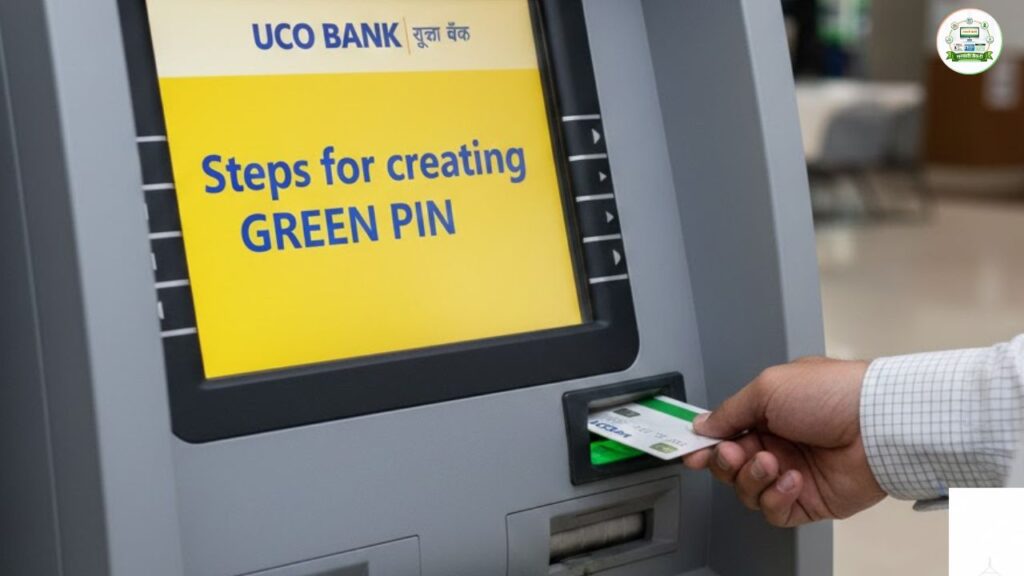
⭐ Method 1: Generate UCO Bank Debit Card PIN Through ATM
This is the most reliable method and activates your card fully without transaction restrictions.
Step-by-Step Process
Step 1: Visit the nearest UCO Bank ATM
Step 2: Insert your debit card
Step 3: Select preferred language
Step 4: Choose “Green PIN” option
Step 5: Select “Generate OTP”
Step 6: Enter your account number
Step 7: You will receive an OTP on your registered mobile number
Now:
Step 8: Remove and reinsert your card
Step 9: Select “Green PIN” again
Step 10: Choose “Validate OTP”
Step 11: Enter account number and OTP
Step 12: Create a new 4-digit PIN
Step 13: Re-enter PIN to confirm
You will see a success message on screen.
Important Tip:
Do not choose predictable PINs like:
- 1234
- 0000
- Birth year
- Last 4 digits of mobile number
⭐ Method 2: Generate UCO Bank Debit Card PIN Through Mobile App
If you prefer not to visit an ATM, you can use the UCO mBanking Plus App.
Requirements
- Registered mobile number
- Active debit card
- TPIN access
- Internet connection
Steps
Step 1: Log in to UCO mBanking Plus
Step 2: Go to Manage Cards
Step 3: Select Green PIN Generation
Step 4: Choose account number
Step 5: Select your active debit card
Step 6: Enter 16-digit card number and expiry date
Step 7: Set new 4-digit PIN
Step 8: Validate using OTP and TPIN
After successful confirmation, you will receive an SMS alert.
This method is convenient but requires proper app login credentials.
Read more about: SBI Debit Card Tracking – How to Track SBI Debit Card Delivery Status Easily
⭐ Method 3: Generate UCO Bank Debit Card PIN via IVR (Toll-Free)
You can generate a temporary Green PIN by calling:
📞 1800 8910 (from registered mobile number)
Steps
- Dial the toll-free number
- Follow IVR instructions
- Provide required details
- Complete OTP verification
Important Transaction Restriction
After IVR PIN generation:
- Only one ATM or POS transaction allowed
- Maximum limit: ₹10,000
- Online transactions not allowed
- Restrictions valid until 11:59 PM next day
To remove restrictions, generate a PIN at a UCO Bank ATM.
⭐ Common Mistakes That Can Block Your Card
❌ Entering wrong PIN 3 times
❌ Using unregistered mobile number
❌ Ignoring OTP delay
❌ Sharing OTP with anyone
❌ Generating PIN in public while someone is watching
If your card gets blocked, you may need to contact customer care or visit branch.
⭐ Security Tips While Generating PIN
- Always shield keypad while entering PIN
- Never share OTP or TPIN
- Avoid using public Wi-Fi for app method
- Change PIN periodically
- Do not store PIN in phone notes
⭐ What If You Don’t Receive OTP?
Check:
- Registered mobile number is active
- SIM network availability
- SMS inbox storage full
If still not received, update mobile number at branch.
⭐ Processing Time
PIN generation is instant in most cases.
However, SMS confirmation may take a few minutes depending on network.
⭐ Final Thoughts
UCO Bank has made debit card PIN generation simple through ATM, mobile banking, and IVR services. For complete activation without restrictions, ATM method remains the safest and most reliable option.
Always follow security practices and avoid predictable PIN combinations. A secure PIN ensures safe transactions and protects your banking account from misuse.
For more banking guides and step-by-step financial processes, visit Sarkari Bakery.
❓ Frequently Asked Questions
Based on Google's Helpful Content System, this article emphasizes user value, transparency, and accuracy. It incorporates principles of E-E-A-T (Experience, Expertise, Authoritativeness, Trustworthiness).
Why Choose Sarkari Bakery?
Official Information
Government schemes & banking information based on official sources.
Step-by-Step Guides
Simple application process explained for every service.
Regular Updates
Content updated whenever official rules or services change.
People-First Content
Helpful, transparent and user-focused content.