
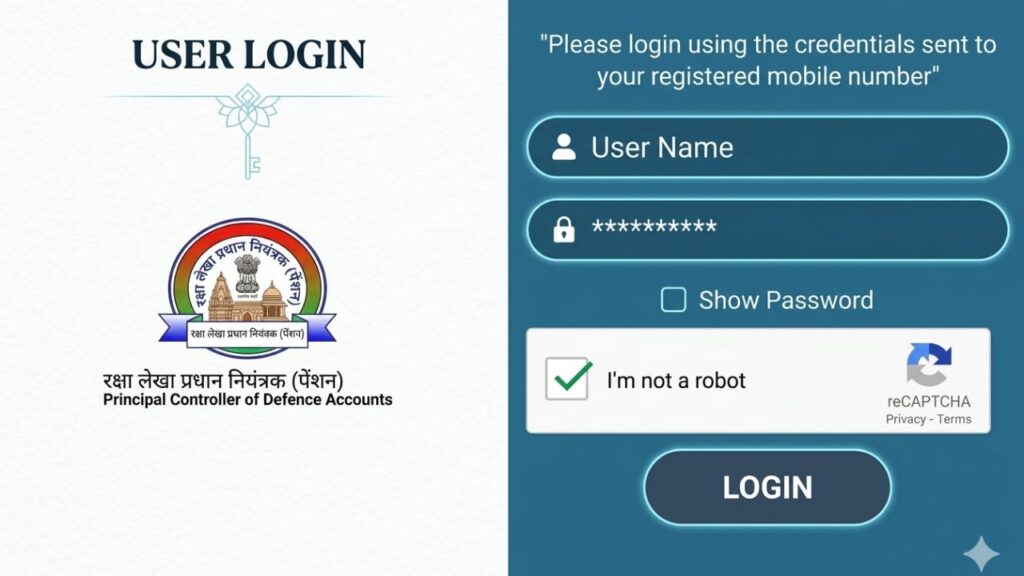
For defence pensioners, submitting the Digital Life Certificate (DLC) every year is mandatory. If it is not submitted on time, pension payments may stop temporarily. Many retired personnel and family pensioners worry about delays, login issues, Aadhaar authentication problems, or confusion between manual and digital submission.
To make the process easier, the Government of India introduced the SPARSH (System for Pension Administration Raksha) portal. This online system allows defence pensioners to manage pension details, submit life certificates, track status, and update records without visiting bank branches repeatedly.
This guide explains the full process in simple terms so that you can complete your Digital Life Certificate submission smoothly.
⭐ What Is SPARSH Pension Portal?
SPARSH is an online pension management system launched by the Controller General of Defence Accounts (CGDA). It handles:
- Pension processing
- Pension revision
- Life certificate submission
- Arrear payments
- Status tracking
Earlier, pensioners had to depend on banks for updates. Now, through SPARSH, everything is centralized and directly managed by the Defence Accounts Department.
⭐ Why Submitting Life Certificate Is Important
Every pensioner must prove that they are alive once a year. This prevents:
- Fraudulent pension withdrawals
- Duplicate claims
- Wrong credit to inactive accounts
If the Life Certificate is not submitted within the prescribed time (usually November), pension payments may be temporarily stopped until verification is completed.
⭐ Types of Life Certificate Submission in SPARSH
There are two ways to submit:
- Digital Life Certificate (DLC) – Recommended and faster
- Manual Life Certificate (MLC) – Offline upload method
Digital submission is safer and quicker because it uses Aadhaar-based authentication.
⭐ Requirements Before Submitting Digital Life Certificate
Keep the following ready:
- Aadhaar number linked with mobile number
- Registered mobile number (for OTP)
- SPARSH login credentials
- Pension Account Number
- Android smartphone (Version 7 or above recommended)
- Stable internet connection
For face authentication:
- Minimum 5 MP camera
- At least 4 GB RAM device
- Good lighting during face scan
⭐ Step-by-Step Process to Submit Digital Life Certificate (Face Authentication Method)
This is the easiest method for most pensioners.
Step 1: Login to SPARSH Portal
- Visit the official SPARSH portal
- Enter your login ID and password
- Complete OTP verification
If login credentials are not generated, use Aadhaar and pension details to create them.
Step 2: Choose “Digital Life Certificate”
- Navigate to the Life Certificate section
- Select Digital Life Certificate (DLC)
Step 3: Install Required Apps
Download from Google Play Store:
- Jeevan Pramaan Face App
- AadhaarFaceRD App
Both apps are necessary for authentication.
Step 4: Operator Authentication
- Open Jeevan Pramaan app
- Enter mobile number, Aadhaar number, and email
- Enter OTP received
- Complete face scan as instructed
Follow on-screen instructions carefully. Ensure proper lighting and no background movement.
Step 5: Pensioner Authentication
- Repeat similar process for pensioner
- Complete face scan verification
- Wait for confirmation message
Once successful, DLC is automatically submitted to SPARSH.
Step 6: Confirmation
- Login to SPARSH portal again
- Check Life Certificate status
- Confirm next due date is updated
Always verify submission to avoid payment interruption.
⭐ Alternative Method: Biometric Device Submission
If face authentication fails, you can:
- Use fingerprint scanner device
- Connect it to laptop or mobile
- Authenticate via Jeevan Pramaan system
This method is useful in rural areas where face recognition may not work properly.
⭐ Manual Life Certificate (MLC) Submission Process
If digital method is not possible:
- Login to SPARSH portal
- Download Manual Life Certificate form
- Fill and sign the form
- Get it attested by a Gazetted Officer
- Scan and upload (PDF under 10 MB)
Wait for approval confirmation.
Manual submission may take slightly longer for verification.
⭐ Common Problems and How to Avoid Them
❌ Aadhaar Not Linked With Mobile
Solution: Update Aadhaar mobile number before starting process.
❌ Face Authentication Fails
Solution: Ensure good lighting, clean camera lens, and stable internet.
❌ Login Issues
Solution: Use “Forgot Password” option and reset credentials.
❌ Life Certificate Not Reflecting
Solution: Wait 24–48 hours and check status again.
⭐ Important Deadlines
- Most pensioners must submit Life Certificate in November every year
- Family pensioners must also comply
- Delayed submission may result in temporary pension stop
Mark calendar reminders to avoid last-minute rush.
⭐ Major Banks Integrated With SPARSH
SPARSH system is integrated with:
- State Bank of India
- Punjab National Bank
- HDFC Bank
- India Post Payments Bank
- Bank of Baroda
Even though banks disburse pension, Life Certificate submission is now centralized under SPARSH.
⭐ Benefits of Digital Submission
- No need to visit bank branch
- No physical paperwork
- Faster approval
- Real-time status tracking
- Secure Aadhaar-based verification
Digital submission is especially helpful for senior citizens with mobility issues.
⭐ What Happens If You Don’t Submit Life Certificate?
- Pension may be temporarily stopped
- Arrears will be credited after submission
- Delay may cause financial inconvenience
Timely submission avoids unnecessary stress.
🔚 Conclusion
Submitting your Digital Life Certificate through SPARSH is simple if you follow the correct steps. Keep your Aadhaar linked, ensure your mobile number is updated, and complete authentication properly.
Whether you choose face recognition or manual upload, the most important thing is to submit the certificate before the deadline to ensure uninterrupted pension payments.
For more clear and practical government process guides, visit Sarkari Bakery.
❓ FAQs
Based on Google's Helpful Content System, this article emphasizes user value, transparency, and accuracy. It incorporates principles of E-E-A-T (Experience, Expertise, Authoritativeness, Trustworthiness).
Why Choose Sarkari Bakery?
Official Information
Government schemes & banking information based on official sources.
Step-by-Step Guides
Simple application process explained for every service.
Regular Updates
Content updated whenever official rules or services change.
People-First Content
Helpful, transparent and user-focused content.