
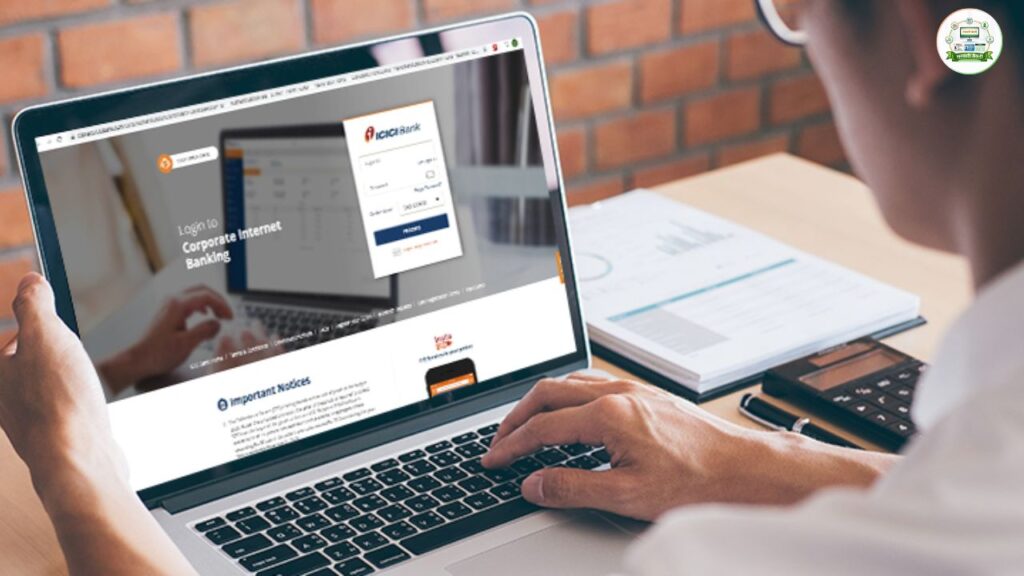
ICICI Net Banking allows customers to manage their bank accounts online without visiting a branch. From fund transfers and bill payments to fixed deposits and service requests, almost every banking activity can be handled digitally.
Many users, however, struggle with registration, password reset, activation, login errors, or transaction limits. This detailed guide explains everything clearly — step by step — so you can use ICICI Bank’s online services confidently and securely.
⭐ What Is ICICI Net Banking?
ICICI Net Banking is an online banking platform that enables customers to:
- Check account balance and statements
- Transfer funds (IMPS, NEFT, RTGS)
- Pay utility bills and credit card dues
- Open fixed deposits and recurring deposits
- Update profile details
- Track service requests
The service is available 24×7 and reduces dependency on physical branch visits.
⭐ ICICI Net Banking Registration
1️⃣ User ID Through Welcome Kit
When you open an account with ICICI Bank, you receive a Welcome Kit. It contains:
- User ID
- Debit card
- Account details
If you already have the User ID, you do not need separate registration. You only need to generate your password.
2️⃣ If You Lost the Welcome Kit
You can retrieve your User ID by:
- Visiting the nearest ICICI branch
OR - Using the online “I WANT MY USER ID” option
Steps to Get User ID Online:
- Visit ICICI Net Banking page
- Click “New User”
- Select “I WANT MY USER ID”
- Enter account number & registered mobile number
- Enter debit card grid details
- User ID will be sent to your registered mobile number
⭐ How to Activate ICICI Net Banking
Once you have your User ID, follow these steps:
- Visit ICICI Net Banking page
- Click “New User”
- Select “I WANT MY PASSWORD”
- Enter User ID and registered mobile number
- Enter OTP
- Enter debit card grid details
- Set new password
After this, your net banking account becomes active.
⭐ ICICI Bank Net Banking Login Process
Personal Login
- Visit ICICI Net Banking portal
- Click “Personal”
- Enter User ID and Password
- Click “Login”
Login Using Mobile Number
- Visit login page
- Enter registered mobile number
- Authenticate
- Enter Debit Card PIN
- Enter OTP
- Login successfully
This option is helpful if you forget your User ID.
⭐ ICICI Corporate Net Banking Login
For business accounts:
- Visit Corporate Net Banking page
- Select Corporate Login
- Enter Corporate ID & Password
- Complete authentication
Corporate accounts have higher transaction limits and multi-user access.
⭐ ICICI Net Banking Password Reset
If you forgot your password:
- Go to login page
- Click “New User”
- Select “I WANT MY PASSWORD”
- Enter User ID & mobile number
- Enter OTP
- Enter debit card grid details
- Set new password
Avoid sharing OTP or card details with anyone.
⭐ ICICI Net Banking Features
ICICI’s online banking portal offers:
✔ Customisable dashboard
✔ Drag-and-drop shortcuts
✔ 24×7 access
✔ Secure authentication
✔ Unified transaction password
✔ Easy fund transfers
✔ Instant credit card bill payment
✔ Online FD/RD creation
✔ Service request tracking
The interface is designed for ease of use, even for first-time users.
⭐ ICICI Net Banking Transaction Limits
Below are general limits (may vary by customer segment):
IMPS (Account + IFSC)
- Minimum: ₹1
- Maximum: ₹5 lakh
IMPS (Mobile + MMID)
- Minimum: ₹1
- Maximum: ₹10,000
NEFT (1 AM – 7 PM)
- Minimum: ₹1
- Maximum: ₹10 lakh to ₹1 crore
NEFT (Other hours / Holidays)
- Maximum: ₹2 lakh
RTGS (1 AM – 7 PM)
- Minimum: ₹2 lakh
- Maximum: ₹10 lakh to ₹1 crore
Limits depend on account type and customer profile.
⭐ Documents Required for ICICI Net Banking
You need:
- ICICI Account Number
- Registered Mobile Number
- ICICI Debit Card
- Active mobile network for OTP
No physical paperwork is required for activation if your mobile number is registered.
⭐ What Happens After 3 Wrong Login Attempts?
If you enter wrong credentials three times:
- Your account may get temporarily locked
- You must reset password
- Or contact customer care
Always use the “Forgot Password” option instead of guessing.
⭐ ICICI Net Banking Customer Care
For net banking issues, call:
📞 1800 1080 (Toll-Free)
You can also:
- Visit nearest ICICI branch
- Use “Report Issue” inside net banking portal
Keep your account details ready while calling.
⭐ Common Net Banking Problems & Solutions
Problem: OTP Not Received
✔ Check mobile network
✔ Ensure mobile number is registered
Problem: Grid Card Error
✔ Enter correct digits from debit card
✔ Avoid multiple incorrect attempts
Problem: Payment Failed
✔ Check bank balance
✔ Retry after 10–15 minutes
Problem: Account Locked
✔ Reset password immediately
⭐ Security Tips for ICICI Net Banking
✔ Never share OTP
✔ Avoid public Wi-Fi
✔ Logout after use
✔ Change password periodically
✔ Check transaction alerts regularly
Digital banking is secure if used responsibly.
🔚 Conclusion
ICICI Net Banking provides a secure and efficient way to manage your finances online. Whether you are registering for the first time, activating your account, resetting your password, or understanding transaction limits, the process is straightforward if you follow the correct steps.
Timely password management, secure login habits, and awareness of transaction limits help ensure smooth banking operations. For more simplified banking and financial guides, visit Sarkari Bakery.