
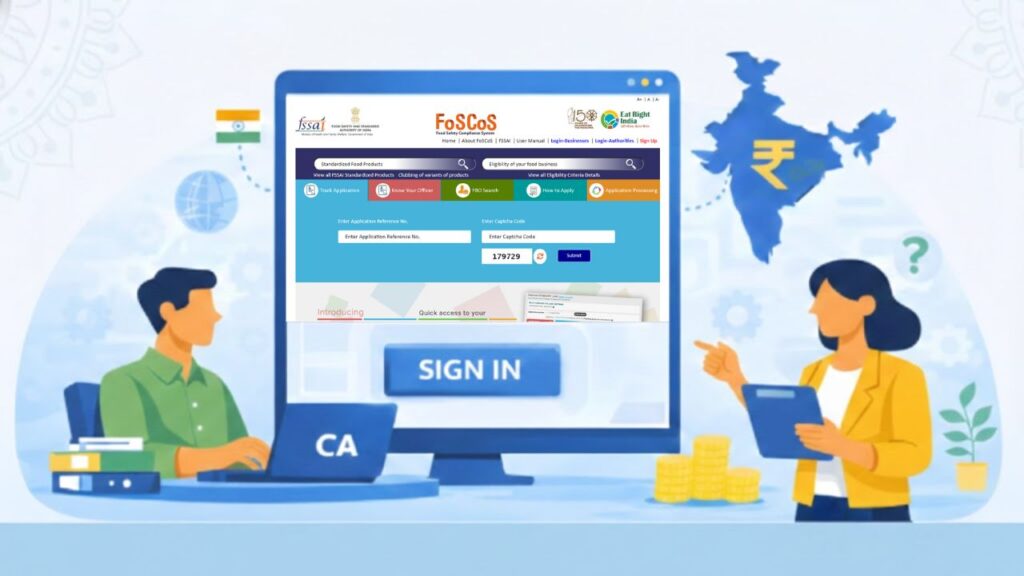
Food businesses in India cannot operate legally without FSSAI registration or licence. Whether you run a small food stall, cloud kitchen, restaurant, food manufacturing unit, or import business — compliance with the Food Safety and Standards Act, 2006 is mandatory.
To simplify the licensing and compliance system, the Food Safety and Standards Authority of India (FSSAI) introduced FoSCoS (Food Safety Compliance System). This cloud-based platform replaced the older FLRS system and transformed FSSAI licensing into a more structured, faster, and compliance-focused digital process.
Many Food Business Operators (FBOs) struggle with:
- Understanding whether they need registration or licence
- Tracking application status
- Selecting correct food category
- Modifying or renewing licence
- Uploading correct documents
This detailed guide explains FoSCoS FSSAI portal, its objectives, features, and step-by-step process in practical terms.
⭐ What Is FoSCoS FSSAI?
FoSCoS (Food Safety Compliance System) is the upgraded online licensing and compliance platform launched by FSSAI on 1 June 2020.
It replaced the earlier FLRS (Food Licensing and Registration System), which faced:
- Slow processing speed
- Technical glitches
- Outdated interface
- Limited integration with other government databases
FoSCoS is designed as a unified compliance ecosystem, not just a licensing portal.
⭐ Why FoSCoS Was Introduced
The old FLRS system worked primarily as a licence issuance portal. However, with increasing food businesses and stricter compliance norms, FSSAI required a smarter, integrated platform.
The main objectives of FoSCoS include:
- Converting licensing platform into a compliance-based system
- Reducing paperwork and physical visits
- Integrating with GST, PAN, MCA systems
- Making application process transparent
- Enabling digital inspections and returns
This shift helps improve accountability and ease of doing business.
⭐ States Where FoSCoS Was Initially Launched
FoSCoS was initially launched in:
- Tamil Nadu
- Puducherry
- Gujarat
- Goa
- Odisha
- Manipur
- Delhi
- Chandigarh
- Ladakh
Later, it expanded nationwide.
Existing users could log in using their old FLRS credentials.
⭐ Who Needs FoSCoS FSSAI Registration?
Any Food Business Operator involved in:
- Manufacturing
- Processing
- Storage
- Distribution
- Transportation
- Import
- Sale of food products
must obtain either:
- FSSAI Registration (small businesses)
- State Licence
- Central Licence
The eligibility depends on turnover, business size, and type of food activity.
⭐ FoSCoS Portal Homepage Features
The homepage is designed with user-friendly navigation.
Key Sections Available:
✔ Standardized Food Products Search
✔ Eligibility Search Tool
✔ Track Application
✔ Know Your Officer
✔ FBO Search
✔ How To Apply
✔ Application Processing
✔ Apply for Licence
✔ Apply for Registration
✔ Modification & Renewal
These features reduce confusion and guide applicants correctly.
⭐ How to Apply for FSSAI Registration or Licence on FoSCoS
Step 1: Visit FoSCoS Portal
Go to official FoSCoS website.
Step 2: Select “Apply for Registration” or “Apply for Licence”
Choose based on eligibility.
Step 3: Choose State & Business Category
Select correct Kind of Business (KoB).
Step 4: Select Standardized Food Products
Manufacturers must select from predefined food categories.
If product is not listed, apply under:
- Proprietary Food
- Non-Specified Food
- Nutraceuticals/Supplements
Step 5: Upload Documents
Documents vary depending on business type.
Step 6: Pay Applicable Fees
Fee depends on licence type and validity period.
Step 7: Submit Application
Note the Application Reference Number for tracking.
⭐ Track Application on FoSCoS
To track:
- Click “Track Application”
- Enter Application Reference Number
- Enter Captcha
- Click Submit
You can view approval, rejection, or inspection status.
⭐ FBO Search Facility
Consumers or authorities can verify any food business by:
- Clicking “FBO Search”
- Entering company name or licence number
- Viewing validity and status
This ensures transparency and consumer safety.
⭐ Know Your Officer Feature
This tool helps FBOs identify:
- Licensing Officer name
- Designation
- Official email
- Jurisdiction
Useful when follow-up or clarification is required.
⭐ Major Improvements Over FLRS
FoSCoS introduced several practical upgrades:
1️⃣ Smart Product Selection
Manufacturers now select from standardized food category list instead of manually typing product names.
2️⃣ Reduced Documentation
Earlier 29 documents were required. Now documents are KoB-based and rationalised.
3️⃣ Online Declarations
Many physical declarations replaced by digital checkbox confirmation.
4️⃣ Annual Return Filing Online
FBOs can file returns directly via portal.
5️⃣ Inspection Report Access
FBOs can view inspection reports digitally.
⭐ Integration With Other Systems
FoSCoS aims to become a central compliance platform by integrating with:
- FoSCoRIS (Inspection & Sampling)
- Food Import Clearing System (FICS)
- Food Safety Connect (Complaint System)
- Indian Food Laboratory Network (InFoLNet)
- Audit Management System (AMS)
- Food Safety Training & Certification (FoSTaC)
This improves regulatory efficiency.
⭐ Renewal & Modification Process
FBOs must renew licence before expiry.
Steps:
- Login to FoSCoS
- Select Renewal
- Verify business details
- Upload updated documents
- Pay renewal fees
Failure to renew before expiry can attract penalties.
⭐ Common Mistakes to Avoid
❌ Selecting wrong Kind of Business
❌ Uploading incomplete documents
❌ Ignoring standardized product list
❌ Delayed renewal
❌ Not updating GST/PAN details
Such errors may lead to application rejection or delay.
⭐ Why Compliance Is Important
Operating without FSSAI licence can lead to:
- Heavy penalties
- Business closure
- Legal prosecution
- Seizure of food stock
FoSCoS ensures that food safety standards are properly maintained.
⭐ Benefits of FoSCoS for FBOs
- Faster processing
- Reduced physical visits
- Clear eligibility tools
- Transparency in inspection
- Simplified documentation
- Digital grievance handling
This makes compliance more structured and predictable.
🔚 Conclusion
FoSCoS is not just a licence portal but a complete food safety compliance system designed to modernize India’s food regulation framework. It improves efficiency, transparency, and regulatory integration.
Food businesses must understand eligibility, select correct category, and maintain compliance to avoid legal trouble. Using FoSCoS correctly ensures smooth operations and builds consumer trust.
For more step-by-step guides on government registrations and compliance processes, visit Sarkari Bakery.