
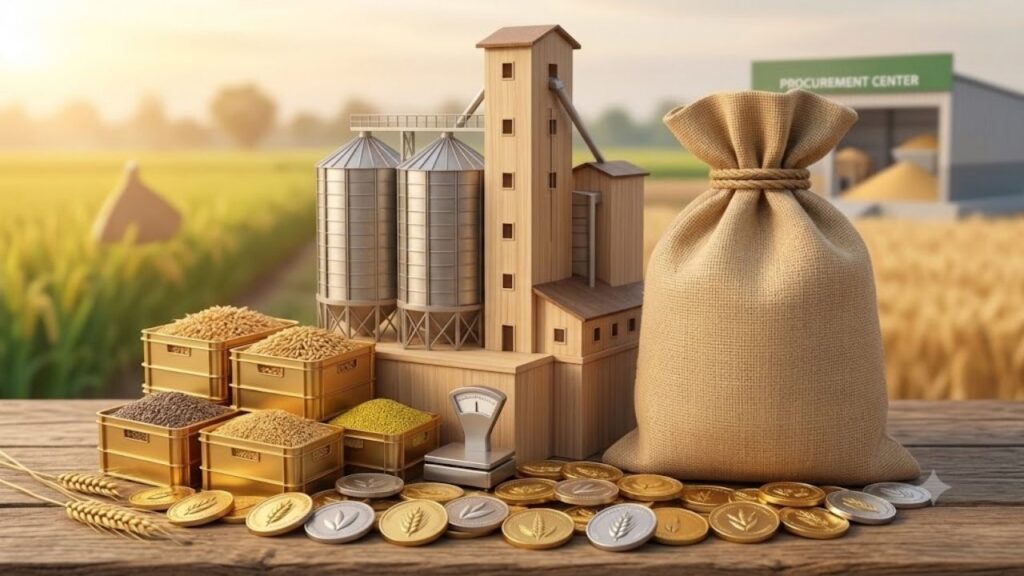
MP E Uparjan is an online procurement system developed by the Government of Madhya Pradesh to make the purchase of agricultural produce from farmers more organized, transparent, and convenient. Through the MP e-Uparjan portal, farmers can register their crops for procurement at the government-declared Minimum Support Price (MSP), book a slot for bringing their produce to a procurement centre, receive a receipt after sale, and get the payment transferred directly to their registered Aadhaar-linked bank account.
The system is designed to digitize the complete procurement process, from farmer registration and slot booking to procurement, transportation, storage, and payment. The official portal says that the system monitors crops including wheat, paddy, jowar, bajra, gram, lentils, mustard and other grains across Madhya Pradesh.
For the Rabi Marketing Year 2026–27, the official MP e-Uparjan portal listed the wheat procurement registration period as February 7, 2026 to March 10, 2026. Farmers should always check the official portal for the latest season-specific dates because registration and procurement schedules can change from one marketing season to another.
What is MP E Uparjan?
MP E Uparjan is the Madhya Pradesh government’s digital platform for procurement of agricultural produce from farmers at the government-declared MSP.
The system helps connect farmers with designated procurement centres and maintains digital information about the crop being sold. After the produce is purchased, the farmer receives a receipt, and the payment is transferred through the government’s payment system to the registered bank account.
The official portal describes the e-Uparjan process as a six-stage system:
- Farmer registration
- Slot booking
- Purchase of produce at the procurement centre
- Transportation of purchased produce
- Storage at the warehouse
- Direct payment to the farmer’s Aadhaar-linked bank account
This digital process reduces paperwork and helps the government monitor procurement activities across the state.
MP E Uparjan 2026 Latest Update
Farmers looking for the latest MP E Uparjan information should first check the official portal because registration dates depend on the crop and marketing season.
For Rabi Marketing Year 2026–27, the official portal currently records the following wheat registration schedule:
| Particular | Details |
|---|---|
| Procurement Season | Rabi Marketing Year 2026–27 |
| Crop | Wheat |
| Registration Start Date | February 7, 2026 |
| Registration Last Date | March 10, 2026 |
| Registration Purpose | Sale of wheat at government-supported procurement centres |
| Official Portal | MP e-Uparjan |
| Registration Fee | Free |
The Madhya Pradesh government scheme dashboard also states that procurement registration is free and that farmers wishing to sell their crop at designated government procurement centres can register.
Why is MP E Uparjan Important for Farmers?
Selling agricultural produce through a government procurement system can be important for farmers who want to participate in procurement at the applicable MSP.
The MP E Uparjan system provides a structured process for the sale of eligible crops.
Its major objectives include:
- Providing a digital registration facility to farmers
- Organizing procurement through designated centres
- Making the procurement process more transparent
- Allowing farmers to book procurement slots
- Providing a sale receipt after procurement
- Digitally monitoring transportation and storage
- Transferring payment directly to the registered bank account
The official portal states that farmers can register through the MP e-Uparjan application and that the system is intended to save farmers’ time through online registration.
Who Can Register on MP E Uparjan?
The MP government scheme information identifies landholding farmers as the beneficiary category for the procurement registration process. A farmer who wants to sell eligible produce at a government-designated procurement centre can register during the applicable procurement period.
However, eligibility and documentation requirements can vary depending on the crop, procurement season, and government instructions.
Before registering, farmers should check the latest instructions displayed on the official MP e-Uparjan portal.
Documents Required for MP E Uparjan Registration
Farmers should keep their basic land, identity, banking, and contact information ready.
The Madhya Pradesh government’s procurement registration information lists documents such as:
- Aadhaar Card
- Mobile Number
- Bank Passbook
- Land ownership or land-rights document
- Relevant agricultural/land records
The exact documents and verification requirements may vary according to the procurement season and farmer category.
It is important that the details entered during registration match the official records. Differences in names, land details, Aadhaar information, or bank details may cause problems during verification or payment.
How to Register for MP E Uparjan Online?
Farmers can use the MP e-Uparjan system for procurement registration during the officially announced registration period.
The general process is as follows:
- Open the official MP e-Uparjan portal.
- Select the relevant procurement season.
- Choose the farmer registration option.
- Enter the required farmer and land details.
- Provide Aadhaar and mobile information wherever required.
- Enter the bank account details requested by the system.
- Verify the information carefully.
- Submit the registration form.
- Save the registration details or acknowledgement for future reference.
The Madhya Pradesh government also states that farmers can register through designated citizen service centres, MP Online kiosks, and farmer-oriented digital facilities, depending on the applicable procurement process.
MP E Uparjan Farmer Registration Through Mobile
The e-Uparjan system is designed to make registration more accessible to farmers. The official portal states that farmers can register through a computer or mobile device.
However, farmers should make sure they are using the official MP e-Uparjan website or authorized application/service rather than an unknown third-party website.
Before submitting the form, check:
- Farmer name
- Aadhaar details
- Mobile number
- Bank account details
- Land information
- Crop information
- Procurement season
Incorrect information can create problems later in the procurement and payment process.
MP E Uparjan Slot Booking
Registration is only one part of the procurement process.
After registration, the farmer may need to complete slot booking according to the applicable procurement-season rules.
The official e-Uparjan portal specifically lists farmer slot booking as one of the stages in its procurement process.
Slot booking helps procurement centres manage the arrival of farmers and their agricultural produce in an organized manner.
Farmers should check the portal for:
- Available procurement centre
- Available date
- Available slot
- Crop details
- Quantity-related information
- Any season-specific instructions
The availability of specific slot-booking options can depend on the active procurement season.
How Does the MP E Uparjan Procurement Process Work?
The complete process can be understood in six major stages.
Farmer Registration
The farmer registers his or her crop through the e-Uparjan system during the notified registration period.
Slot Booking
After registration, the farmer books an available slot according to the instructions applicable to that procurement season.
Crop Procurement
The farmer brings the registered produce to the designated procurement centre. The produce is checked according to the applicable procurement and quality requirements.
Transportation
After procurement, the purchased produce is transported from the procurement centre to the designated storage location.
Storage
The procured produce is moved to a warehouse or designated storage centre.
Payment
After the sale and required processing, payment is transferred through the government payment system to the farmer’s registered bank account.
The official portal describes this six-stage workflow and states that payments are deposited into the farmer’s Aadhaar-linked bank account.
MP E Uparjan Payment Status
One of the most important things for farmers after selling their crop is checking whether the payment has been processed.
The official e-Uparjan system provides digital processing of procurement and payment information.
According to the official portal, after procurement, the amount for the produce sold by the farmer is deposited into the farmer’s registered Aadhaar-linked bank account within the stated processing period. The portal currently describes this as seven office working days.
If payment has not been received within the applicable period, farmers should first verify:
- Whether procurement was successfully recorded
- Whether the sale receipt was generated
- Whether the registered bank account is correct
- Whether Aadhaar-bank linking is active
- Whether there is any verification issue
- Whether the payment has been processed
For unresolved issues, the farmer should contact the relevant procurement centre or the responsible district authority.
What is the MP E Uparjan Receipt?
After the farmer’s produce is purchased at the procurement centre, a receipt is provided for the transaction.
The receipt is important because it serves as a record of the produce sold through the procurement process.
Farmers should keep the receipt safely until:
- Payment is received
- The transaction is completely settled
- Any required verification is completed
- Any future complaint or correction is resolved
Do not throw away the procurement receipt immediately after receiving payment.
MP E Uparjan and MSP
MSP stands for Minimum Support Price.
The government announces MSP for eligible agricultural commodities for the relevant marketing season. Under the Madhya Pradesh procurement system, farmers can register to sell eligible produce through government procurement arrangements where the applicable MSP procurement is being conducted.
The MP government scheme dashboard states that the government determines the MSP for crops annually.
The actual procurement price, crop eligibility, quality conditions, bonus provisions, and procurement limits should always be checked against the latest official notification for the relevant season.
Which Crops Are Covered Under MP E Uparjan?
The official MP e-Uparjan portal indicates that the system monitors and handles procurement-related information for several agricultural commodities, including:
- Wheat
- Paddy
- Jowar
- Bajra
- Gram
- Lentil
- Mustard
- Other eligible food grains
The exact crops covered for procurement can differ by season. Therefore, farmers should check the active Rabi or Kharif season section on the official portal before registering.
MP E Uparjan Rabi and Kharif Seasons
The portal maintains separate sections for different procurement seasons.
For example, the official website currently displays historical and current season sections under:
Kharif
- Kharif 2025–26
- Kharif 2024–25
- Kharif 2023–24
- Earlier seasons
Rabi
- Rabi 2026–27
- Rabi 2025–26
- Earlier Rabi seasons
This allows farmers and users to access information according to the relevant agricultural marketing year.
What Happens If You Miss MP E Uparjan Registration?
Farmers should complete registration within the official deadline announced for their crop and procurement season.
For example, the official portal listed March 10, 2026 as the last date for wheat registration for Rabi Marketing Year 2026–27.
If the registration period has closed, do not rely on unofficial websites or individuals claiming that they can reopen the registration. Instead, check the official portal and contact the relevant government procurement or district authority to determine whether any extension or alternative process has been announced.
Is MP E Uparjan Registration Free?
Yes. The Madhya Pradesh government scheme information states that the procurement registration process is free of charge.
Farmers should be cautious if someone demands money merely for government procurement registration. If a service centre is being used for assistance, ask for a receipt for any separately charged service and verify the official registration process.
Common Problems During MP E Uparjan Registration
Farmers may face several issues while registering or completing the procurement process.
Aadhaar Details Do Not Match
If the farmer’s name or other details do not match official records, verification may fail.
Bank Account Problem
Incorrect bank information or an account that is not properly linked as required can affect payment.
Land Details Not Available
If land records are missing, outdated, or inconsistent, registration may require correction or verification.
Mobile Number Issue
An inactive or incorrect mobile number can make OTP-based services difficult to use.
Slot Not Available
A farmer may not immediately find a preferred slot if the available slots at a procurement centre are already occupied.
Payment Delay
Payment can be delayed if verification, banking, or other transaction-related issues arise.
In every case, farmers should first verify their information on the official portal and then approach the designated procurement centre or relevant authority if the problem continues.
Tips for Farmers Using MP E Uparjan
Farmers can avoid many problems by following a few simple precautions:
- Register before the official deadline.
- Use only the official MP e-Uparjan portal.
- Keep Aadhaar details accurate.
- Make sure the bank account information is correct.
- Keep your registered mobile number active.
- Check land records before registration.
- Save your registration acknowledgement.
- Complete slot booking according to the notified schedule.
- Keep the procurement receipt safely.
- Check payment status after selling the produce.
- Do not share OTPs with unknown people.
- Avoid unofficial websites promising guaranteed registration or payment.
MP E Uparjan Official Website
Farmers should use the official MP e-Uparjan portal for registration, procurement-season information, and other available services.
Official MP E Uparjan Portal: mpeuparjan.nic.in
The official Madhya Pradesh government scheme dashboard also lists mpeuparjan.nic.in as the online application link for procurement registration.
Final Words
MP E Uparjan has made the agricultural procurement process more organized by bringing farmer registration, slot booking, procurement, transportation, storage, and payment onto a digital platform. The system is particularly useful for farmers who want to participate in government procurement of eligible crops at the applicable MSP.
For the 2026–27 Rabi season, the official portal recorded wheat registration from February 7 to March 10, 2026. Since procurement dates and rules can change from season to season, farmers should always check the official MP e-Uparjan portal for the latest notification before taking any action.
For more easy-to-understand guides on government schemes, farmer services, online applications, and other important government-related updates, visit Sarkari Bakery.
Frequently Asked Questions About MP E Uparjan
Based on Google's Helpful Content System, this article emphasizes user value, transparency, and accuracy. It incorporates principles of E-E-A-T (Experience, Expertise, Authoritativeness, Trustworthiness).
Why Choose Sarkari Bakery?
Official Information
Government schemes & banking information based on official sources.
Step-by-Step Guides
Simple application process explained for every service.
Regular Updates
Content updated whenever official rules or services change.
People-First Content
Helpful, transparent and user-focused content.