
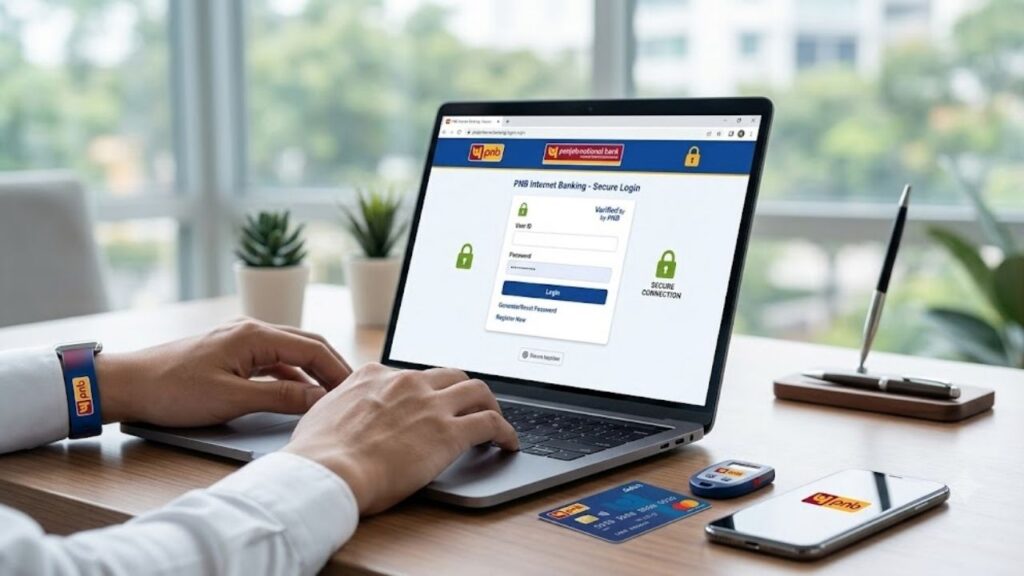
PNB Internet Banking, also known as PNB Retail Internet Banking, is the online banking service offered by Punjab National Bank (PNB). It allows customers to perform banking transactions securely from anywhere without visiting a bank branch. From checking account balances and downloading account statements to transferring funds and paying utility bills, PNB Internet Banking provides a complete digital banking experience. PNB also offers separate internet banking services for personal and corporate customers, along with online registration and password reset facilities for eligible users.
Whether you’re a new PNB customer or want to activate net banking for the first time, this guide explains everything in simple language.
⭐ What is PNB Internet Banking?
PNB Internet Banking is an online banking platform that enables Punjab National Bank customers to access and manage their bank accounts through the internet 24 hours a day.
After registering, customers can perform various banking activities without visiting a branch, such as:
- Check account balance
- Download account statements
- Transfer money
- Pay utility bills
- Open Fixed Deposits (FDs)
- Manage debit cards
- Pay taxes
- View loan accounts
- Request cheque books
- Update profile details
The service is available for both Retail (Personal) and Corporate customers.
⭐ Key Features of PNB Internet Banking
PNB Net Banking comes with a wide range of financial and non-financial services.
Account Management
Customers can easily manage their accounts online by:
- Viewing account balances
- Checking transaction history
- Downloading account statements
- Viewing mini statements
- Checking account details
Fund Transfer Services
PNB allows secure online fund transfers using multiple payment systems.
Available transfer methods include:
- Transfer within PNB accounts
- Third-party PNB account transfer
- NEFT
- RTGS
- IMPS
Bill Payments
Customers can pay various bills online, including:
- Electricity bills
- Water bills
- Gas bills
- Mobile recharge
- Broadband bills
- DTH recharge
- Credit card bills
Deposit Services
Internet Banking allows customers to:
- Open Fixed Deposits (FD)
- Open Recurring Deposits (RD)
- Renew Fixed Deposits
- View deposit details
Debit Card Services
Customers can manage their debit cards through Internet Banking by:
- Blocking or hotlisting cards
- Setting transaction limits
- Turning debit cards ON/OFF
- Resetting Debit Card PIN
- Viewing card activity
Tax and Government Services
PNB Internet Banking also provides:
- Income Tax payment
- GST-related services
- Aadhaar registration
- PAN registration
- Form 26AS access
- PMJJBY, PMSBY, and APY registration
These services are available through the Internet Banking portal.
⭐ Benefits of PNB Internet Banking
Using PNB Net Banking offers several advantages.
Some of the major benefits include:
- Banking anytime and anywhere
- No need to visit the bank for routine transactions
- Secure online payments
- Instant fund transfers
- Easy bill payments
- Online deposit opening
- Quick account monitoring
- Paperless banking
- Time-saving banking experience
⭐ Who Can Register for PNB Internet Banking?
The following customers are generally eligible:
- Savings Account holders
- Current Account holders
- Salary Account holders
- Joint Account holders (subject to operating instructions)
- NRI customers
- Corporate customers
- Business account holders
⭐ Documents and Details Required
Before registering, keep the following ready:
- PNB Account Number
- Customer ID
- Registered Mobile Number
- Debit Card (for eligible online registration)
- PAN (where required)
- Date of Birth
- Email ID
⭐ How to Register for PNB Internet Banking?
Eligible customers can register online using their debit card or apply through a branch, ATM, or customer care.
Registration Process:
- Visit the official PNB Internet Banking portal.
- Click New User Registration.
- Select the registration option.
- Enter your Account Number and Customer ID.
- Verify the OTP sent to your registered mobile number.
- Enter your debit card details (if applicable).
- Choose the required banking facility.
- Create your Login Password and Transaction Password.
- Submit the registration request.
- Your Internet Banking account will be activated after successful verification.
⭐ How to Login to PNB Personal Internet Banking?
After successful registration, follow these steps:
- Visit the official PNB Internet Banking login page.
- Select Retail/Personal Banking.
- Enter your User ID.
- Enter your Login Password.
- Complete OTP verification if prompted.
- Click Login.
You will be redirected to your dashboard.
⭐ How to Login to PNB Corporate Internet Banking?
Corporate users can log in by following these steps:
- Open the PNB Internet Banking portal.
- Select Corporate Banking.
- Enter your Corporate User ID.
- Enter your password.
- Complete the authentication process.
- Click Login.
⭐ How to Reset PNB Internet Banking Password?
If you forget your password, PNB provides an online password reset facility for eligible users.
Password Reset Process:
- Open the PNB Internet Banking login page.
- Click Forgot Password.
- Enter your User ID.
- Verify your identity using your registered mobile number and debit card details (if required).
- Complete OTP verification.
- Create a new Login Password.
- Confirm the password and submit.
You can now log in using the new password.
⭐ How to Transfer Funds Using PNB Internet Banking?
PNB supports multiple online money transfer options.
NEFT Transfer
Suitable for transferring funds to accounts in other NEFT-enabled banks.
RTGS Transfer
Best suited for high-value transactions.
IMPS Transfer
Provides instant money transfer service, available 24×7.
Fund Transfer Process:
- Log in to PNB Internet Banking.
- Navigate to the Fund Transfer section.
- Add a beneficiary if not already registered.
- Enter the transfer amount.
- Select NEFT, RTGS, IMPS, or PNB transfer.
- Review the transaction details.
- Authenticate the transaction using your transaction password or OTP.
- Submit the request.
⭐ How to Add a Beneficiary?
Before transferring money to another bank account, you may need to register the beneficiary.
The process includes:
- Log in to your account.
- Go to Manage Beneficiary.
- Enter the beneficiary’s:
- Name
- Account Number
- IFSC Code
- Bank Name
- Verify the details.
- Confirm using OTP.
- Wait for beneficiary activation if applicable.
⭐ Services Available Through PNB Internet Banking
Customers can access numerous banking services, including:
- Balance enquiry
- Account statement download
- Fund transfer
- Cheque book request
- Stop cheque instruction
- Debit card management
- Tax payment
- Utility bill payment
- Mobile recharge
- Credit card payment
- Loan account enquiry
- Deposit opening and renewal
- Aadhaar and PAN registration
- Profile management
⭐ Security Tips for Safe Internet Banking
To keep your account secure:
- Never share your Login Password or Transaction Password.
- Do not disclose OTPs to anyone.
- Always use the official PNB website.
- Log out after completing your banking session.
- Avoid using public Wi-Fi for banking.
- Change your passwords regularly.
- Enable SMS and email transaction alerts.
- Keep your mobile number updated with the bank.
⭐ Common Problems and Their Solutions
Unable to Login
Ensure that your User ID and password are correct. If the issue persists, reset your password or contact PNB.
Forgot Password
Use the online Forgot Password option to create a new password.
OTP Not Received
Check that your registered mobile number is active and has network connectivity.
Beneficiary Not Activated
Some beneficiary additions may require a cooling period before transactions are permitted.
⭐ PNB Customer Care
If you need assistance with Internet Banking:
- Visit your nearest Punjab National Bank branch.
- Contact the official PNB customer care helpline.
- Use the support options available on the official PNB website.
⭐ Conclusion
PNB Internet Banking provides a secure, fast, and convenient way to manage your banking needs from anywhere. Whether you want to transfer funds, pay bills, open deposits, manage debit cards, or check your account balance, the platform offers a wide range of digital banking services. By following proper security practices and using the official PNB Internet Banking portal, customers can enjoy a smooth and safe online banking experience.
For more banking guides, finance tips, and government scheme updates, visit Sarkari Bakery.
⭐ Frequently Asked Questions (FAQs)
Based on Google's Helpful Content System, this article emphasizes user value, transparency, and accuracy. It incorporates principles of E-E-A-T (Experience, Expertise, Authoritativeness, Trustworthiness).
Why Choose Sarkari Bakery?
Official Information
Government schemes & banking information based on official sources.
Step-by-Step Guides
Simple application process explained for every service.
Regular Updates
Content updated whenever official rules or services change.
People-First Content
Helpful, transparent and user-focused content.