
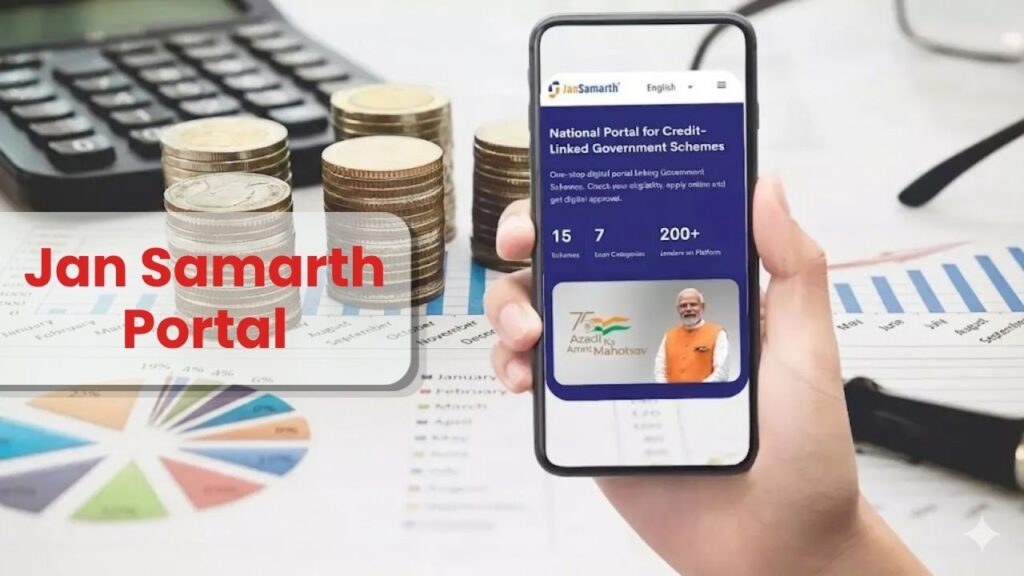
The dream of starting a business, buying agricultural equipment, or pursuing higher education often hits a roadblock due to a lack of funds. In the past, getting a government-subsidized loan meant running between multiple bank branches and government offices.
To solve this, the Government of India launched the Jan Samarth Portal—a revolutionary digital “one-stop-shop” that connects 13 major credit-linked government schemes with lenders and beneficiaries on a single platform.
In this guide, we will explore how you can use this portal to get your loan approved digitally, the eligibility criteria, and the “insider” tips for a successful application.
What is the Jan Samarth Portal?
The Jan Samarth Portal is a national digital platform that simplifies the process of availing of government-sponsored subsidies and loans. Instead of filling out different forms for different schemes, a beneficiary can check their eligibility for multiple schemes at once.
The “Big Picture” Value:
- 13 Schemes under one roof.
- 4 Loan Categories (Education, Agri-Infra, Business, and Livelihood).
- 125+ Lenders (Public, Private, and Regional Banks) connected directly.
- Digital In-Principle Approval: Get an initial “Yes” from the bank within minutes.
Loan Categories and Schemes Available
The portal is divided into four main categories. Depending on your need, you can apply under any of these:
| Loan Category | Purpose | Popular Schemes Included |
| Education Loan | Graduation, Post-Graduation, or PhD in India or abroad. | Central Sector Interest Subsidy (CSIS), Padho Pardesh. |
| Agri Infrastructure | Setting up Agri-clinics, Business Centres, or Post-harvest management. | Agri-Clinics (ACABC), Agri Marketing Infra (AMI), AIF. |
| Business Activity | Starting a new shop, factory, or service unit. | Mudra Loan (PMMY), PMEGP, PM SVANidhi, Stand-Up India. |
| Livelihood Loan | Funding for Self-Help Groups (SHGs) and rural entrepreneurs. | DAY-NRLM (National Rural Livelihoods Mission). |
Step-by-Step: How to Apply on Jan Samarth Portal
The process is designed to be user-friendly. Follow these steps to ensure you don’t miss out on any benefits:
Step 1: Check Your Eligibility
Before registering, click on the ‘Schemes’ tab. The portal will ask you basic questions like your gender, social category (SC/ST/OBC/Gen), and the amount of loan you need. Based on your answers, it will show you which schemes you qualify for.
Step 2: Digital Registration
Once a scheme is suggested, click ‘Apply Now’. You will need to register using your mobile number and OTP.
Step 3: Complete the Digital Application
Fill in your personal and business/educational details. You will be asked to upload digital copies of your documents (Aadhaar, PAN, etc.).
Step 4: Choose Your Lender
After submission, the portal will show you a list of banks (Lenders) willing to provide the loan. You can compare their offers and select the one you prefer.
Step 5: Get Digital Approval
The selected bank will review your data and provide a Digital In-Principle Approval Letter. You can download this and take it to the bank branch for final disbursement.
Essential Documents Required
To avoid application rejection, keep the following documents ready in digital format (PDF or JPEG):
- Aadhaar Number: Mandatory for identity verification.
- PAN Card: Required for credit history (CIBIL) checks.
- Voter ID: Often used as additional address proof.
- Bank Statements: Usually for the last 6 to 12 months.
- Project Report: For business activity loans, a brief summary of your business plan is needed.
Pro Tips for a Successful Loan Sanction
- Aadhaar-Mobile Link: Ensure your mobile number is linked to your Aadhaar. The portal uses E-KYC, which requires an OTP sent to your Aadhaar-linked number.
- CIBIL Score: While these are government schemes, banks still check your credit score. Ensure you have no defaults on previous loans.
- The “In-Principle” Trap: Remember, an “In-principle approval” is NOT a final loan sanction. The bank will still verify your physical documents and site before releasing the money.
- Select the Right Category: If you are a woman entrepreneur, always check the Stand-Up India or PMEGP schemes first, as they offer higher subsidies and better terms.
How to Track Your Application Status
Once you have applied, you don’t need to visit the bank to ask for updates.
- Go to the Jan Samarth Portal.
- Click on ‘Login’ and enter your credentials.
- Go to the ‘My Applications’ tab.
- You can see whether your application is “Under Process,” “Approved,” or “Rejected” with reasons.
Conclusion
The Jan Samarth Portal has successfully removed the “middleman” from the government loan process. It empowers common citizens to directly access capital for their growth. By following the digital process correctly and keeping your documents ready, you can significantly speed up your loan approval.
For more such detailed guides on government portals, job updates, and financial schemes, stay tuned to Sarkari Bakery, where we simplify complex government processes for you.